Engage collects the comments on your posts from your direct channels. Answer them without opening each network.
- 1
Step 1: Open the inbox
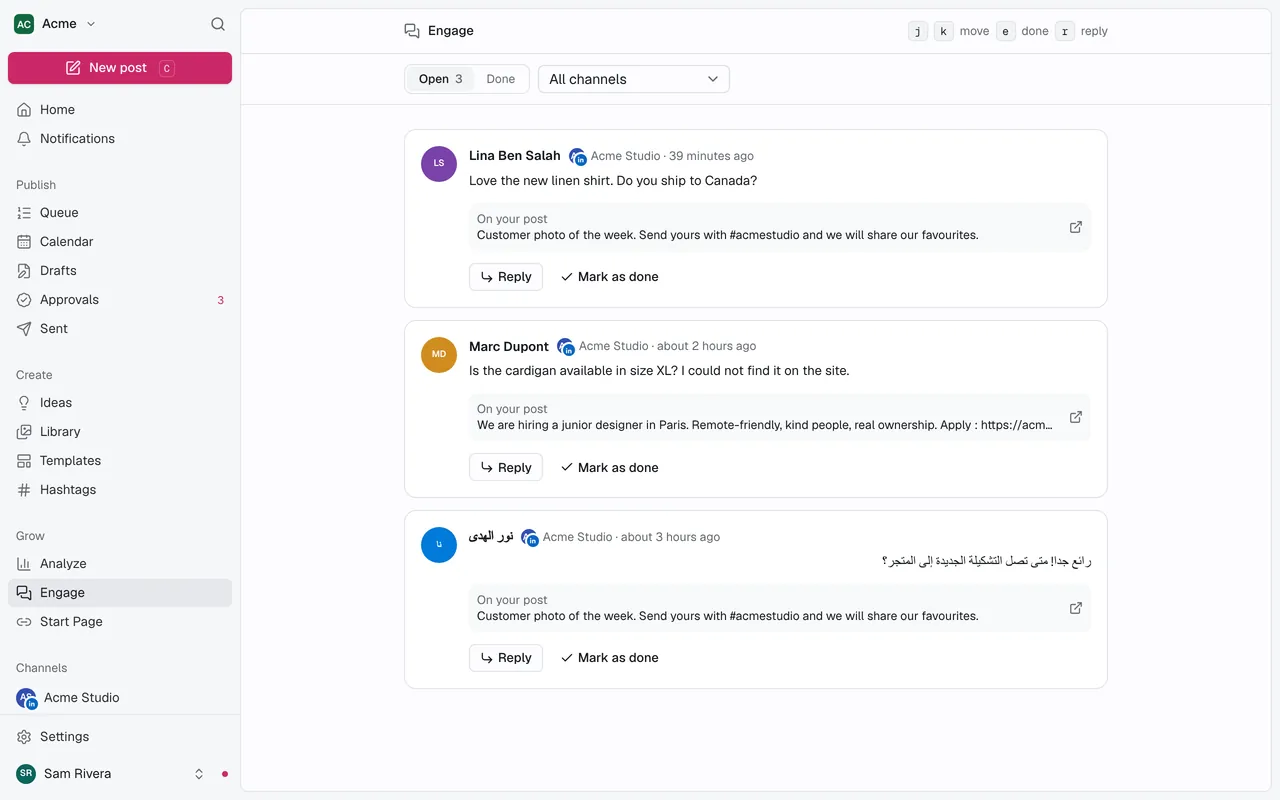
Click Engage. Open shows the comments to handle. Each one shows the post it is on.
- 2
Step 2: Reply
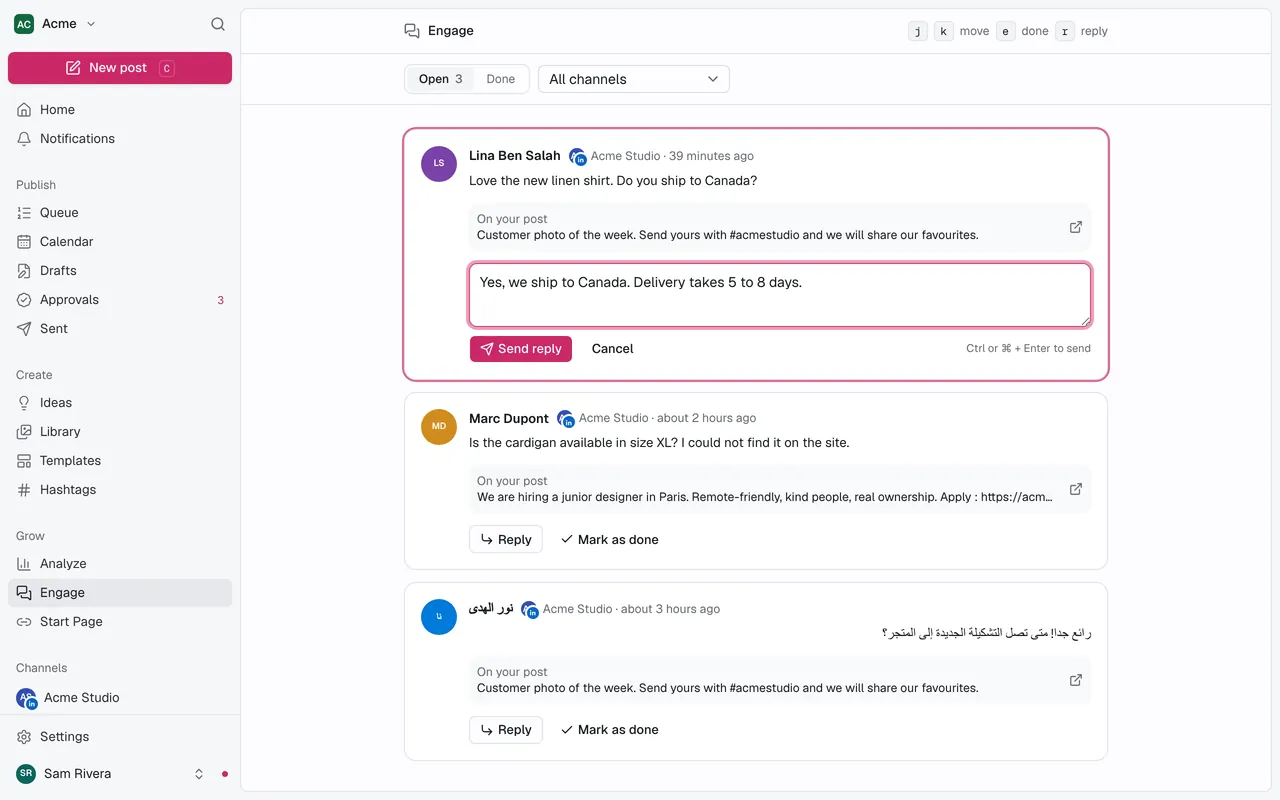
Click Reply, write your answer and click Send reply (or press Ctrl or ⌘ + Enter). It is posted under the comment on the network.
- 3
Step 3: Mark as done
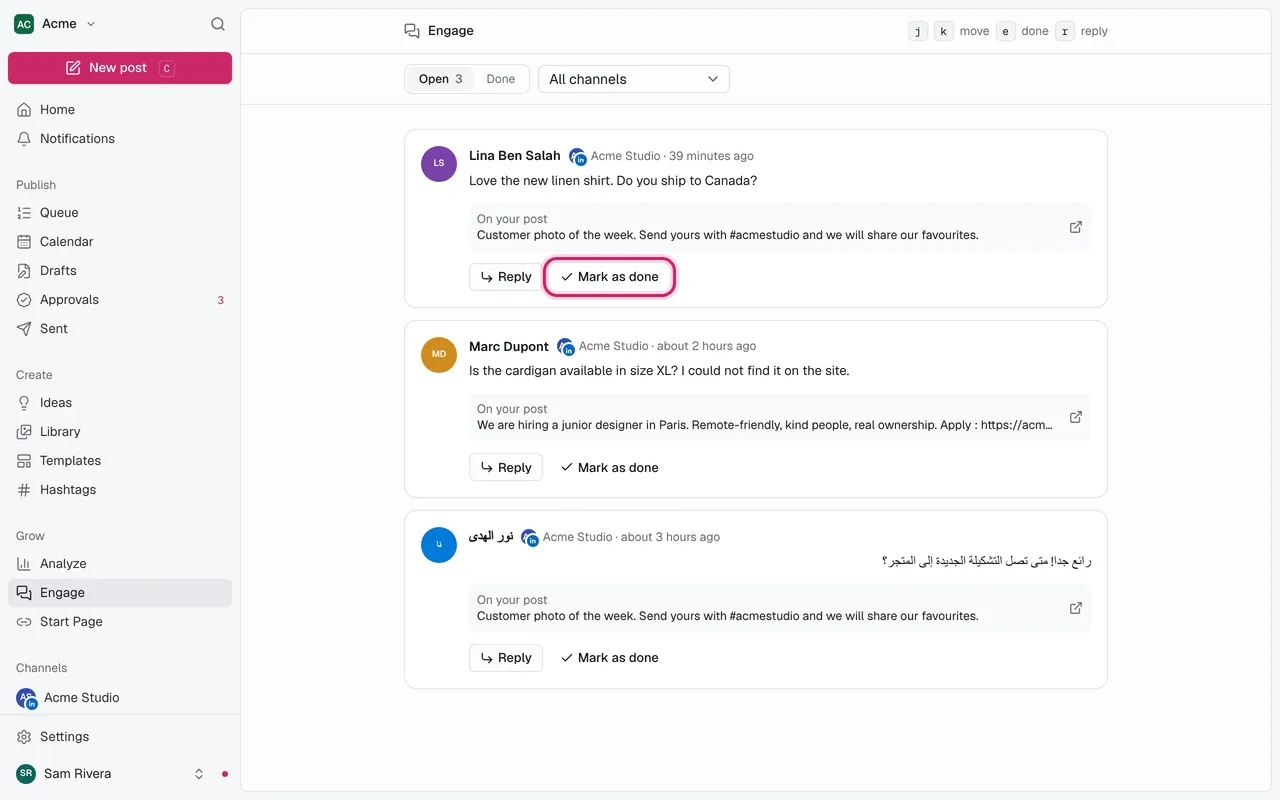
Click Mark as done when a comment needs nothing more. It moves to Done.
- 4
Step 4: Use the keys
Press J and K to move between comments, R to reply and E to mark as done.
