Analyze compares the period you pick with the period before it.
- 1
Step 1: Pick a period
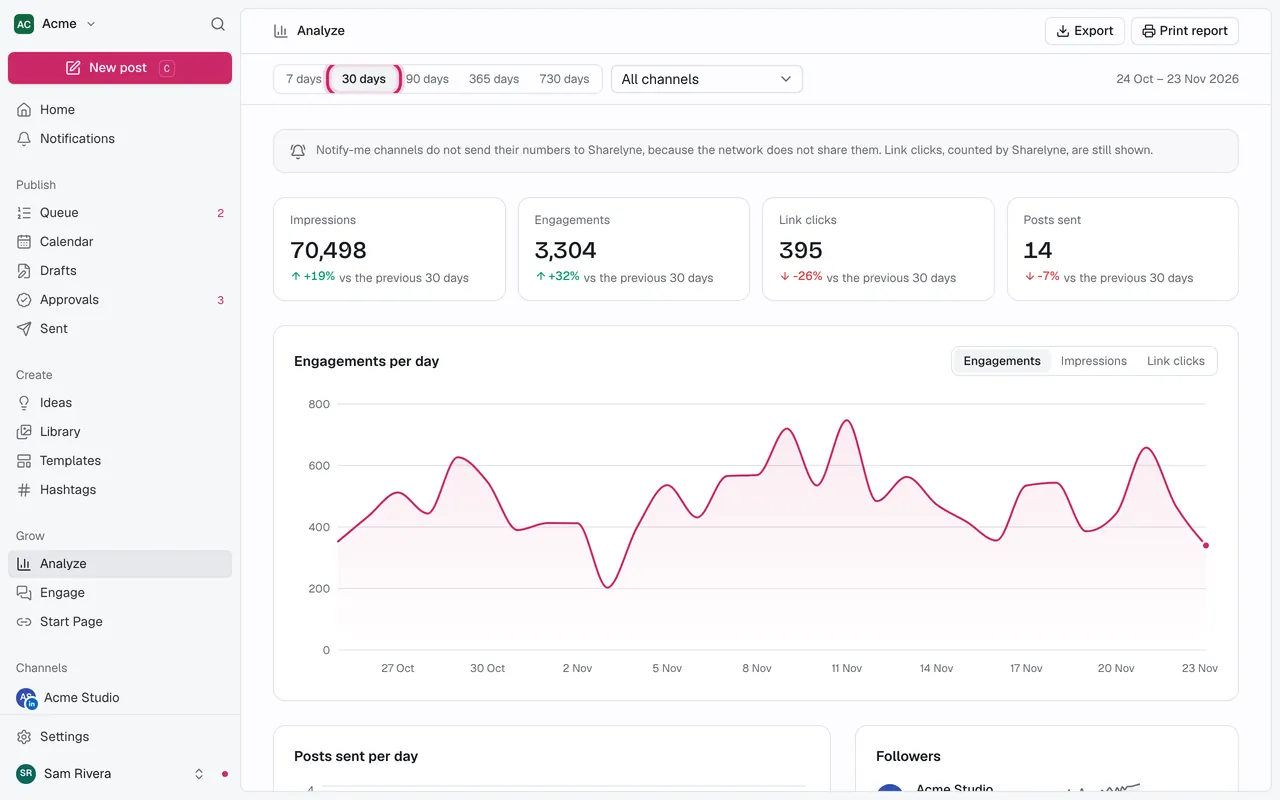
Open Analyze. Choose 7, 30, 90, 365 or 730 days, and all channels or one. Each total shows the change against the previous period.
- 2
Step 2: Read the charts
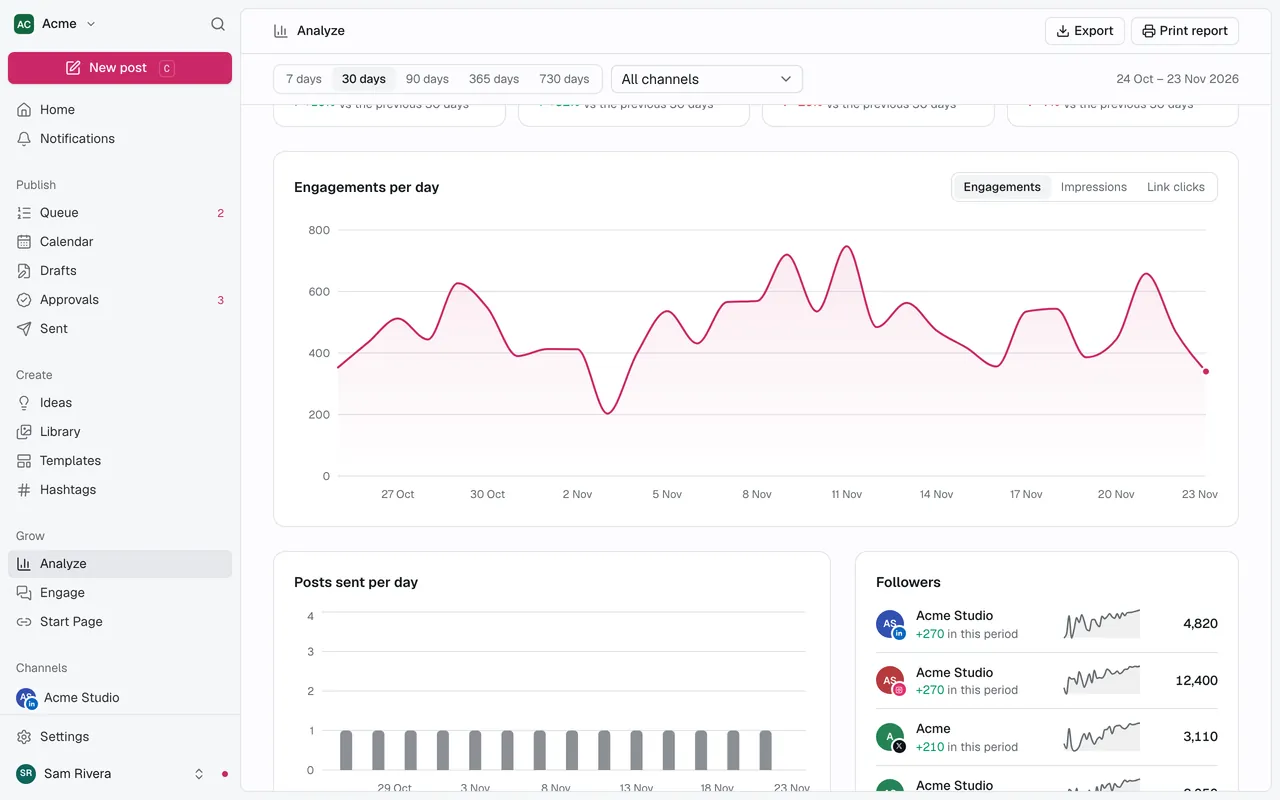
Engagements per day shows engagements, impressions and link clicks over time. Posts sent per day shows how often you posted.
- 3
Step 3: Follow your followers
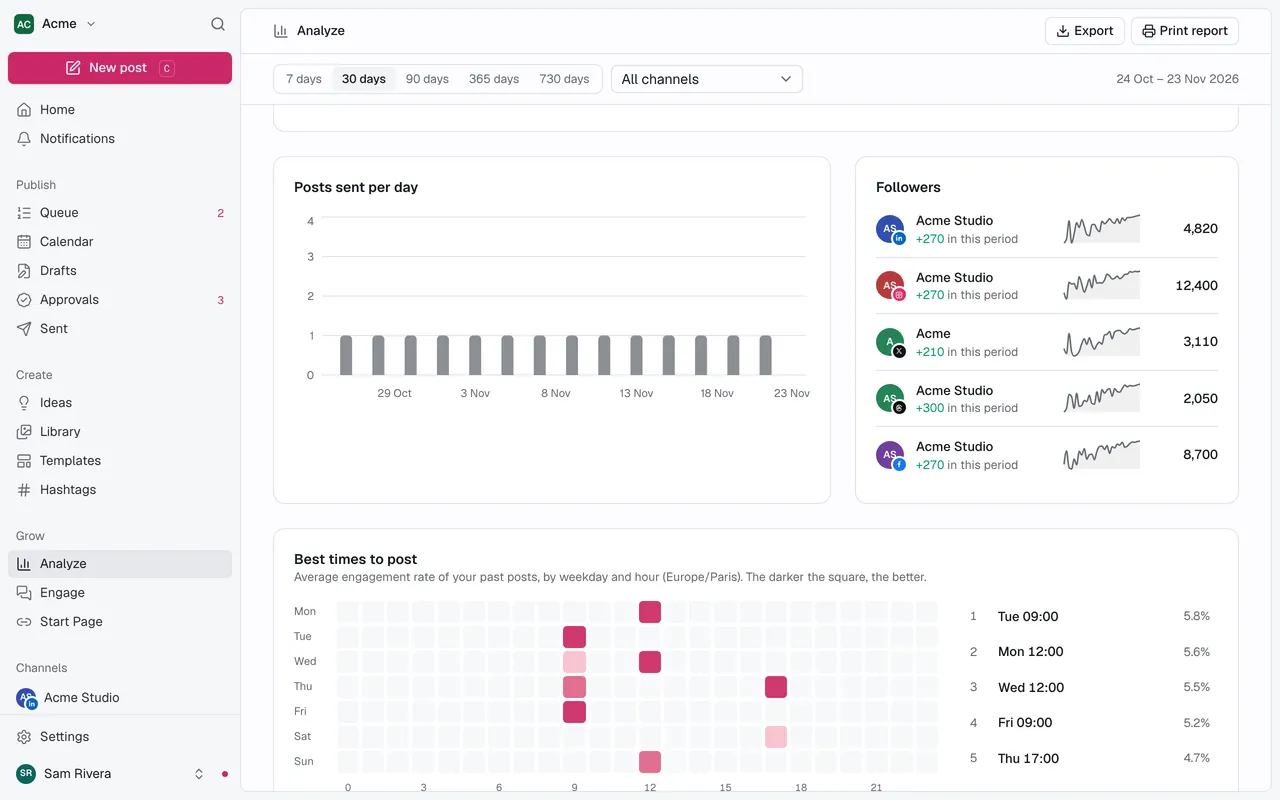
Followers shows each channel's audience and its growth in the period.
More Analyze tutorials
All Analyze tutorialsRead your sent posts and their numbers
See every post that went out, with its impressions, engagements and link clicks.
Beginner2 min3 stepsFind your best times and export a report
See when your posts do best, find your top posts and share a report.
Intermediate2 min3 steps