Your own past posts tell you when to post. Use them to set your posting times.
- 1
Step 1: Read the best times
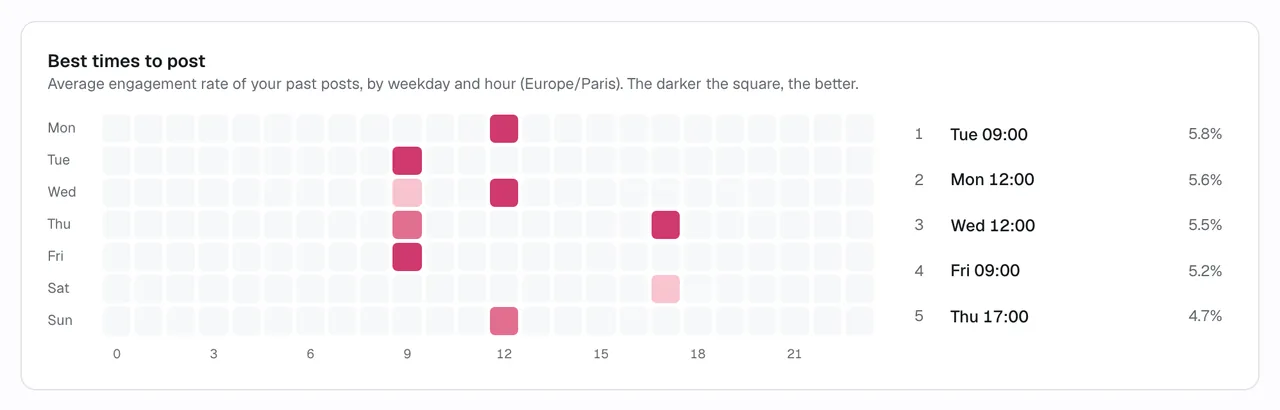
Best times to post shows the average engagement rate by weekday and hour. The darker the square, the better. The top five times are listed on the side.
- 2
Step 2: Find your top posts
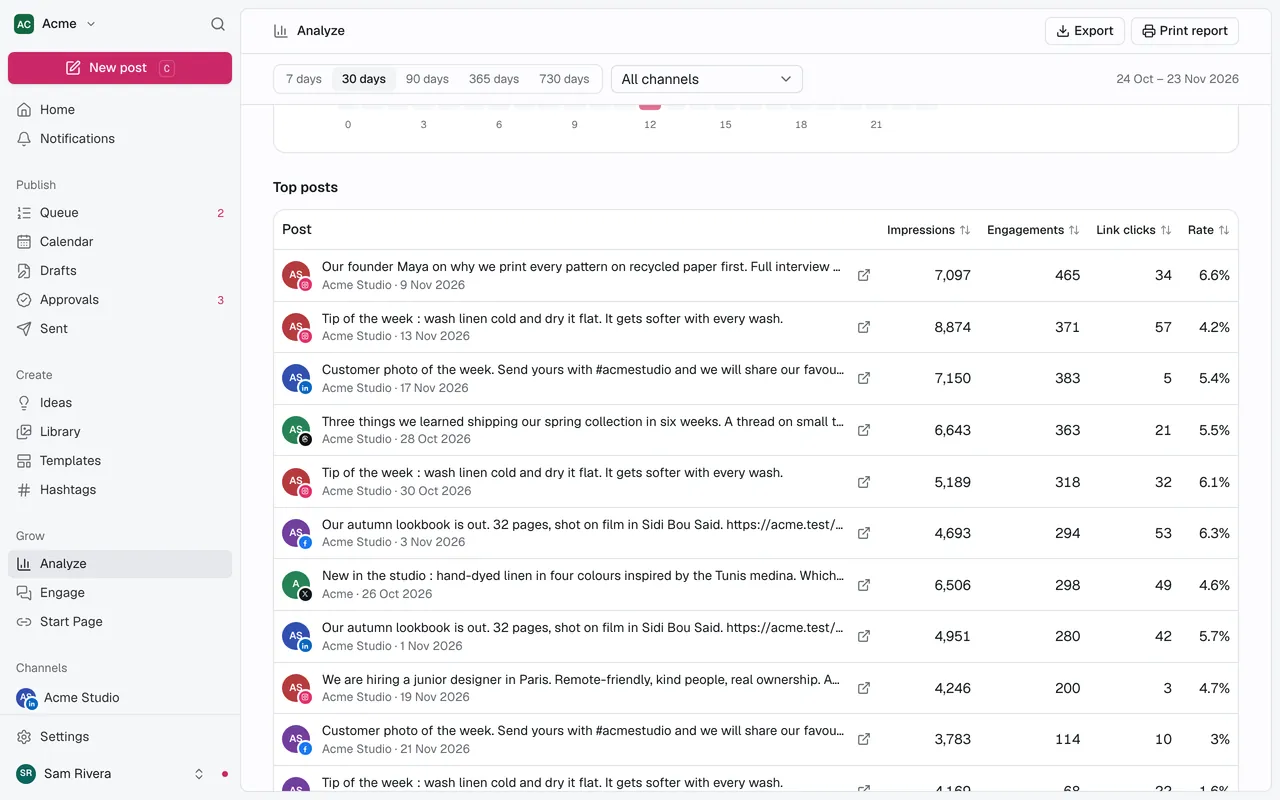
Top posts ranks your posts by engagements, with impressions, clicks and rate. Write more of what works.
- 3
Step 3: Export or print
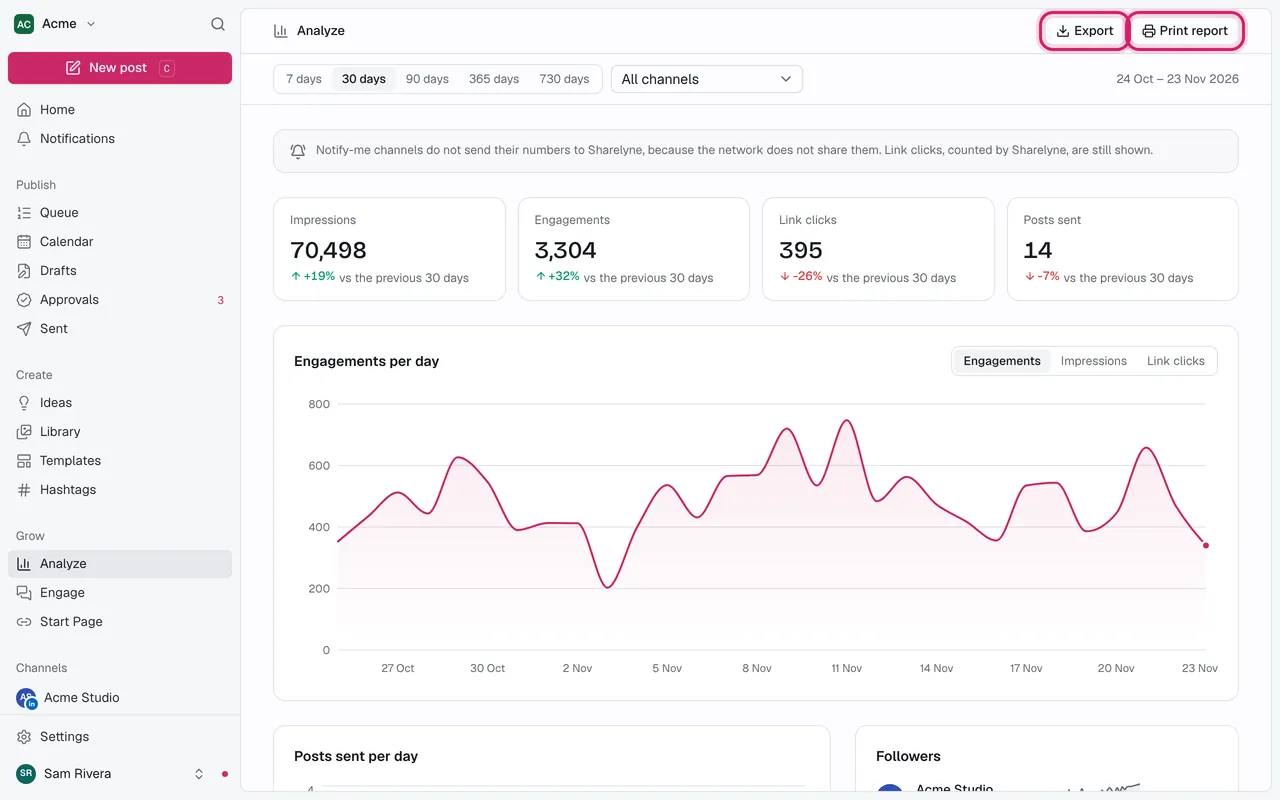
Click Export to download the numbers as a file. Click Print report to print it or save it as a PDF.
More Analyze tutorials
All Analyze tutorialsRead your sent posts and their numbers
See every post that went out, with its impressions, engagements and link clicks.
Beginner2 min3 stepsAnalyze your results
Pick a period and read how your impressions, engagements, clicks and followers changed.
Beginner3 min3 steps