The Queue lists every upcoming post by day. Queued posts follow the posting times of their channel.
- 1
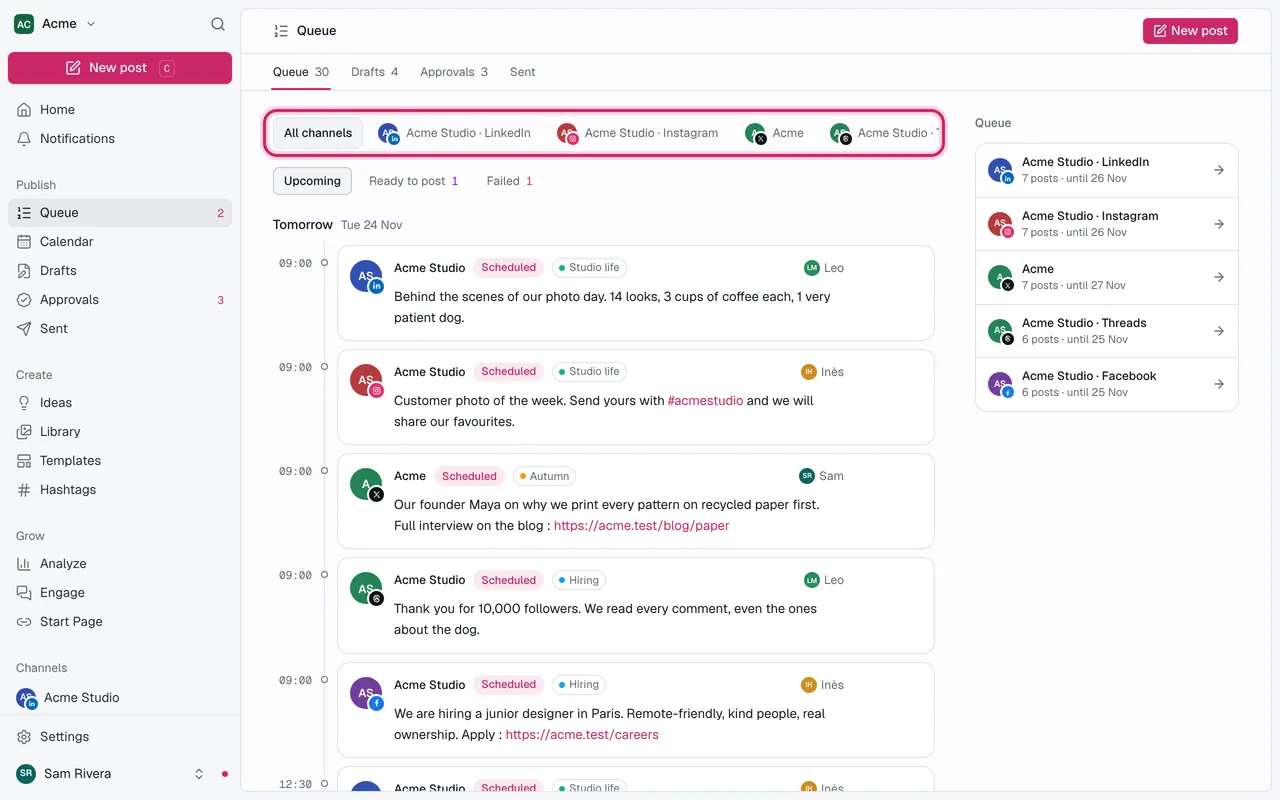
Step 1: Filter by channel
The buttons at the top show All channels or one channel. Click a channel to see its queue only.
- 2
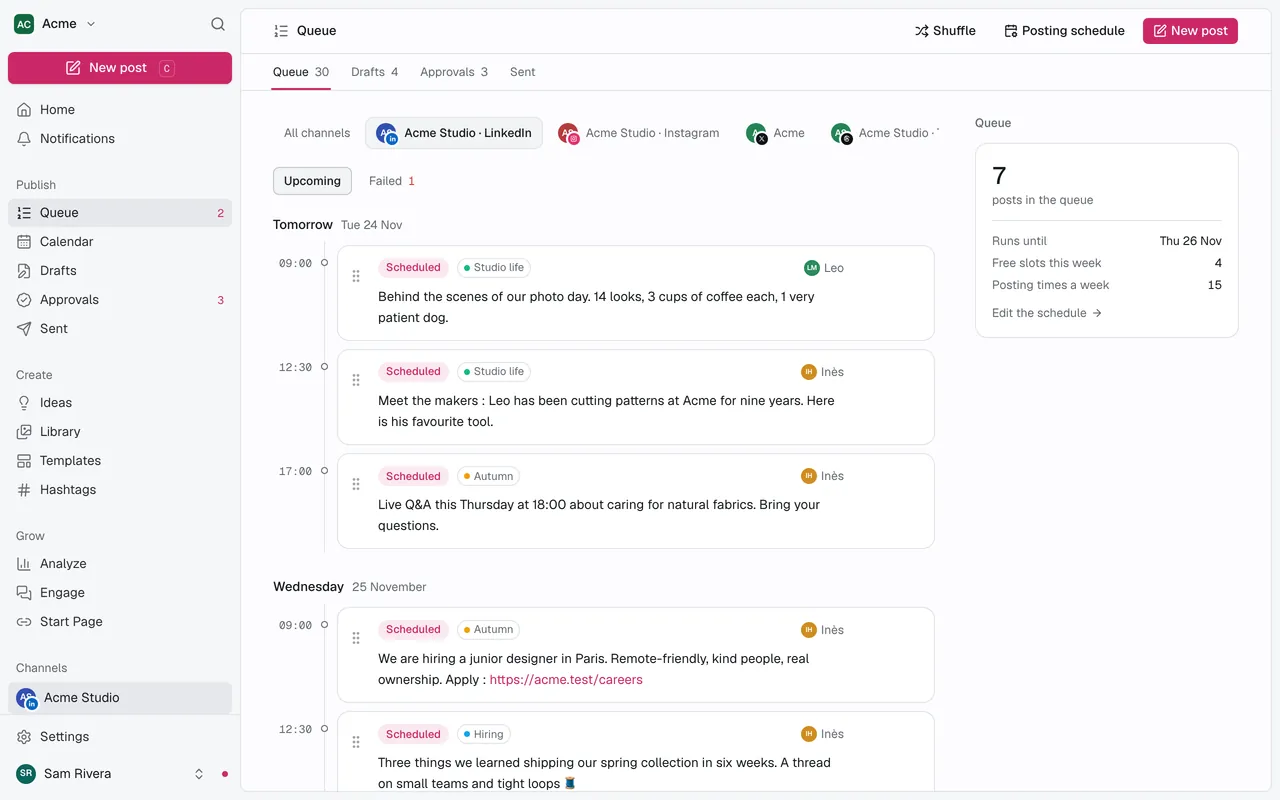
Step 2: See one channel
With one channel picked, you see its posts in order and its free times this week. Shuffle mixes the order of its queue. Posting schedule opens its times.
- 3
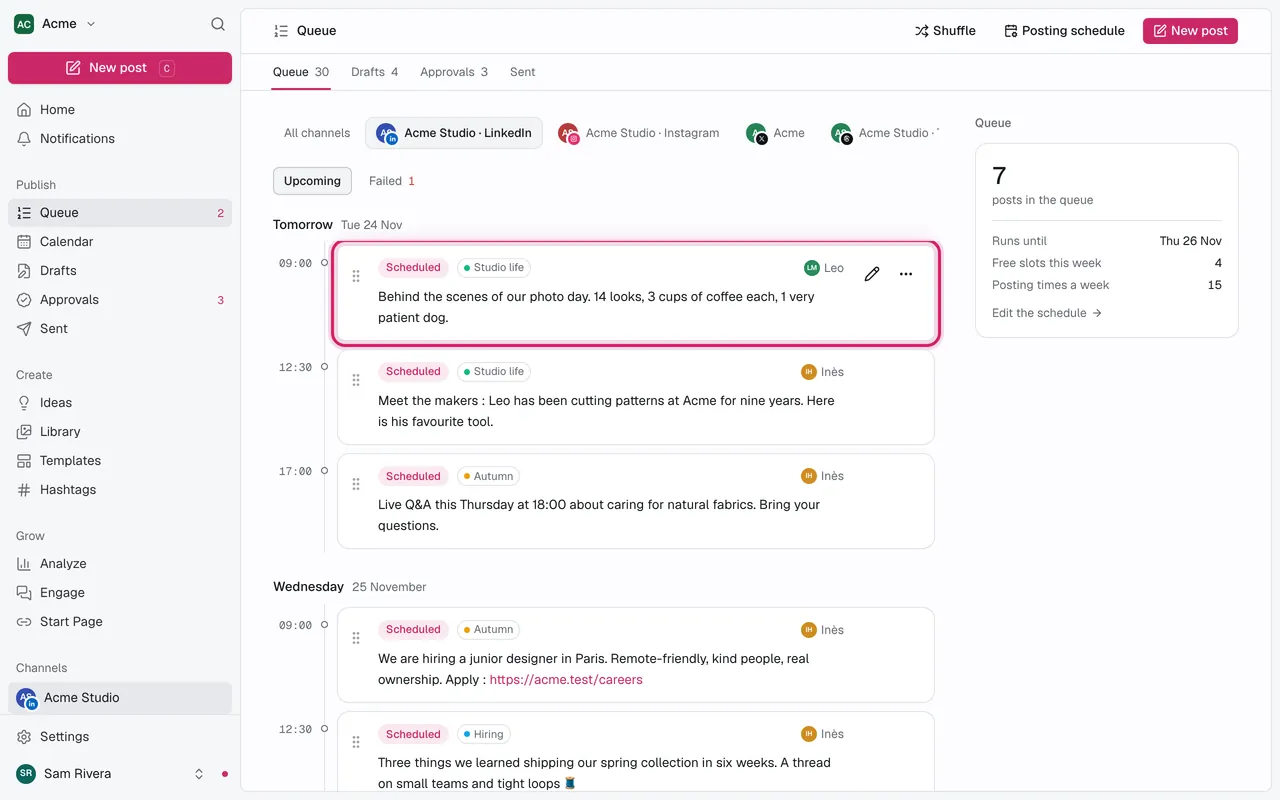
Step 3: Change the order
Drag a post up or down to swap its time with another post. The times of the schedule stay the same : only the order changes.
- 4
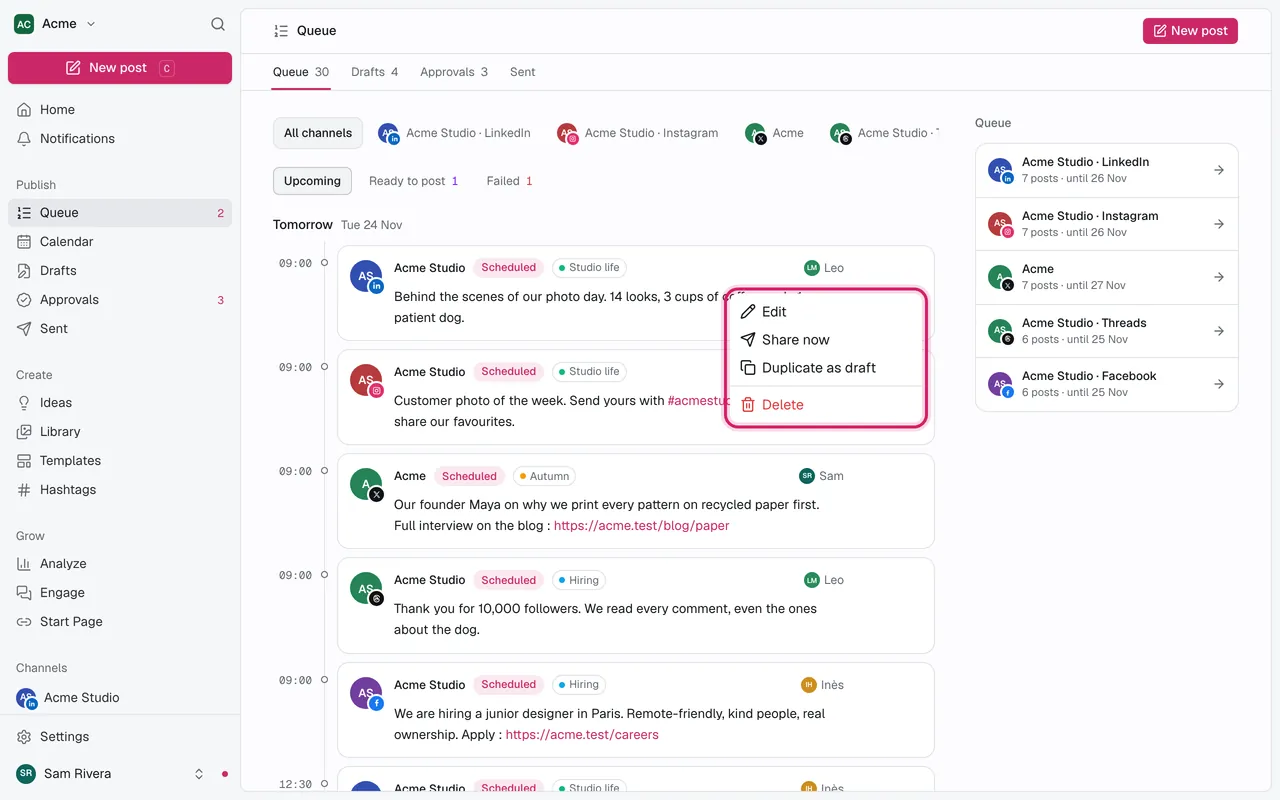
Step 4: Edit, duplicate or delete
Point at a post and open its menu. Choose Edit, Share now, Duplicate as draft or Delete.
More Publish tutorials
All Publish tutorialsWrite your first post
Pick your channels, write once, check the preview and add the post to the queue.
Beginner3 min5 stepsCustomize a post for each network
Keep one shared text and change it for one channel only when you need to.
Intermediate3 min4 stepsSchedule a post for a date
Pick an exact day and time instead of the next free time in the queue.
Beginner2 min3 steps