Sharelyne works in your phone's browser. Install it on your home screen to open it like an app and to get push reminders for your notify-me posts.
- 1
Step 1: Open Sharelyne on your phone
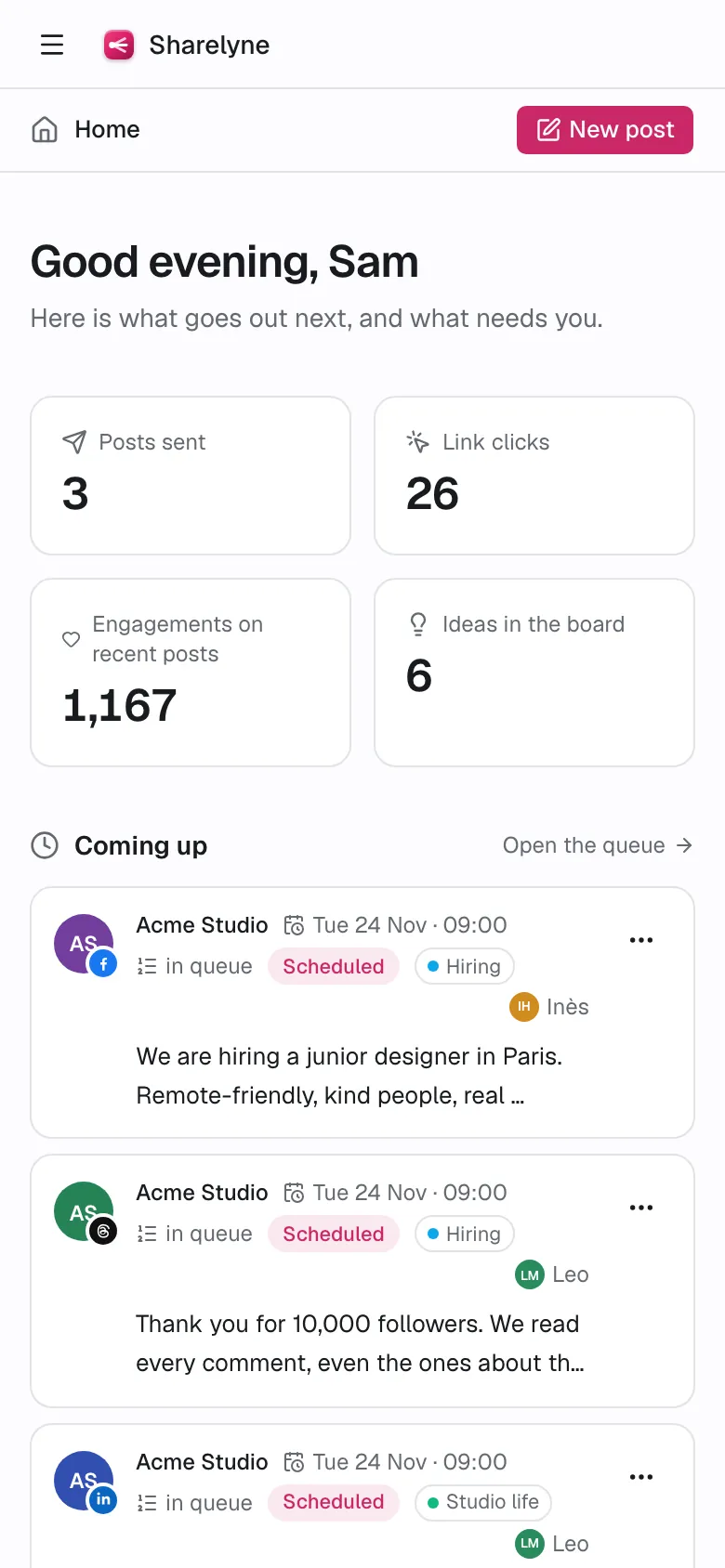
Open your browser, go to Sharelyne and log in. Every page fits a phone screen.
- 2
Step 2: Install it
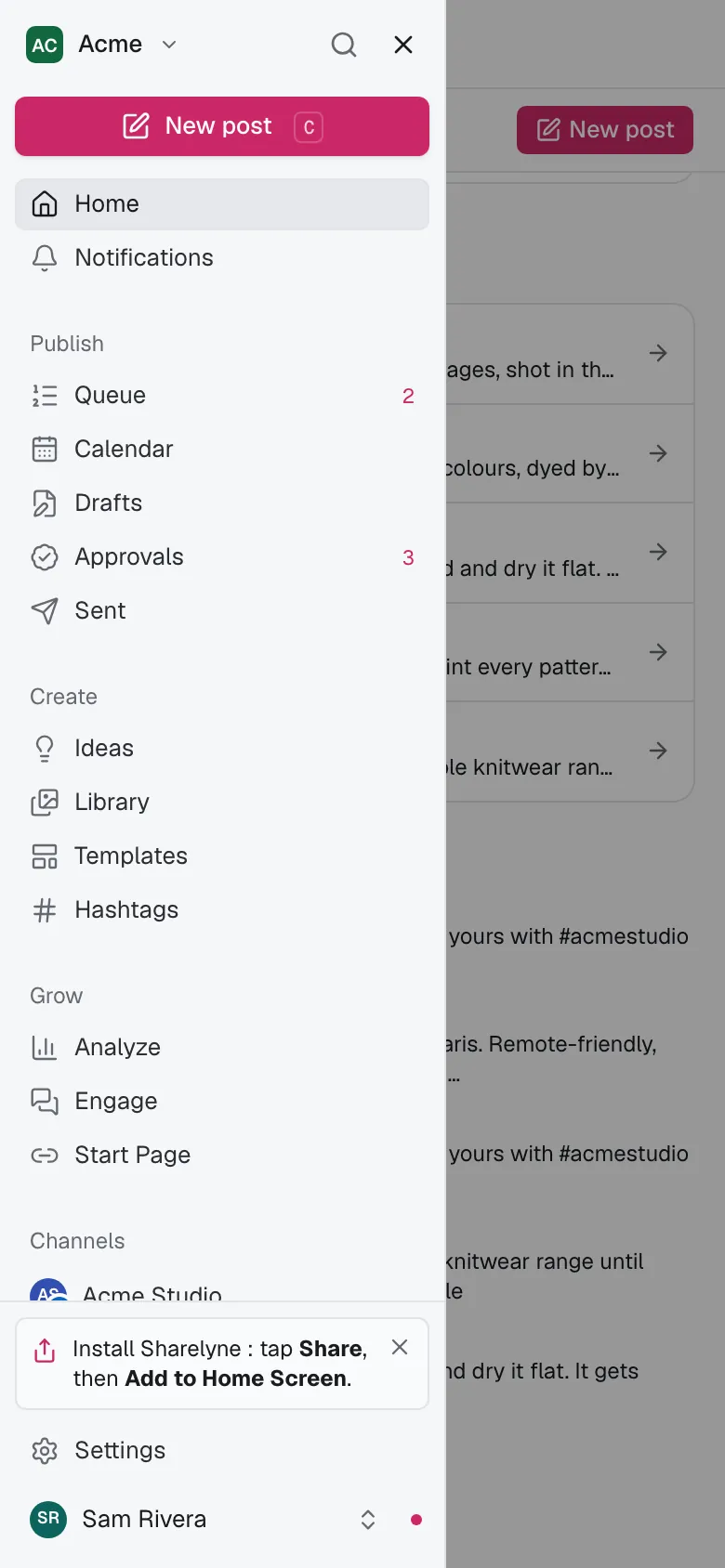
Tap the menu button at the top left. On iPhone, tap Share, then Add to Home Screen. On Android, tap Install Sharelyne on this device. Sharelyne now opens from its own icon.
- 3
Step 3: Turn on push notifications
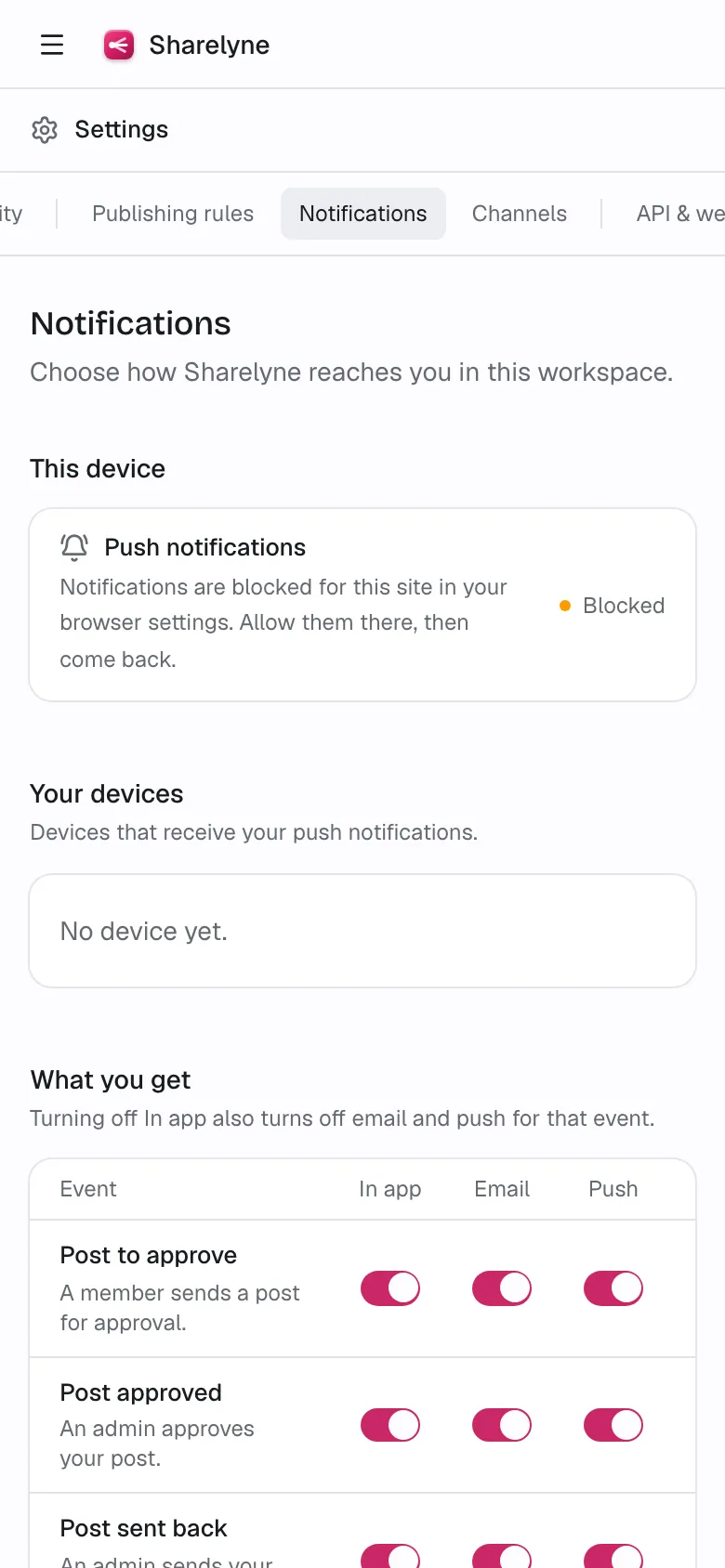
Open Settings › Notifications. Under This device, turn on Push notifications and allow them when your phone asks. If it says Blocked, allow notifications for Sharelyne in your browser settings, then come back.
- 4
Step 4: Choose what reaches you
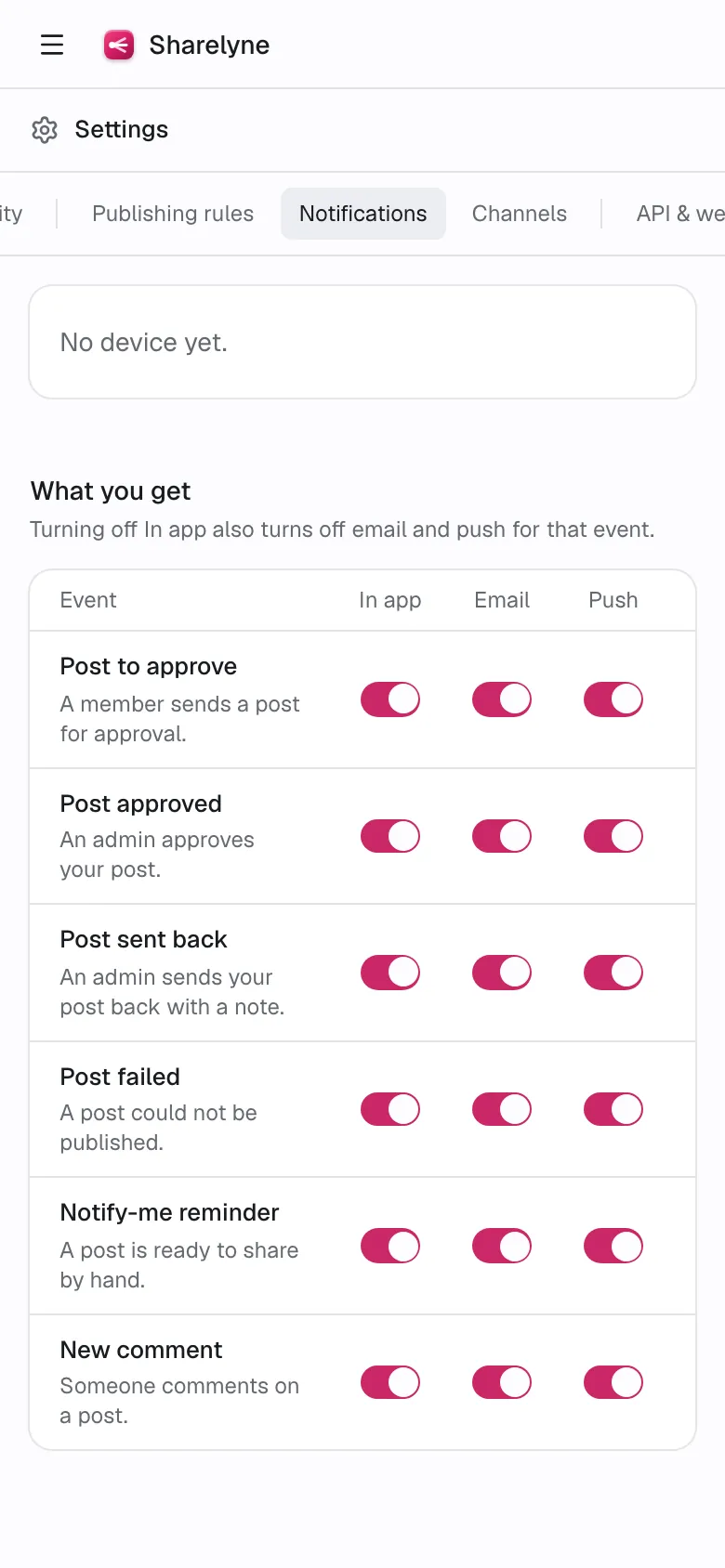
Scroll down to What you get. Keep Push on for Notify-me reminder. Turn on the other events you want on your phone.
- 5
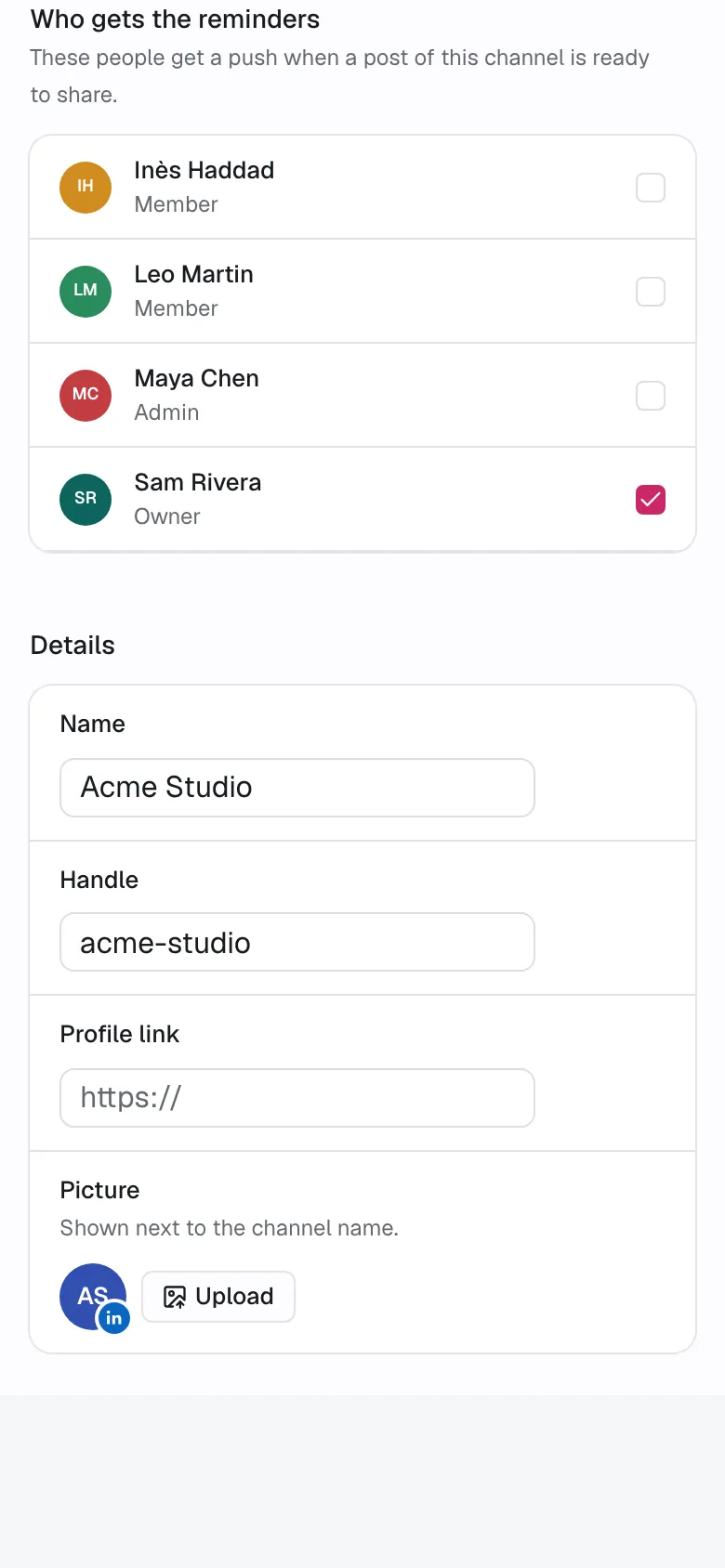
Step 5: Check who gets the reminders
Open a notify-me channel. Under Who gets the reminders, tick the people who post on this account. Each of them gets the push.
More Get started tutorials
All Get started tutorialsCreate your account and workspace
Sign up, name your workspace and land on your home page in two minutes.
Beginner2 min4 stepsConnect a channel with direct posting
Link a social account so Sharelyne publishes for you at the right time.
Beginner3 min4 stepsAdd a notify-me channel
Plan posts for any network. Sharelyne reminds you on your phone and you post in one tap.
Beginner2 min4 steps