A Start Page is a list of blocks. Each block counts its own clicks.
- 1
Step 1: Find the blocks
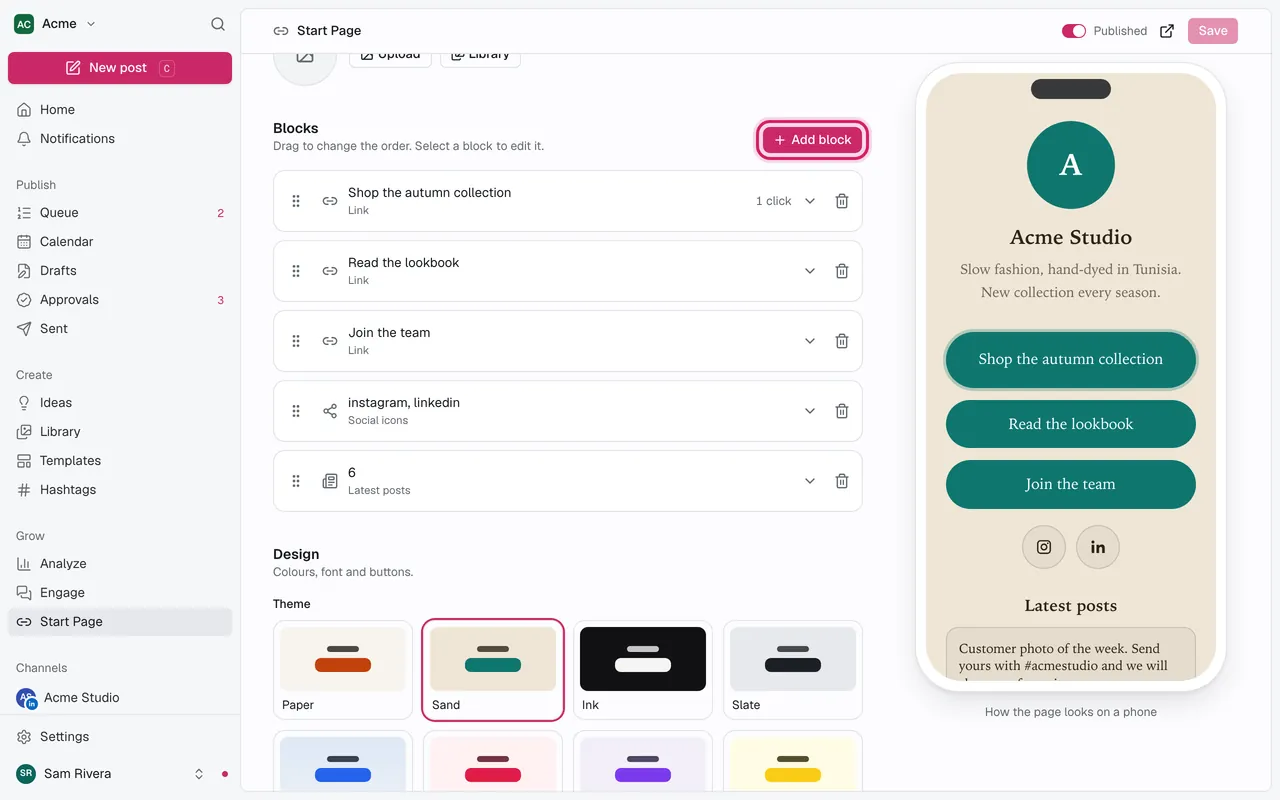
Under Blocks, you see the blocks of your page in order, with their clicks.
- 2
Step 2: Add a block
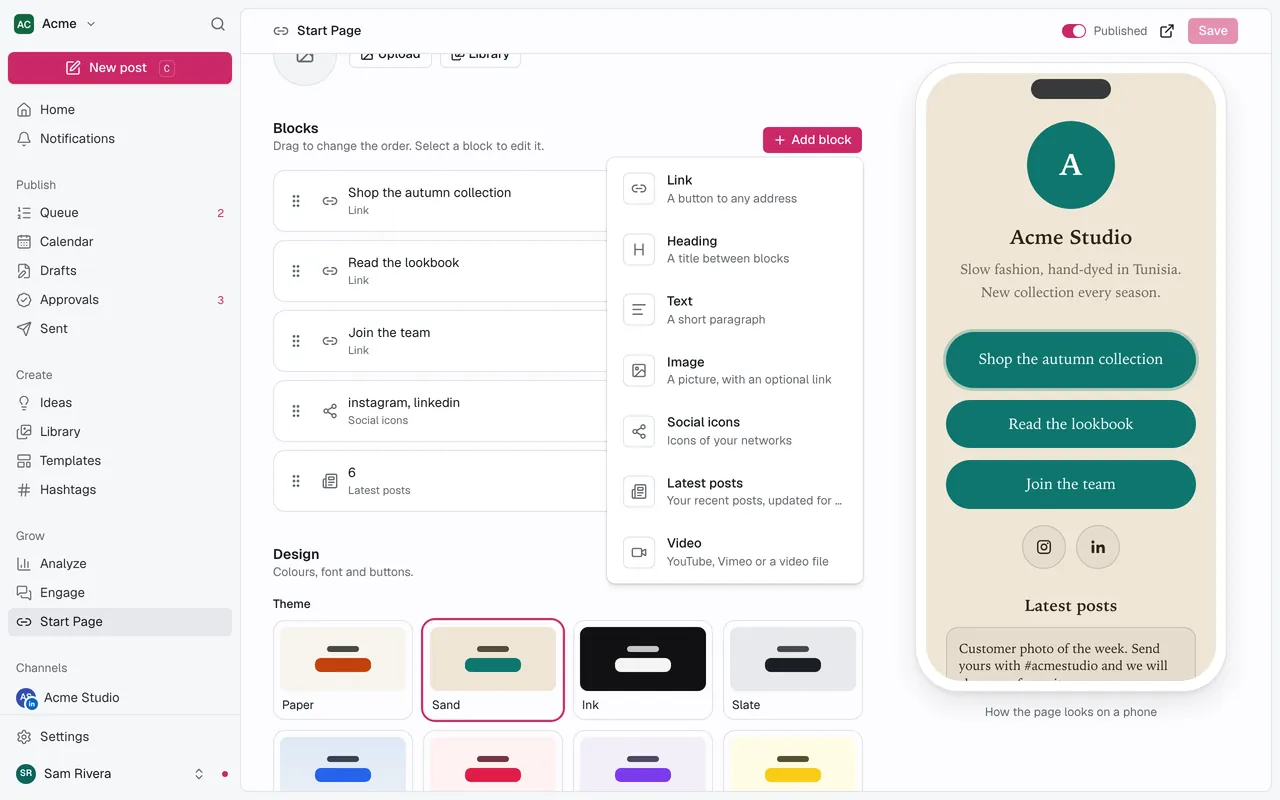
Click Add block and pick a type : link, heading, text, image, social icons, latest posts or video.
- 3
Step 3: Edit and order
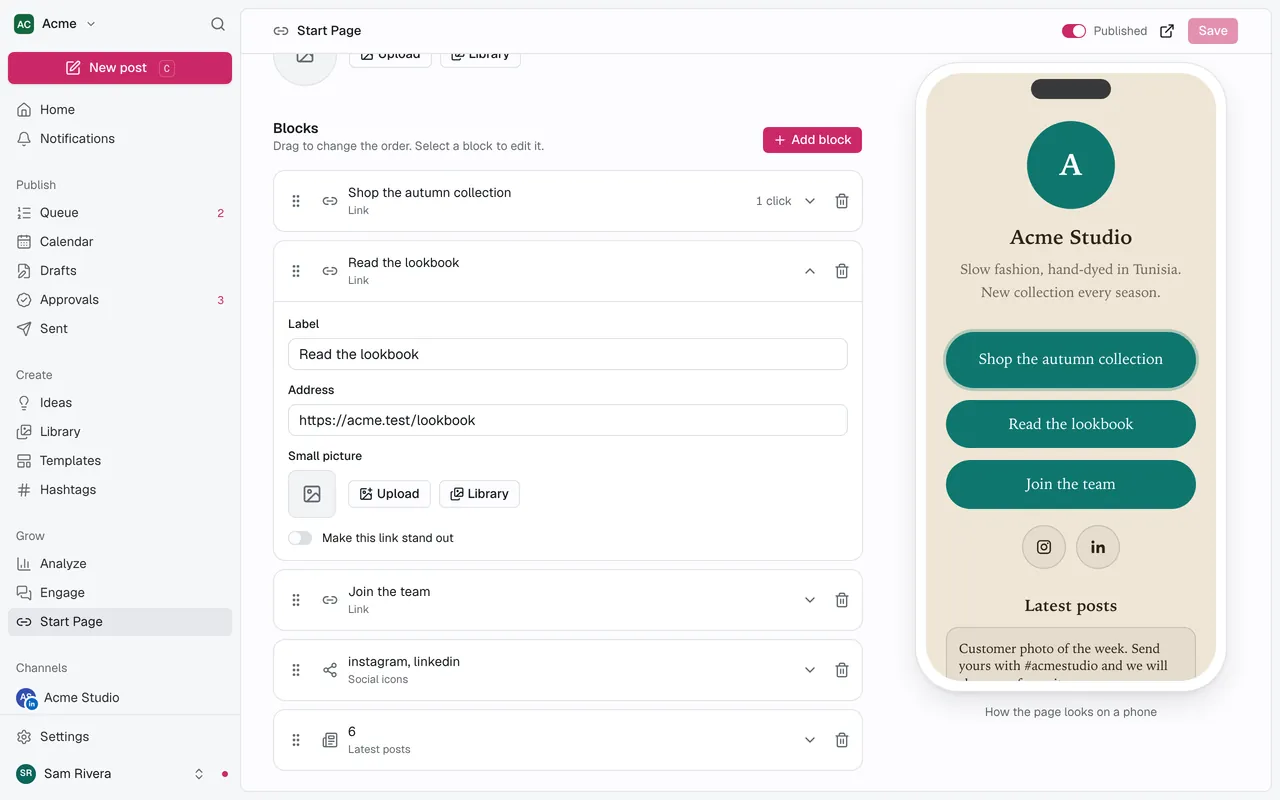
Click a block to open it. A link has a label, an address and a small picture, and Make this link stand out highlights it. Drag blocks to change their order.
More Start Page tutorials
All Start Page tutorialsBuild your Start Page
Make a page for your bio link with your name, picture and links.
Beginner3 min3 stepsDesign and publish your Start Page
Pick a theme, a font and a button style, set the search preview and publish.
Beginner2 min4 steps