Design gives your page your look in a few clicks.
- 1
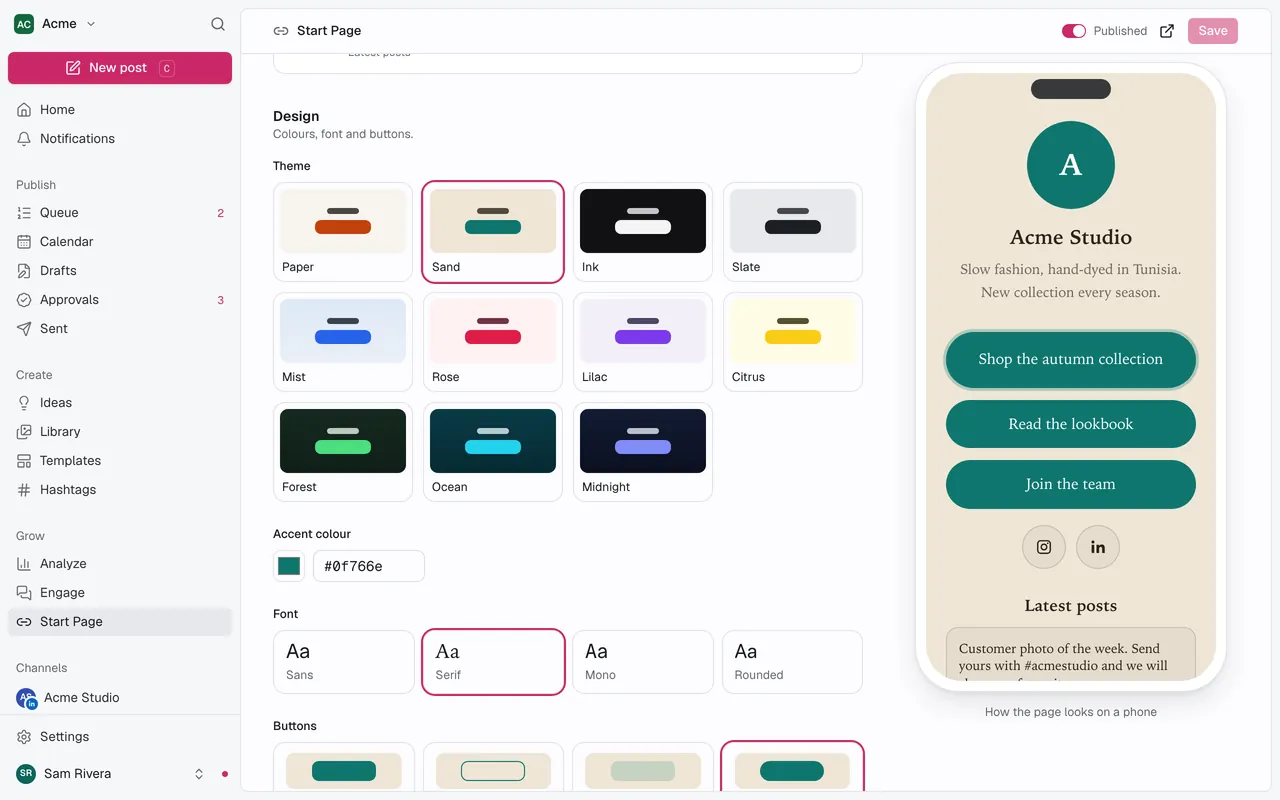
Step 1: Pick a theme
Under Design, click a theme. Then pick an accent colour, a font and a button style.
- 2
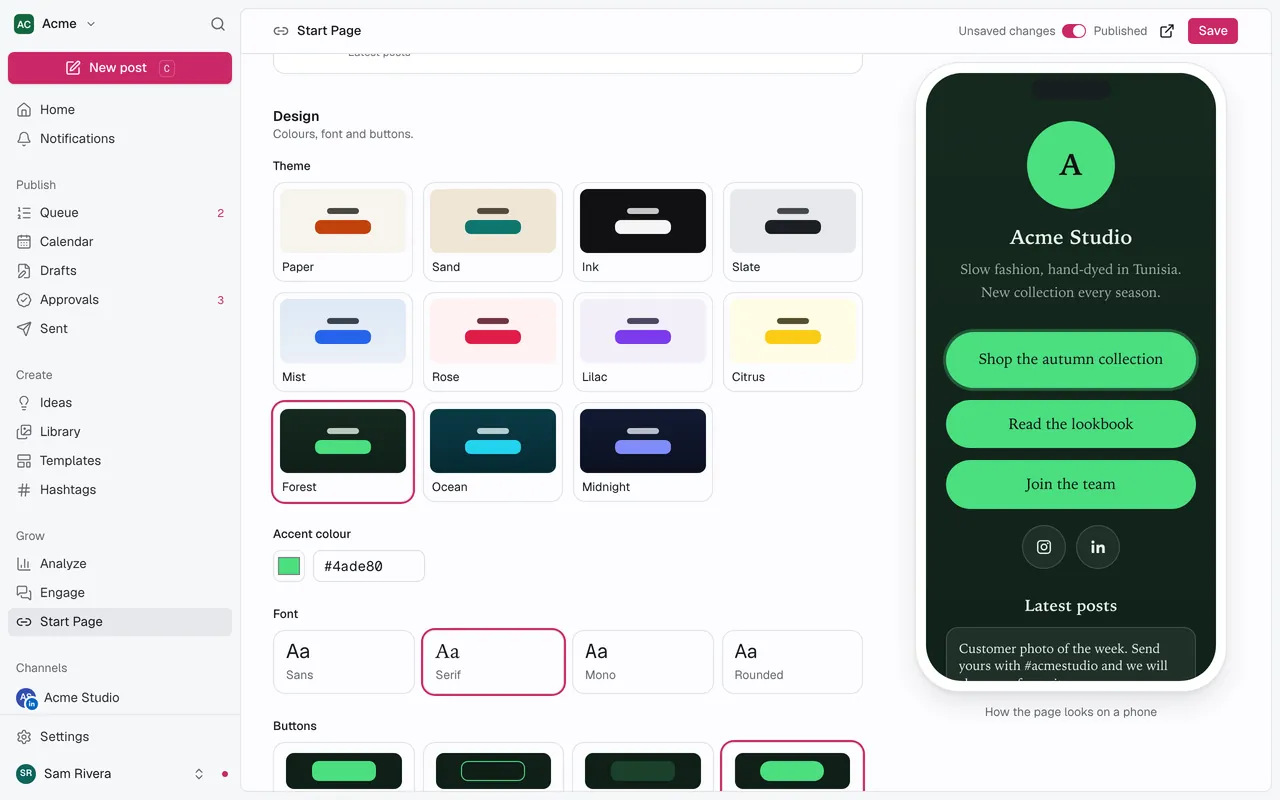
Step 2: Try another look
Click another theme to try it. The preview changes at once.
- 3
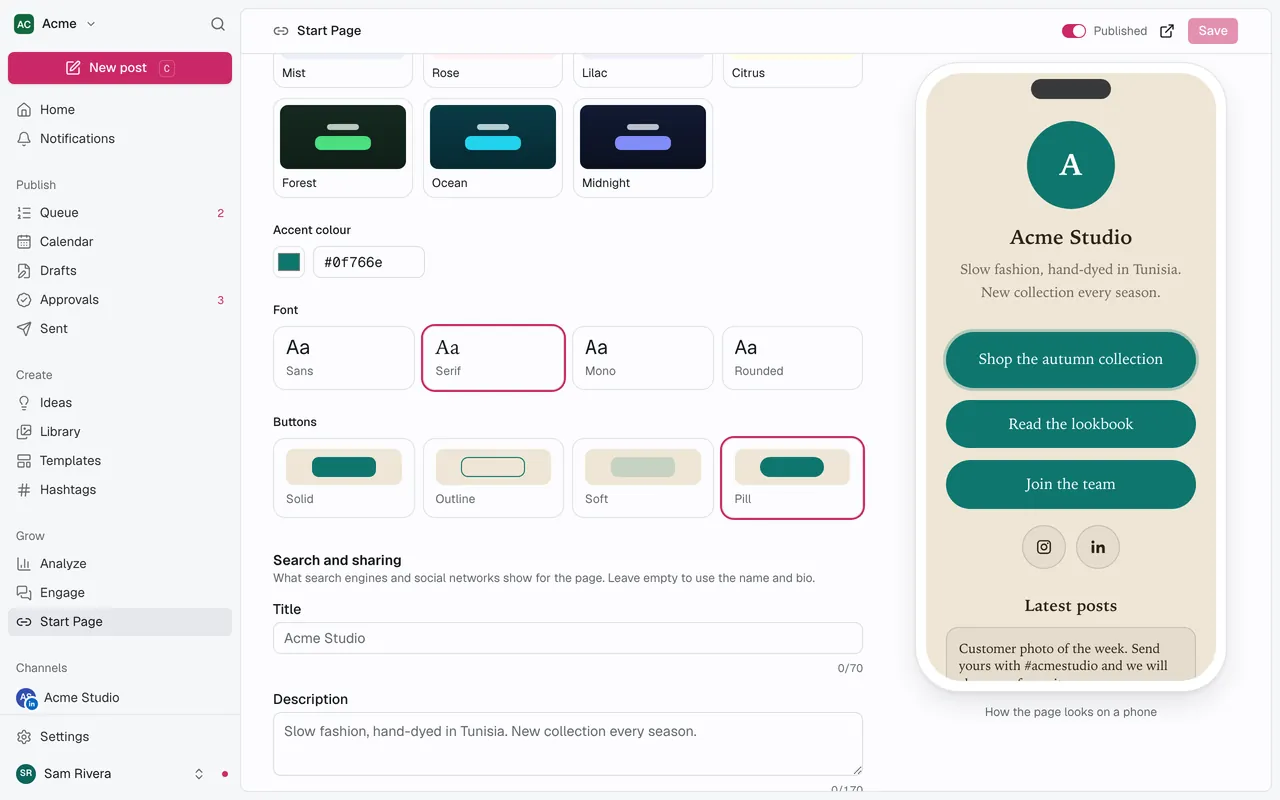
Step 3: Set search and sharing
Under Search and sharing, write the title and description that search engines and social networks show. Leave them empty to use the name and bio.
- 4
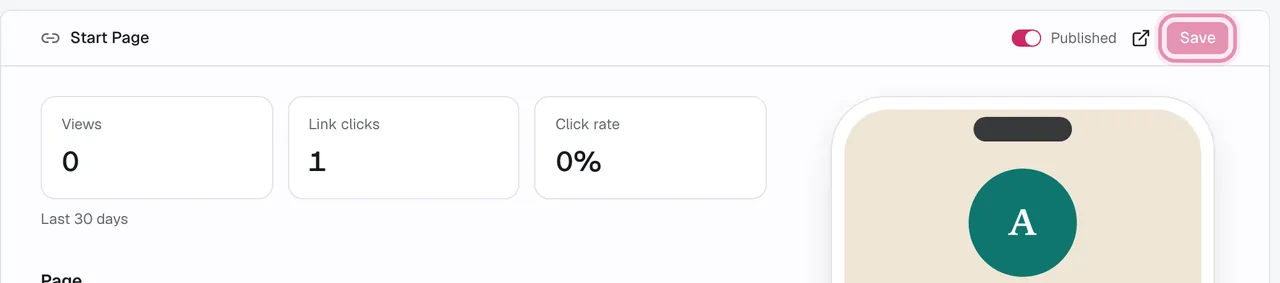
Step 4: Save and publish
Click Save. Turn on Published to put the page online at your address. Put that address in your bios.
More Start Page tutorials
All Start Page tutorialsBuild your Start Page
Make a page for your bio link with your name, picture and links.
Beginner3 min3 stepsAdd blocks to your Start Page
Add links, text, images, video, social icons and your latest posts.
Beginner3 min3 steps