Your Start Page is the page behind the link in your bio. It lives at your own Sharelyne address and counts its views and clicks.
- 1
Step 1: Open Start Page
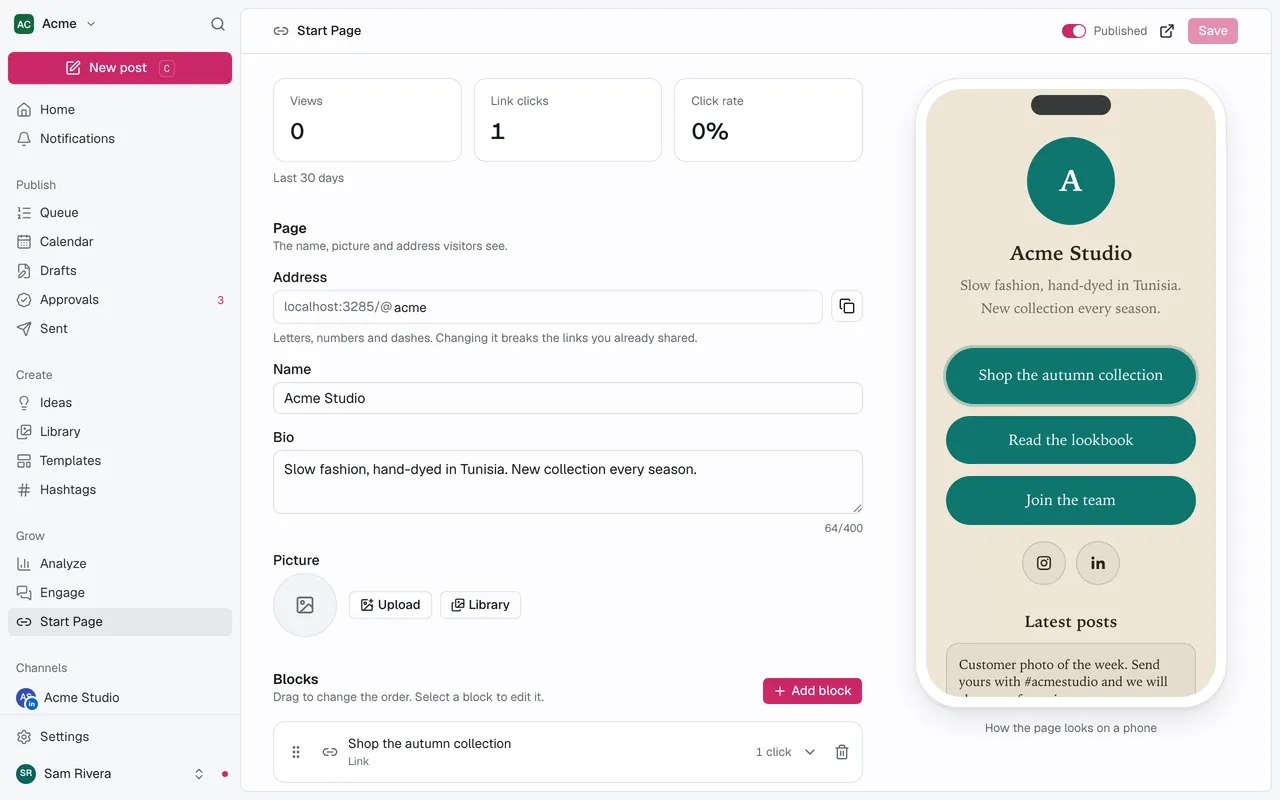
Click Start Page. The editor is on the left, a phone preview on the right. The views, link clicks and click rate of the last 30 days are at the top.
- 2
Step 2: Set the address, name and bio
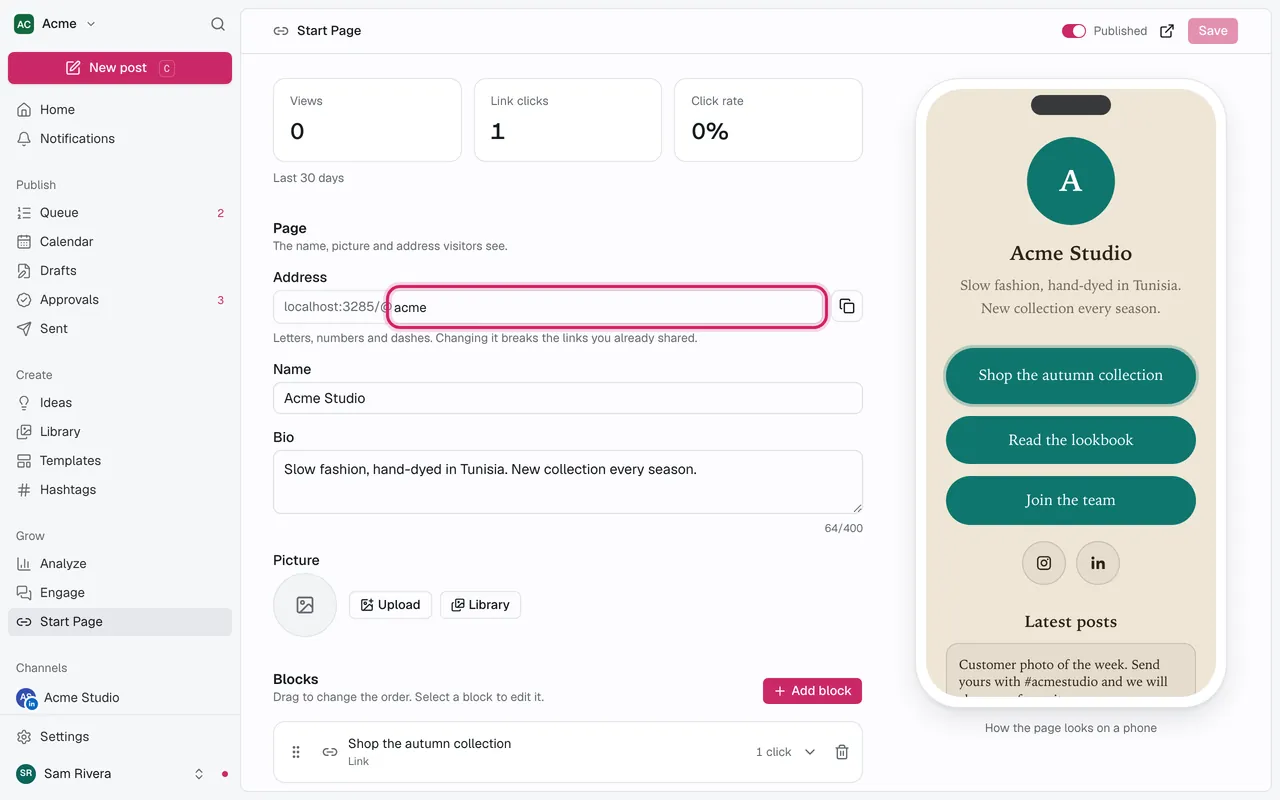
Under Page, choose the address, then type the name and a short bio. Add a picture from your device or the library. Changing the address breaks the links you already shared.
- 3
Step 3: Check the preview
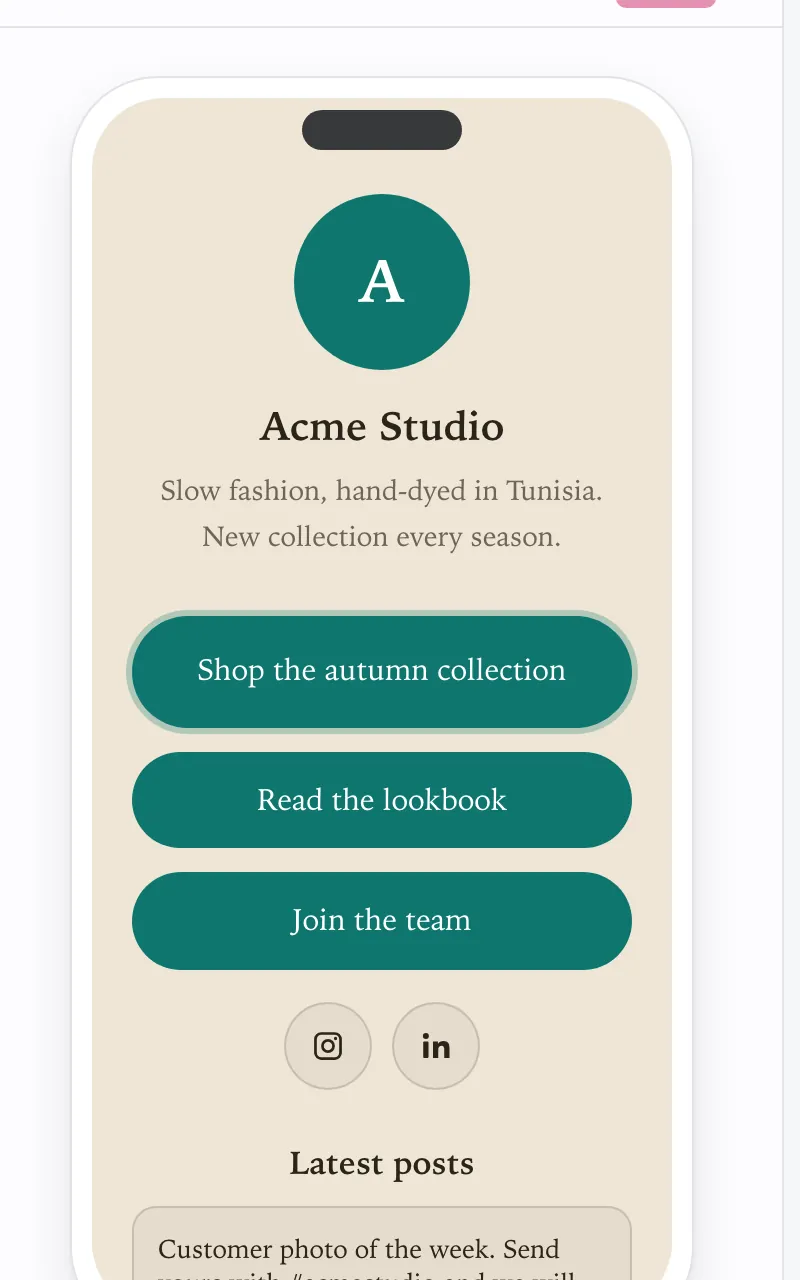
The phone preview shows the page as visitors see it. It changes as you type.
More Start Page tutorials
All Start Page tutorialsAdd blocks to your Start Page
Add links, text, images, video, social icons and your latest posts.
Beginner3 min3 stepsDesign and publish your Start Page
Pick a theme, a font and a button style, set the search preview and publish.
Beginner2 min4 steps