Alt text makes your posts accessible. Sharelyne sends it to the networks that accept it.
- 1
Step 1: Find the ALT badge
Add an image to your post. A yellow ALT badge on the image means it has no description yet.
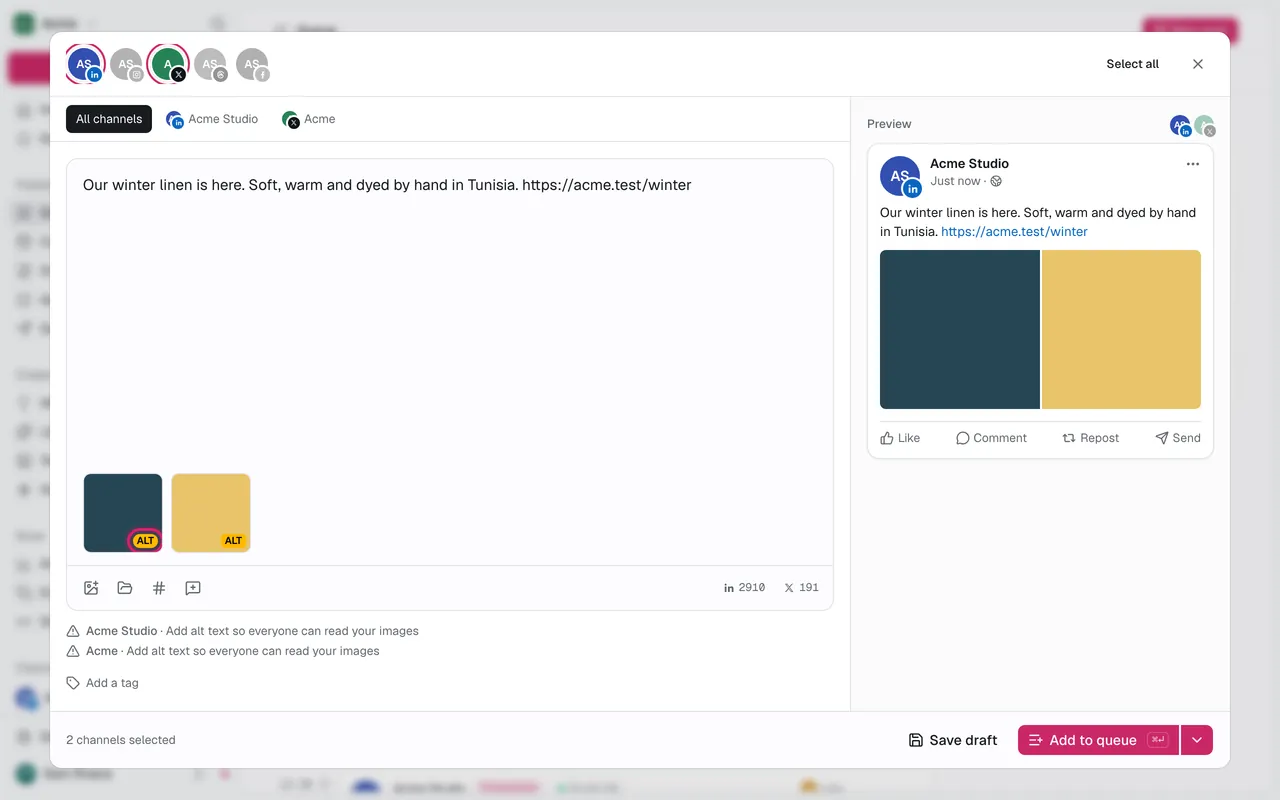
- 2
Step 2: Describe the image
Click ALT and write what the image shows, in one or two sentences.
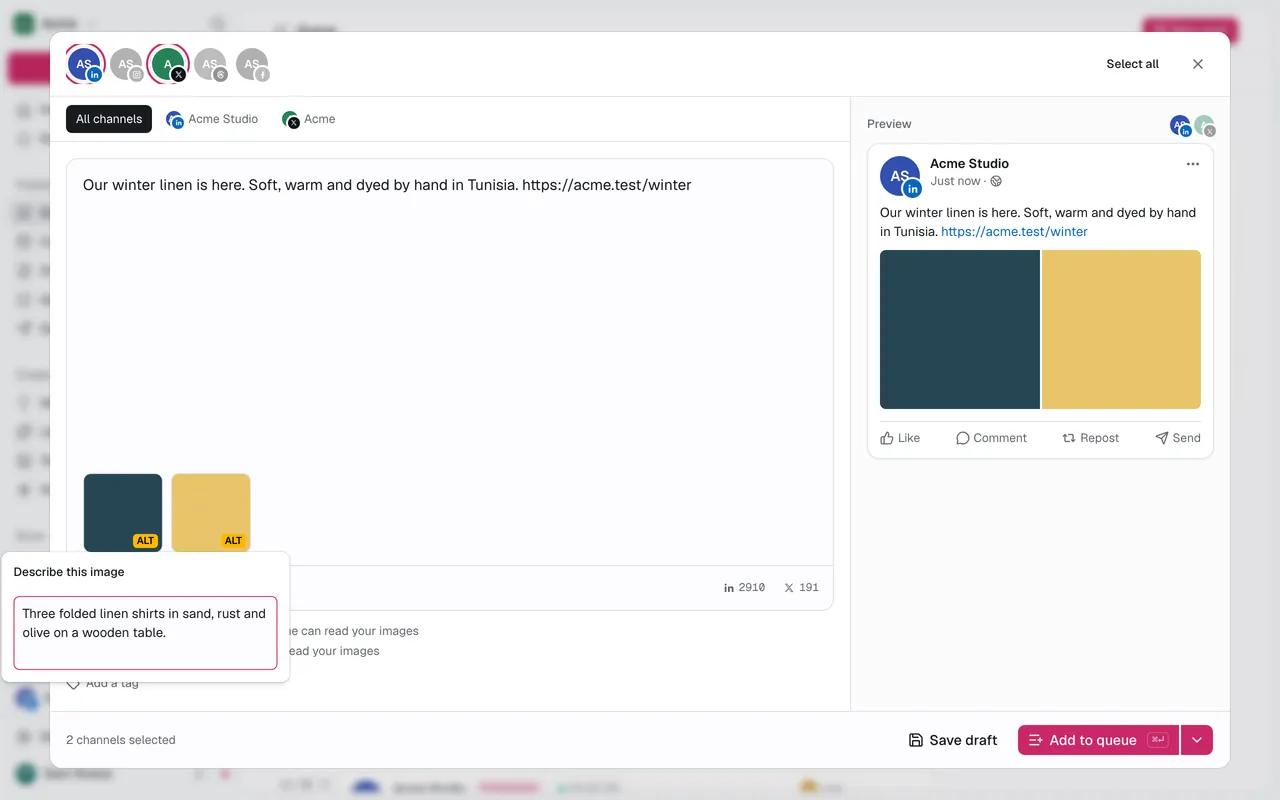
- 3
Step 3: Check the badge
Click outside the box to keep the text. The badge turns dark : the image has its alt text.
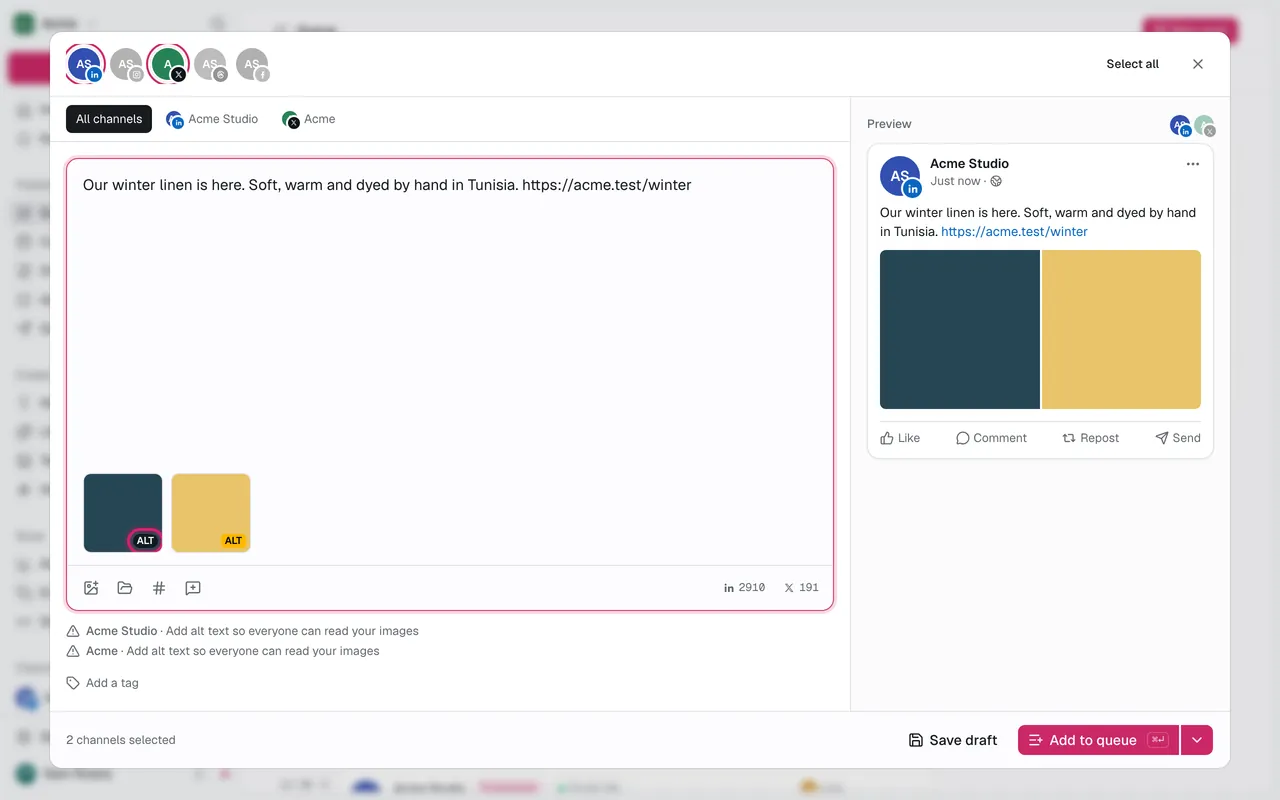
More Create tutorials
All Create tutorialsAdd images, a carousel or a video
Upload media or pick it from your library. Several images make a carousel.
Beginner2 min3 stepsAdd a first comment
Post links or hashtags as a comment, right after the post.
Intermediate1 min3 stepsPlan with the ideas board
Write ideas down when they come, sort them in columns and turn them into posts.
Beginner3 min4 steps