The Ideas board keeps every idea in one place, shared with your team.
- 1
Step 1: Open the board
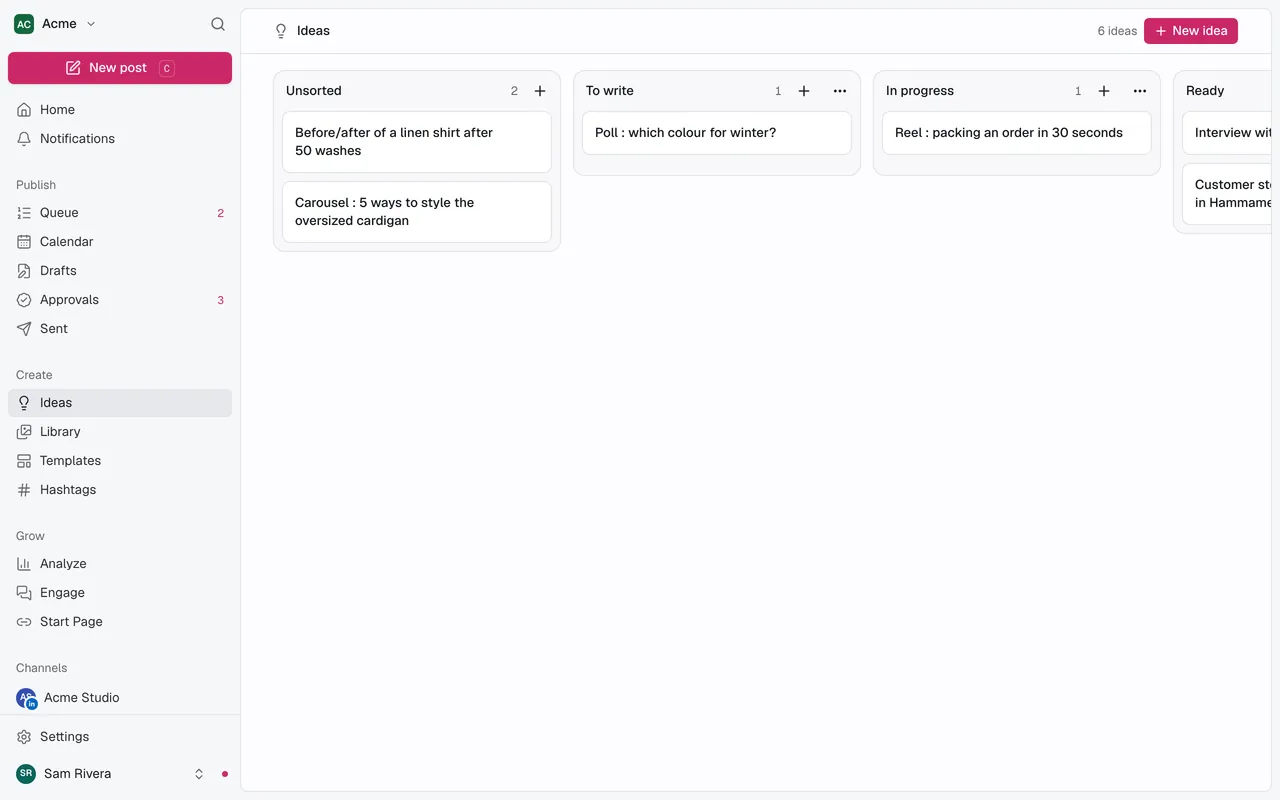
Click Ideas. Each column is a stage : Unsorted, To write, In progress, Ready. Add a column makes a new one.
- 2
Step 2: Add an idea
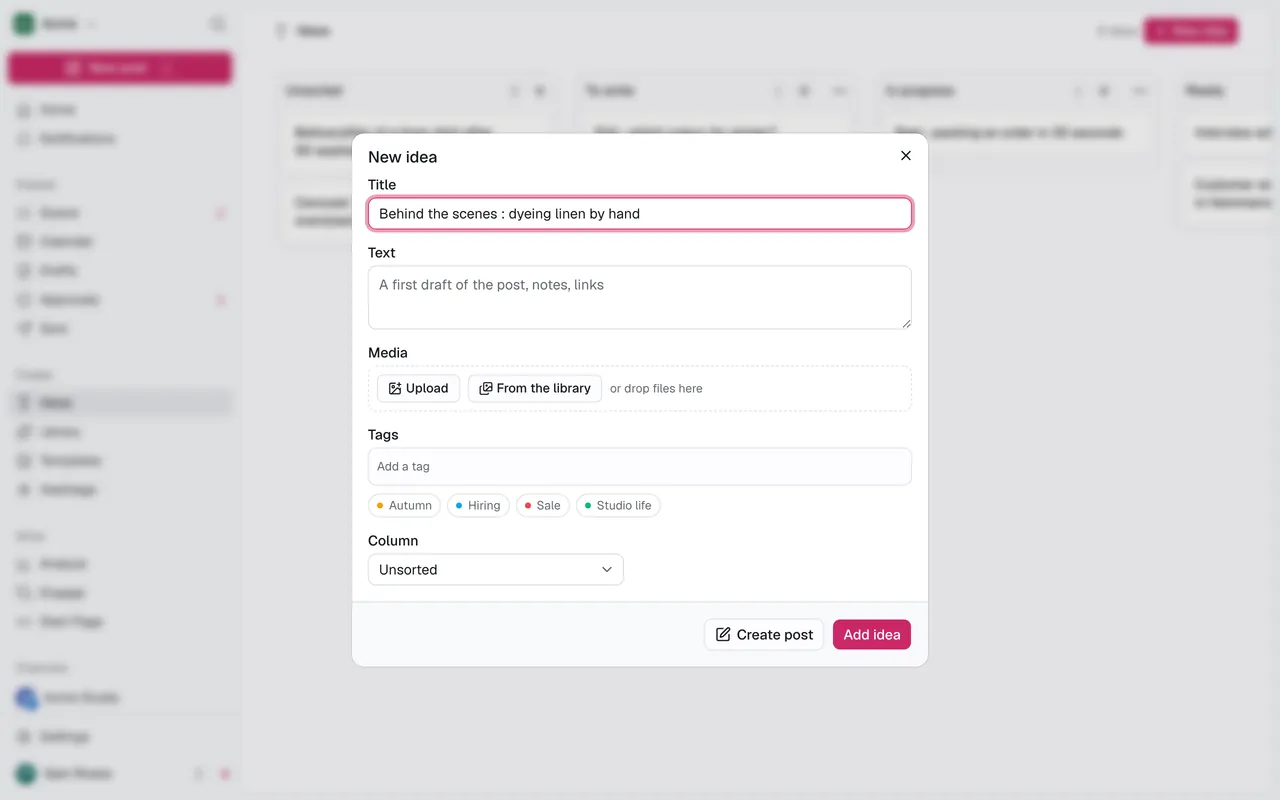
Click New idea. Give it a title, a first text, media, tags and a column if you have them. Click Add idea.
- 3
Step 3: Move ideas along
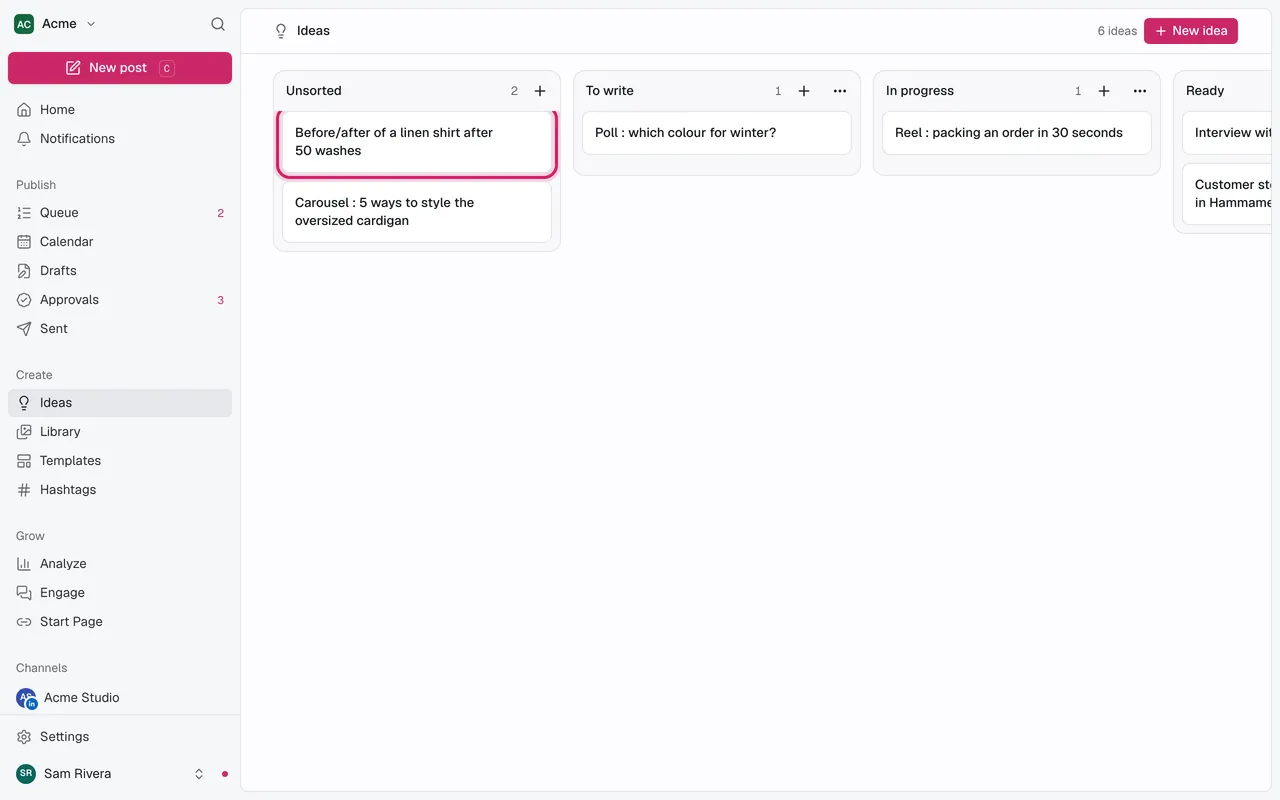
Drag an idea to another column as it moves forward.
- 4
Step 4: Turn it into a post
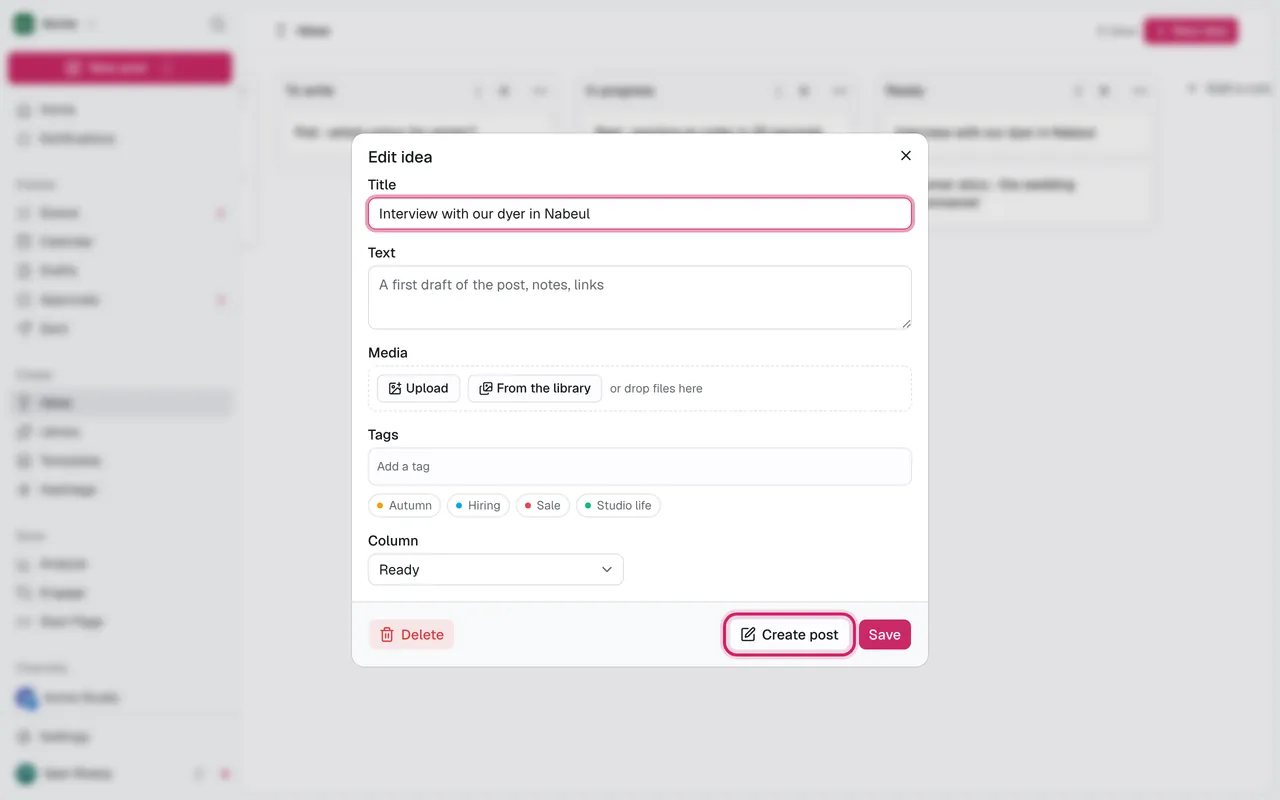
Open an idea and click Create post. The composer opens with its text and media.
More Create tutorials
All Create tutorialsAdd images, a carousel or a video
Upload media or pick it from your library. Several images make a carousel.
Beginner2 min3 stepsWrite alt text for your images
Describe each image so people who use a screen reader know what it shows.
Beginner1 min3 stepsAdd a first comment
Post links or hashtags as a comment, right after the post.
Intermediate1 min3 steps