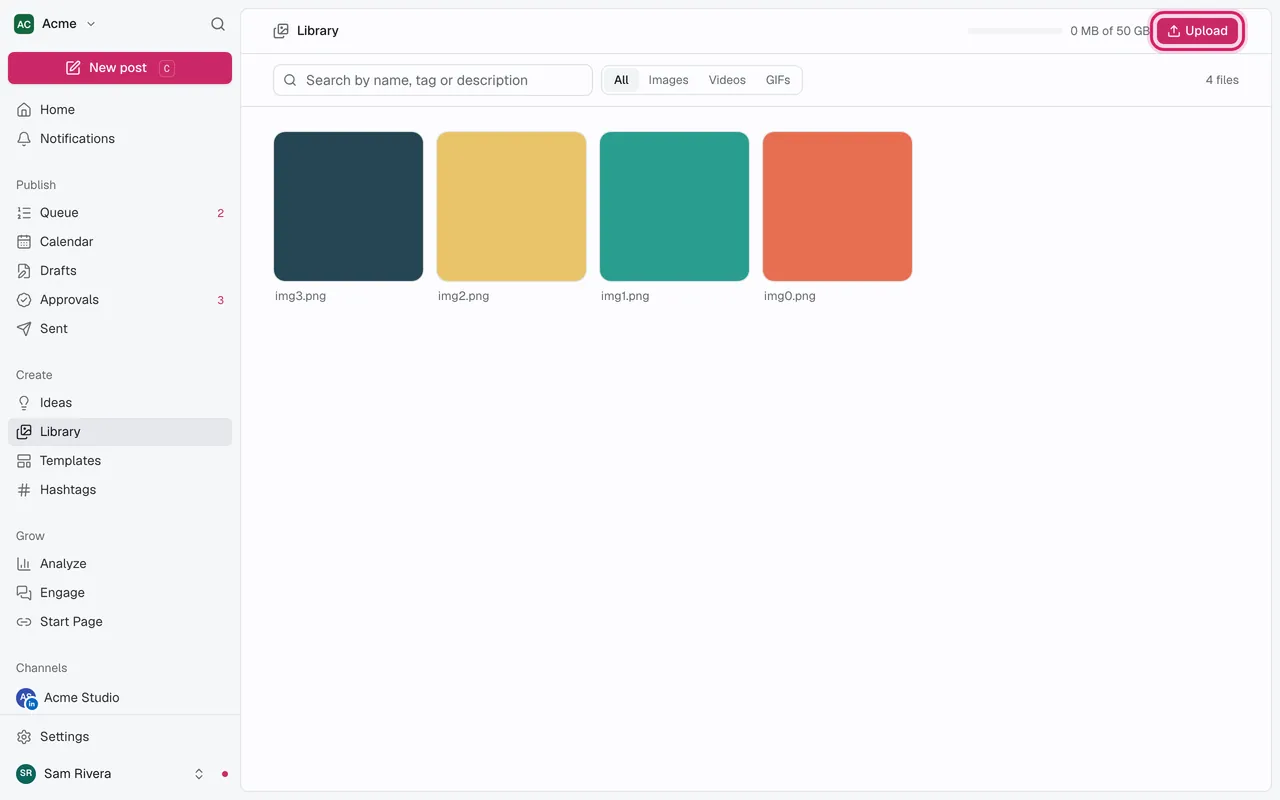
The Library holds every file your team uploads. The space used shows at the top.
- 1
Step 1: Upload files
Open Library and click Upload, or drag files onto the page.
- 2
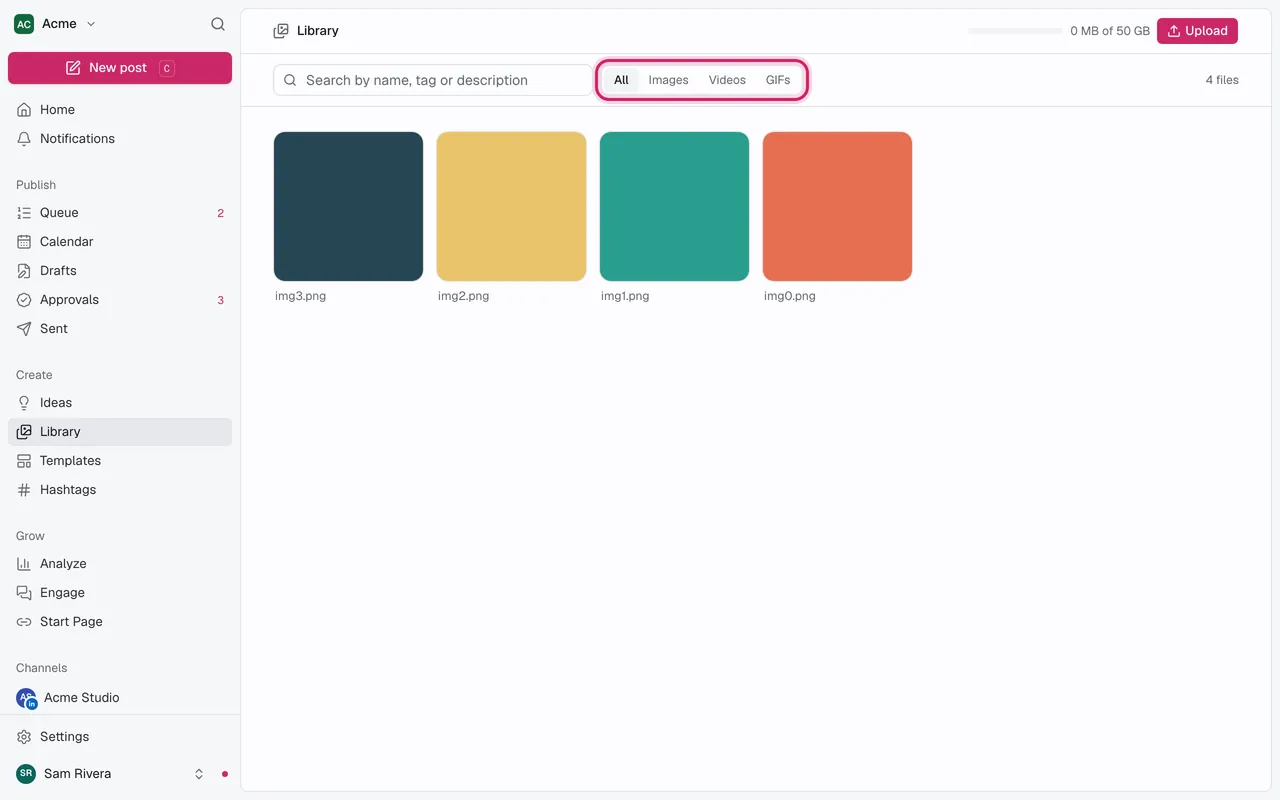
Step 2: Filter by type
Click Images, Videos or GIFs to see one type only.
- 3
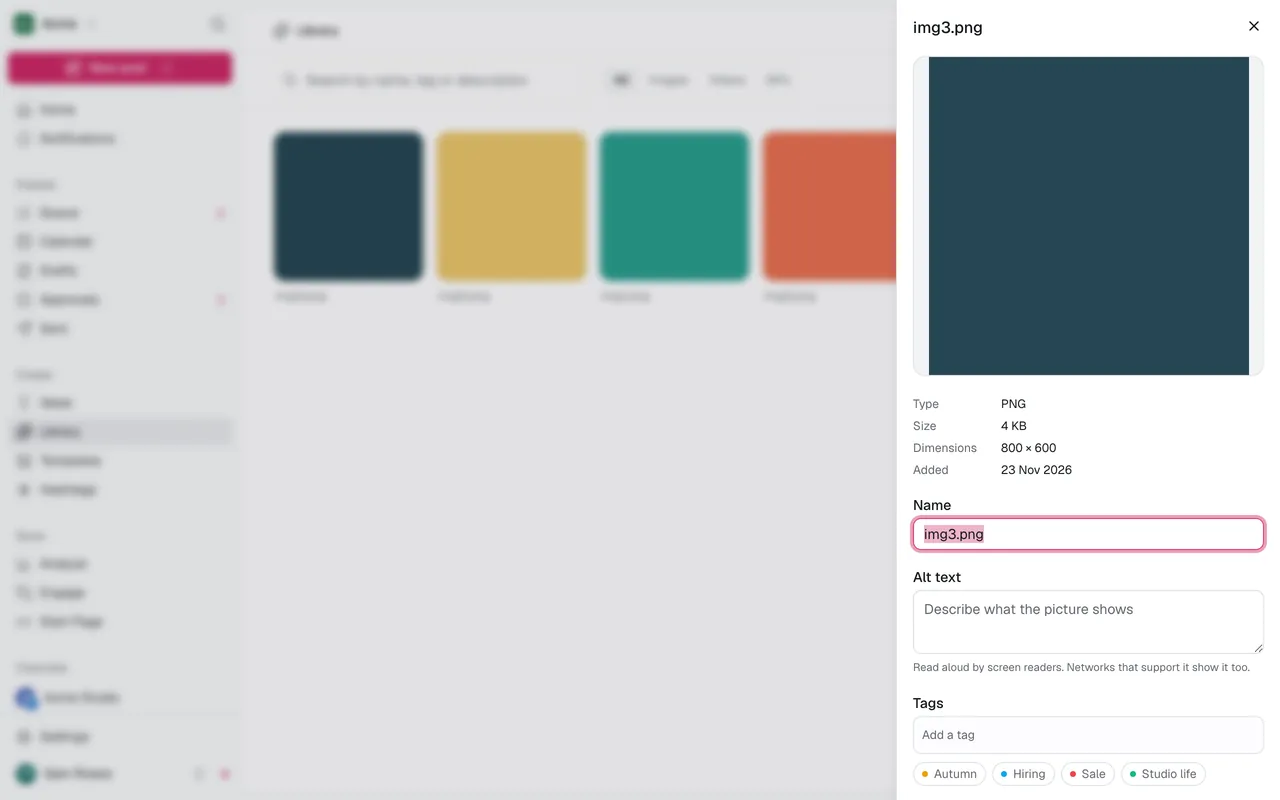
Step 3: Open a file
Click a file to see its details. Rename it, write its alt text and add tags : they follow the file into your posts. From the composer, the folder button picks files from here.
More Create tutorials
All Create tutorialsAdd images, a carousel or a video
Upload media or pick it from your library. Several images make a carousel.
Beginner2 min3 stepsWrite alt text for your images
Describe each image so people who use a screen reader know what it shows.
Beginner1 min3 stepsAdd a first comment
Post links or hashtags as a comment, right after the post.
Intermediate1 min3 steps