The Templates gallery has posts for common moments. Each one is a starting point you make your own.
- 1
Step 1: Browse the gallery
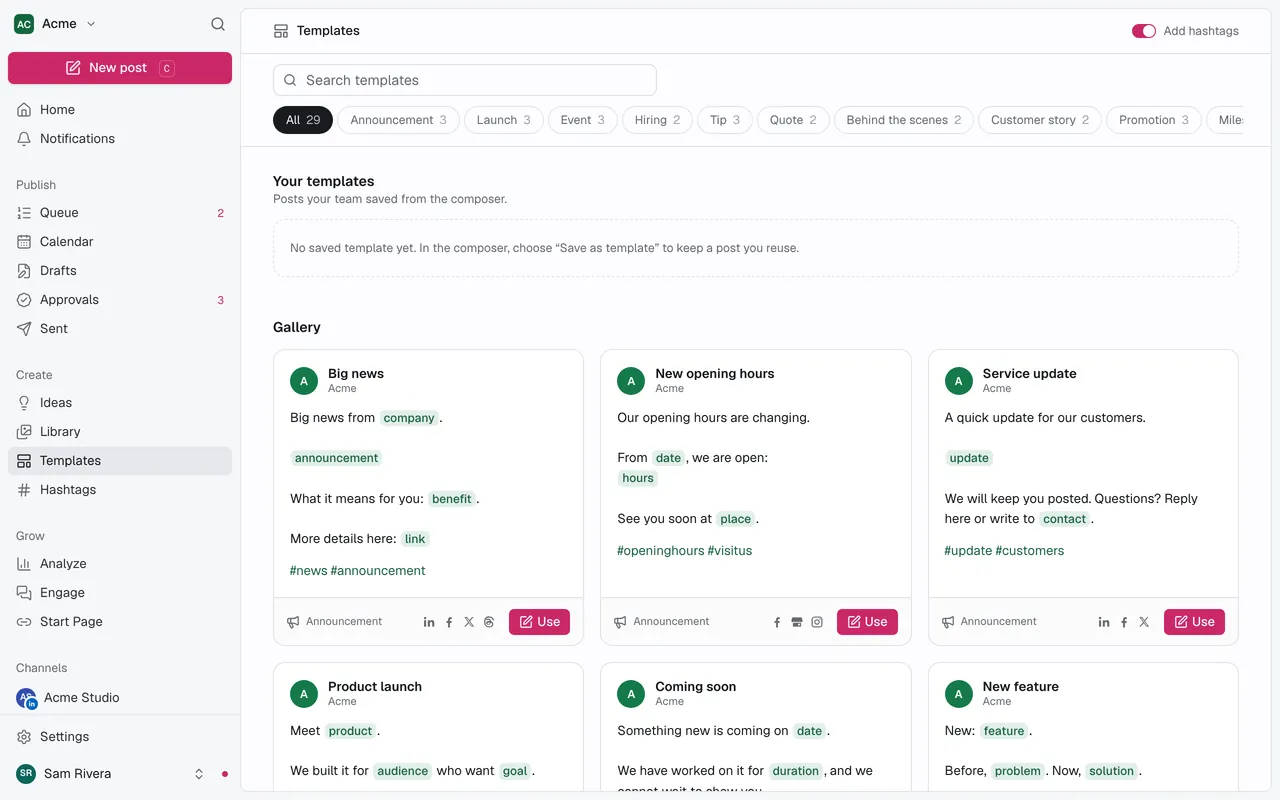
Open Templates. The gallery shows each template as a post preview.
- 2
Step 2: Filter by moment
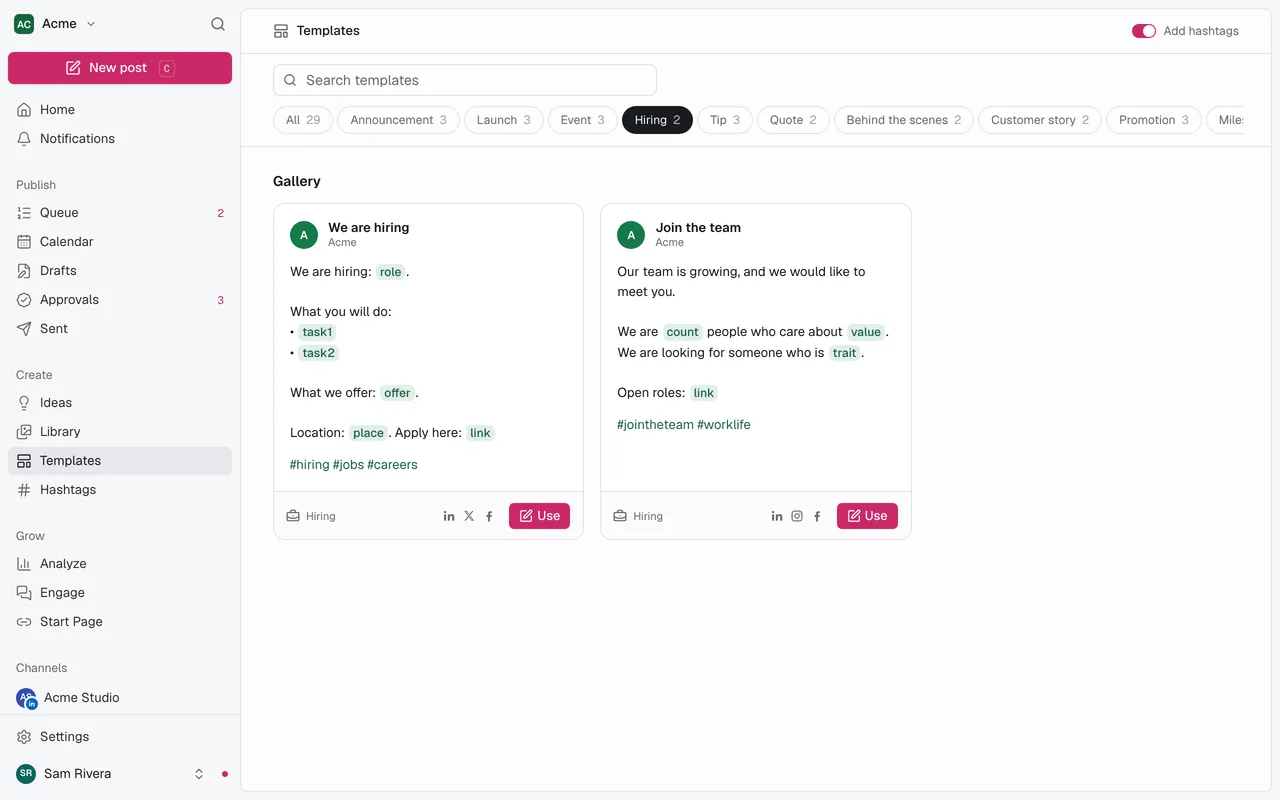
Click a category like Hiring, Event or Promotion to see only those templates.
- 3
Step 3: Use a template
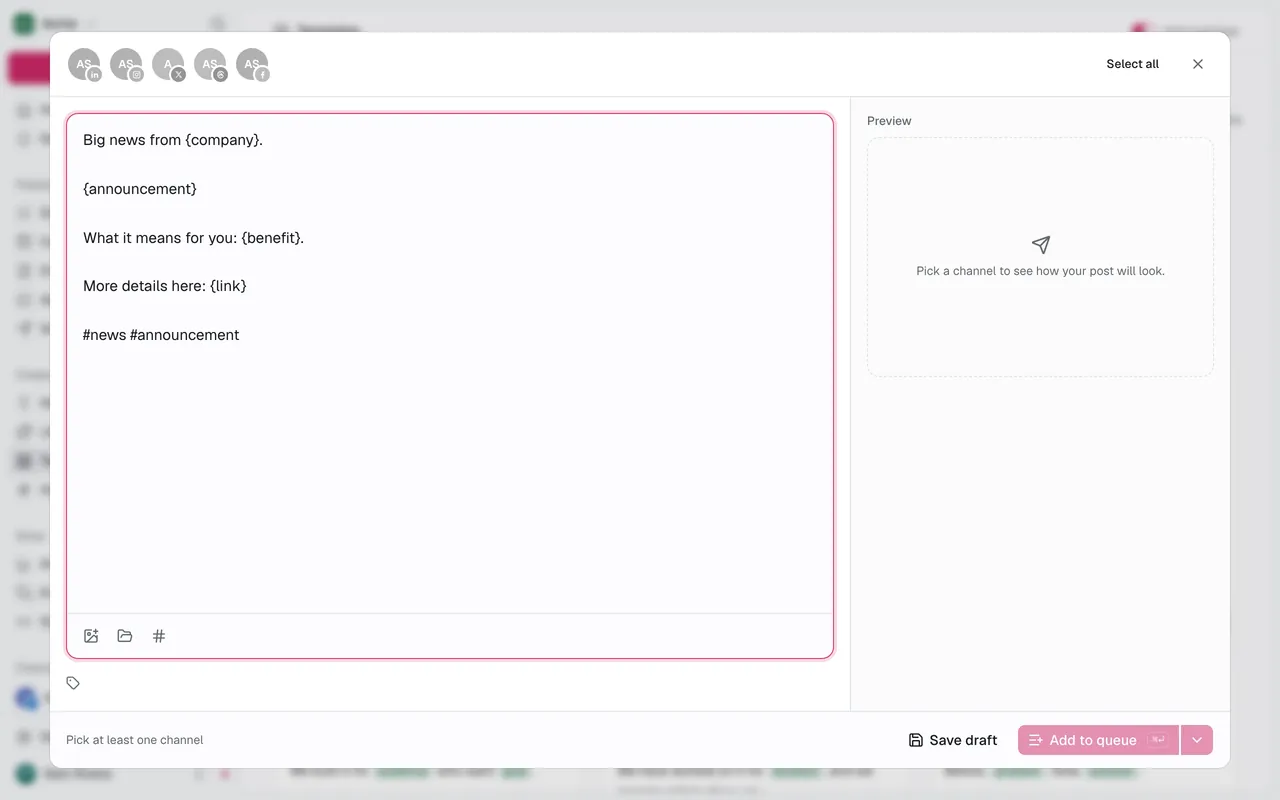
Click Use. The composer opens with the text. Replace the words in the blanks with your own, pick your channels and plan the post.
More Create tutorials
All Create tutorialsAdd images, a carousel or a video
Upload media or pick it from your library. Several images make a carousel.
Beginner2 min3 stepsWrite alt text for your images
Describe each image so people who use a screen reader know what it shows.
Beginner1 min3 stepsAdd a first comment
Post links or hashtags as a comment, right after the post.
Intermediate1 min3 steps