When approval is on, posts written by members wait for an admin. The Approvals tab shows how many wait.
- 1
Step 1: Open Approvals
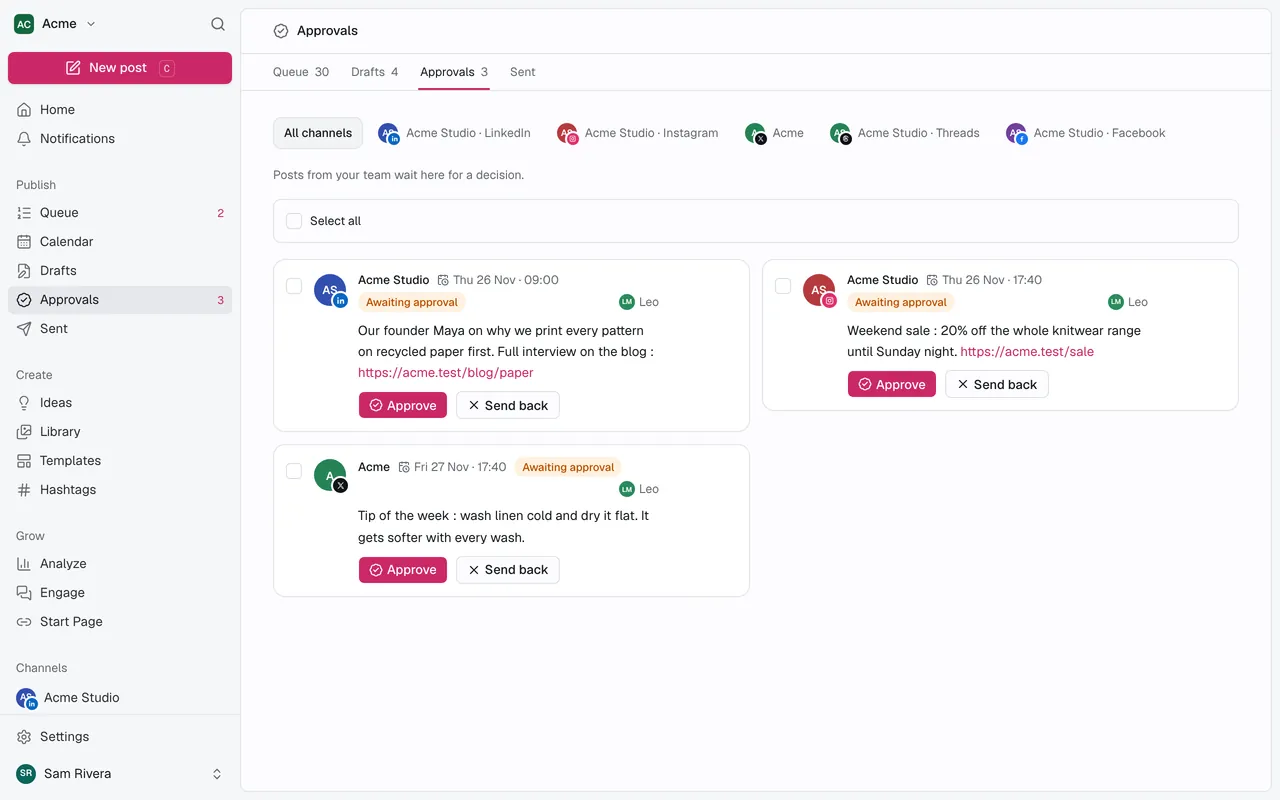
Click Approvals in the sidebar. Each post shows its channel, its planned time and its author.
- 2
Step 2: Approve a post
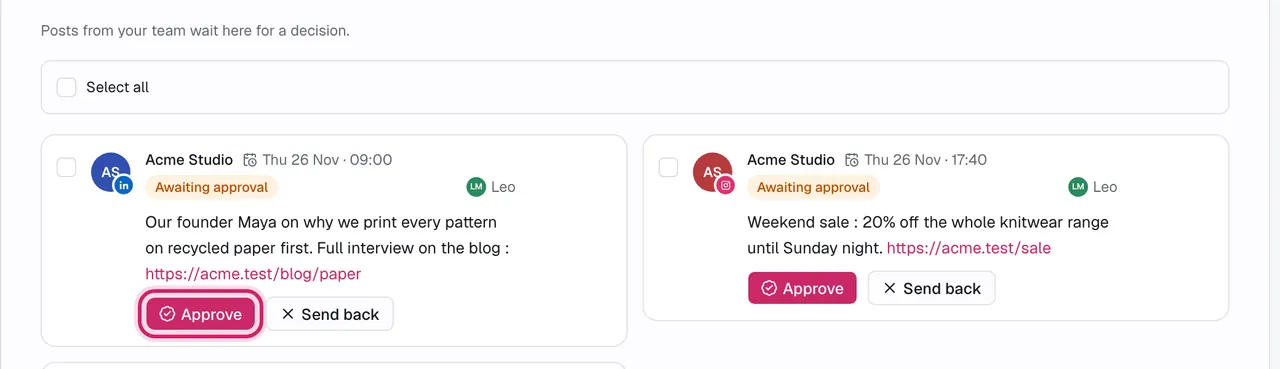
Read the post and click Approve. It goes into the queue at its planned time. The author gets a notification.
- 3
Step 3: Send it back
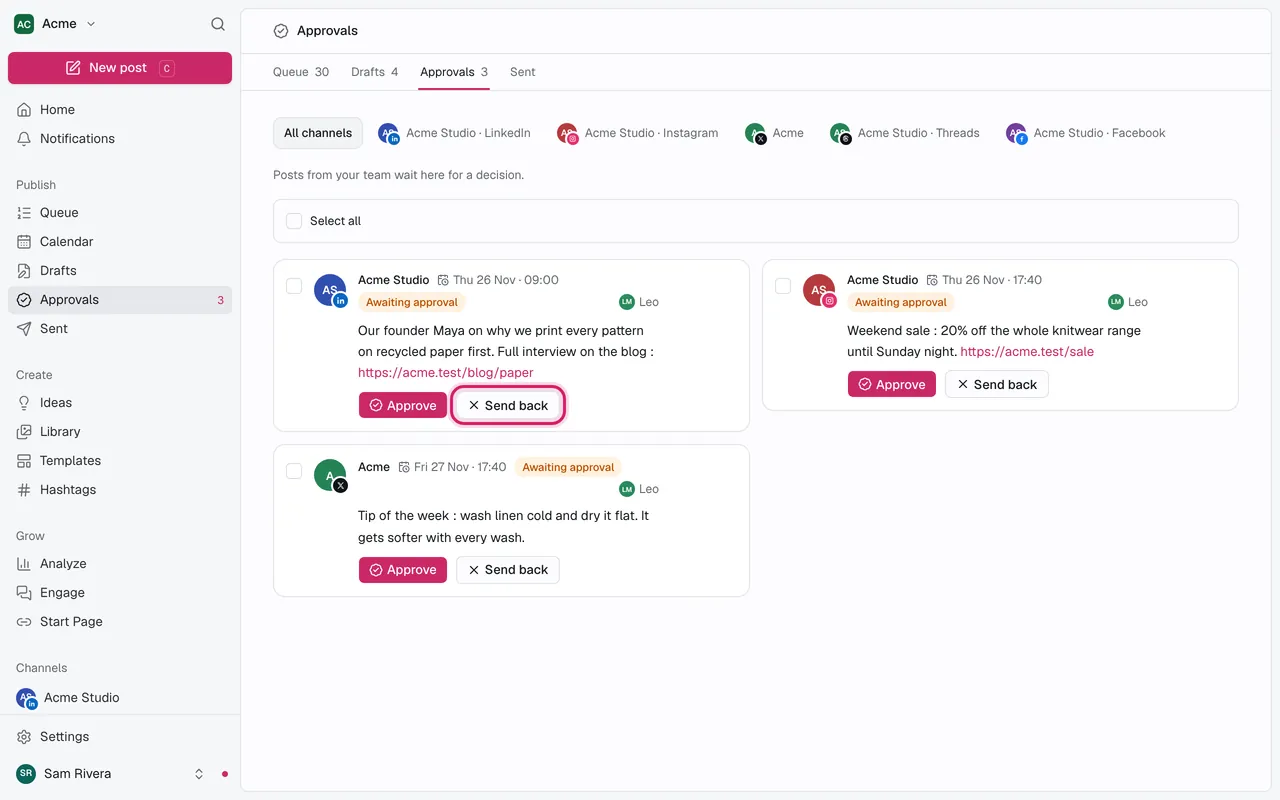
Click Send back and write a short note. The post goes back to its author as a draft, with your note.
- 4
Step 4: Approve many at once
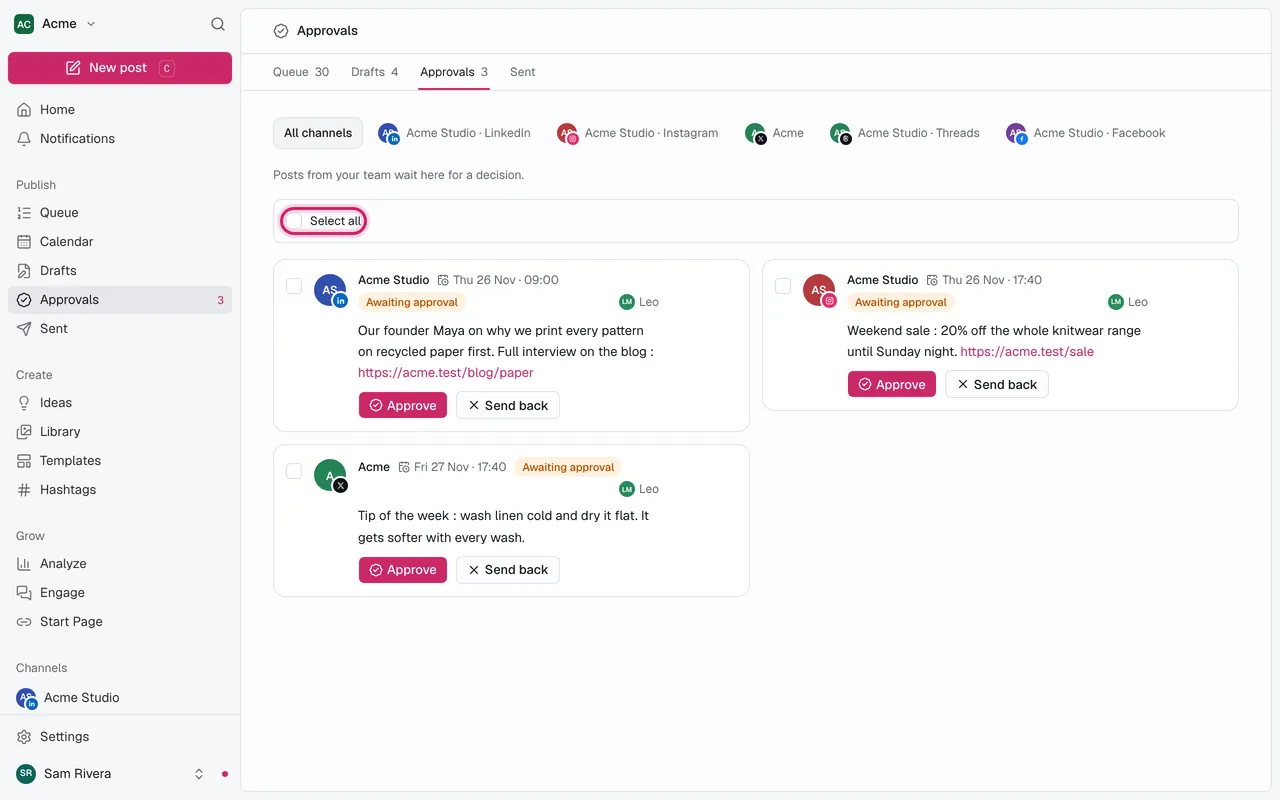
Click Select all, or tick some posts, then approve them together.
More Publish tutorials
All Publish tutorialsWrite your first post
Pick your channels, write once, check the preview and add the post to the queue.
Beginner3 min5 stepsCustomize a post for each network
Keep one shared text and change it for one channel only when you need to.
Intermediate3 min4 stepsSchedule a post for a date
Pick an exact day and time instead of the next free time in the queue.
Beginner2 min3 steps