A draft is a post that is not planned yet. It never goes out on its own.
- 1
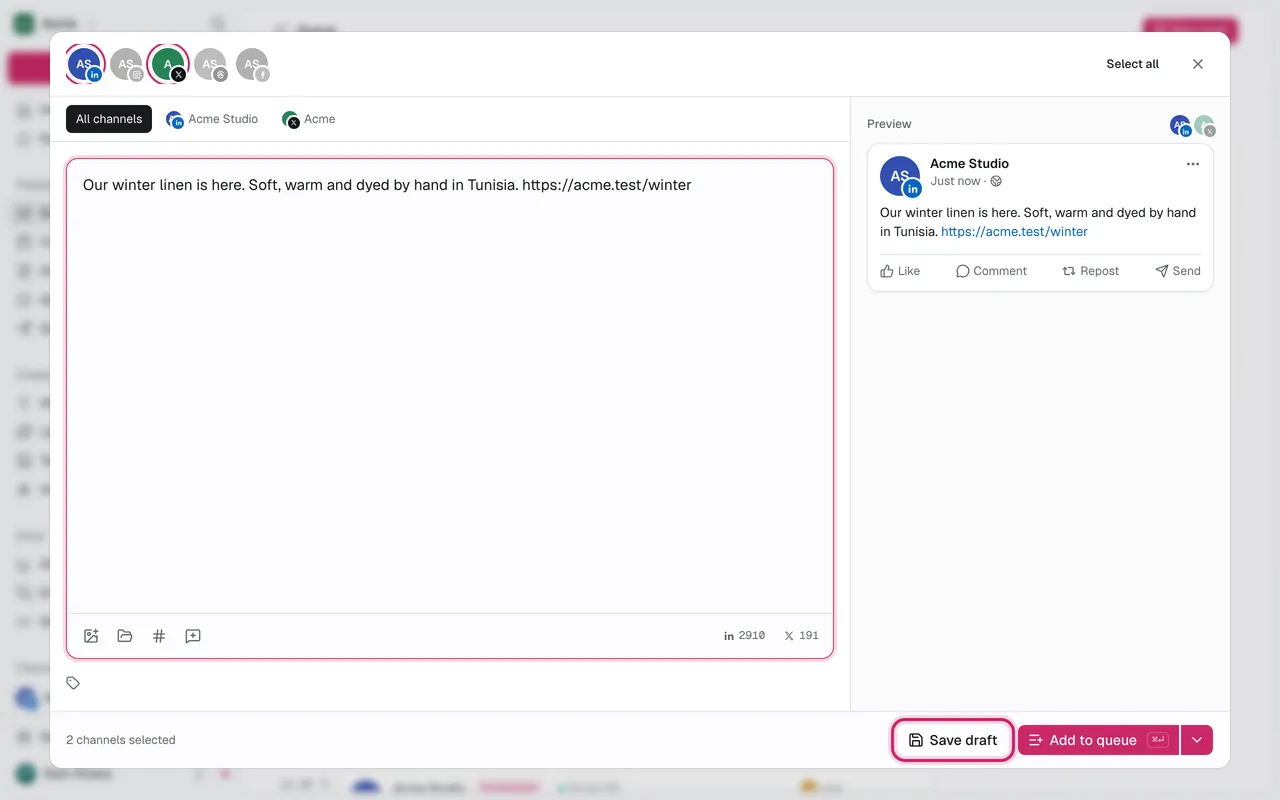
Step 1: Save a draft
In the composer, click Save draft. You can close the composer : nothing is lost.
- 2
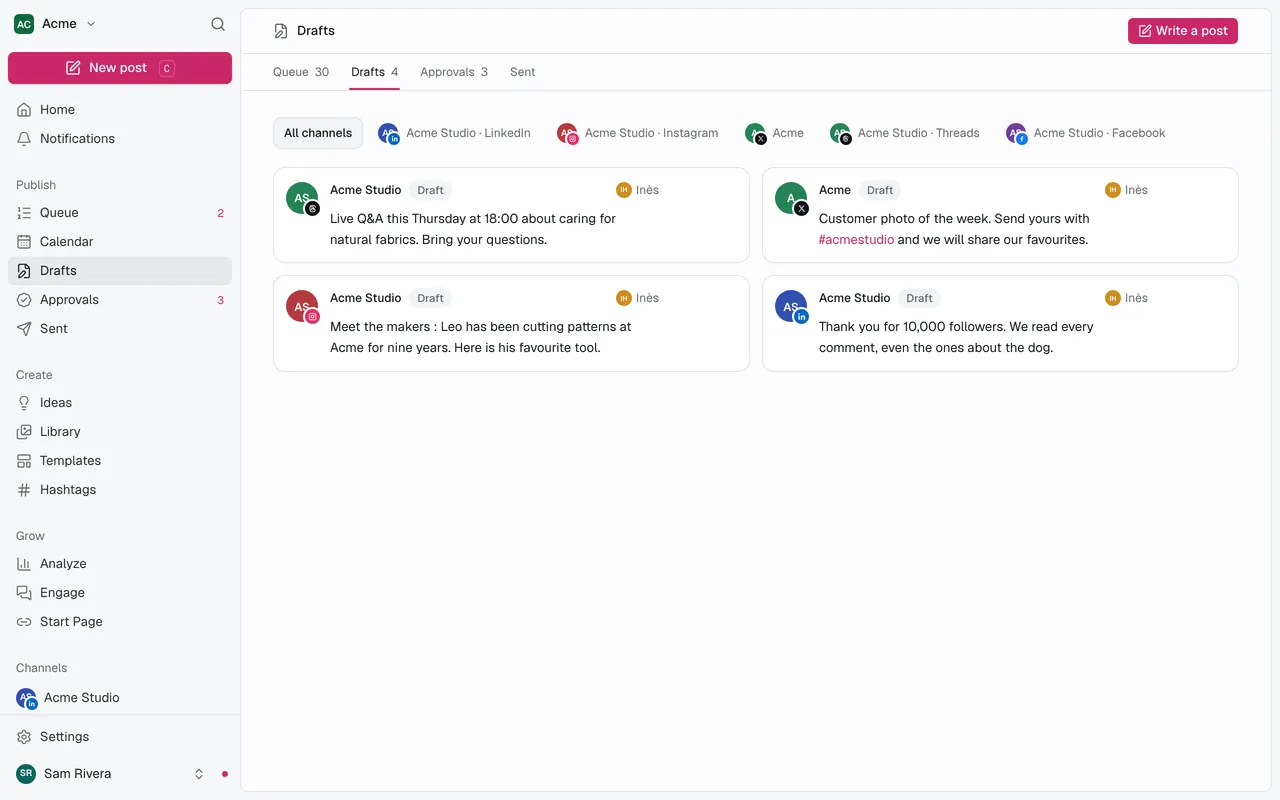
Step 2: Find your drafts
Open Drafts in the sidebar. Every draft of the workspace is there, with its channel and author.
- 3
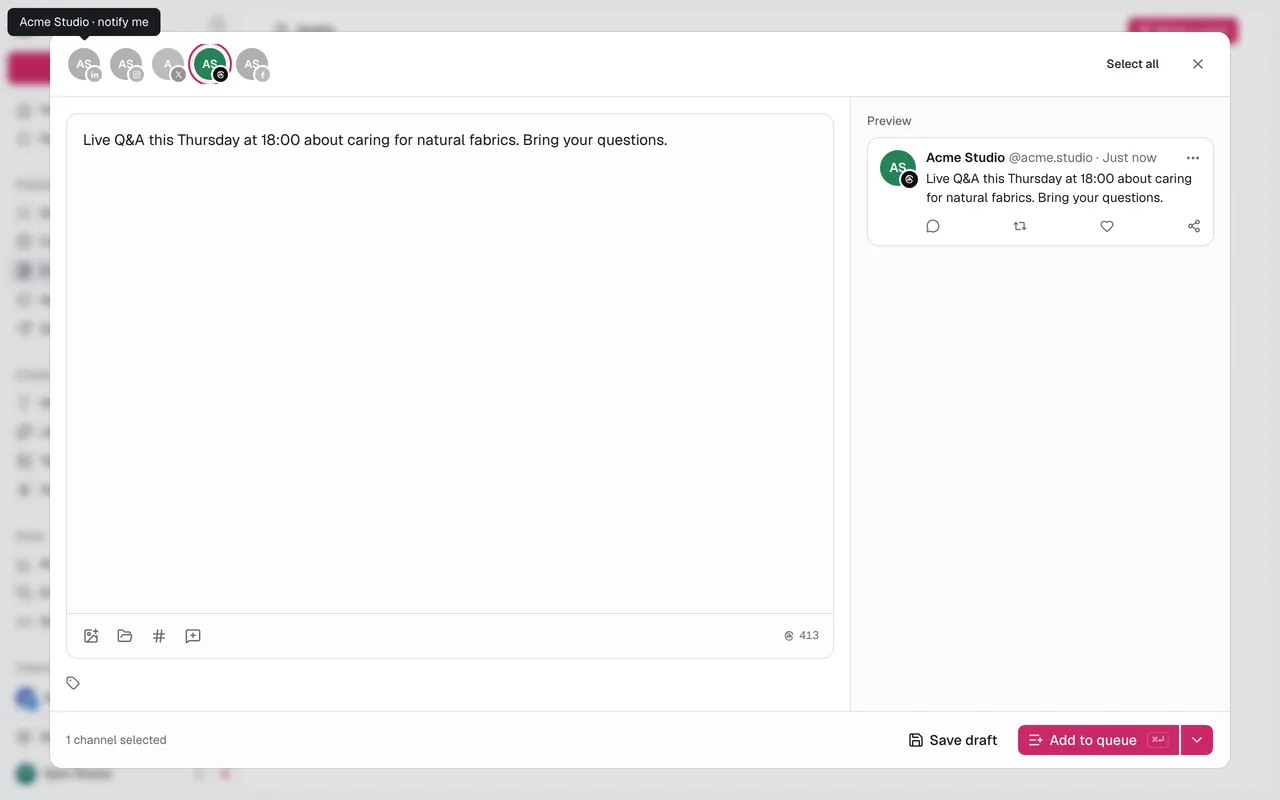
Step 3: Finish and plan it
Click a draft to open it in the composer. Finish the text, then click Add to queue or pick a date.
More Publish tutorials
All Publish tutorialsWrite your first post
Pick your channels, write once, check the preview and add the post to the queue.
Beginner3 min5 stepsCustomize a post for each network
Keep one shared text and change it for one channel only when you need to.
Intermediate3 min4 stepsSchedule a post for a date
Pick an exact day and time instead of the next free time in the queue.
Beginner2 min3 steps