The calendar shows the same posts as the queue, laid out on days and hours.
- 1
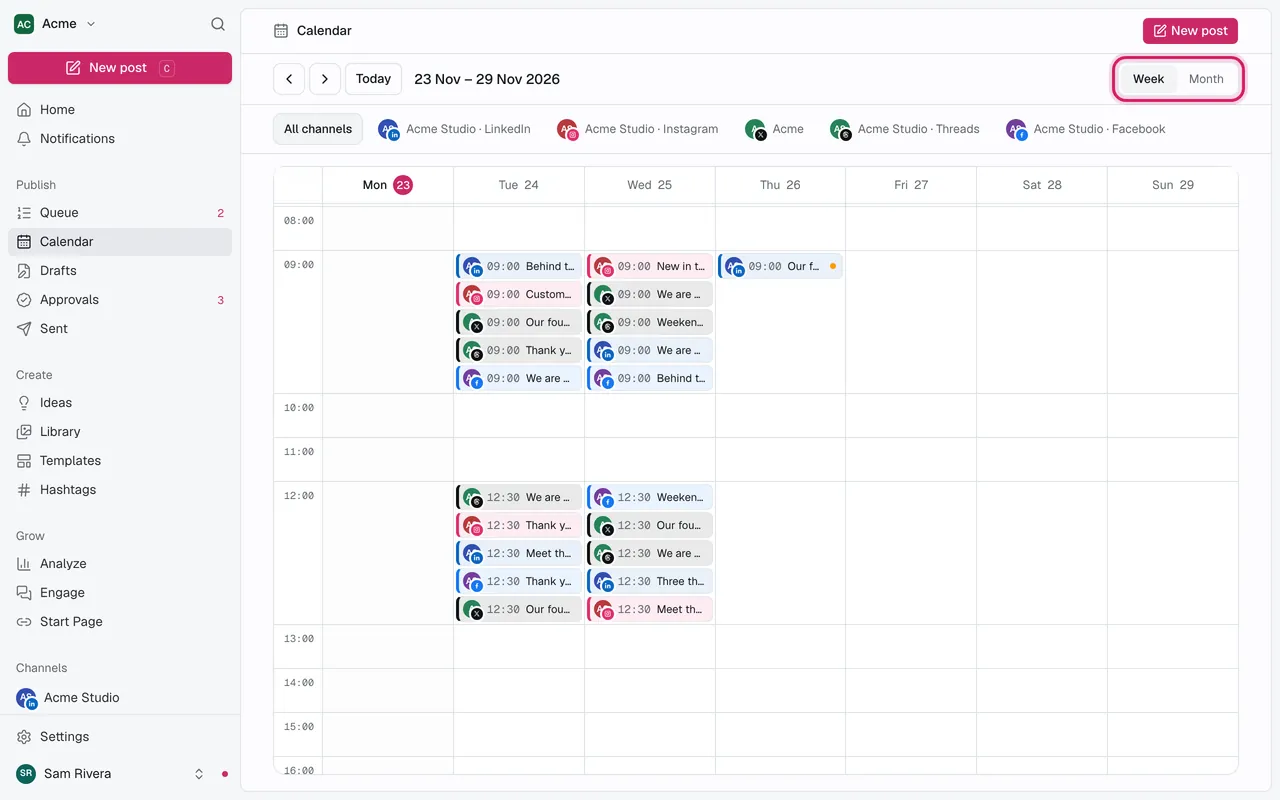
Step 1: Read the week
Open Calendar. Week shows each day with its hours. Each post shows its channel, time and first words.
- 2
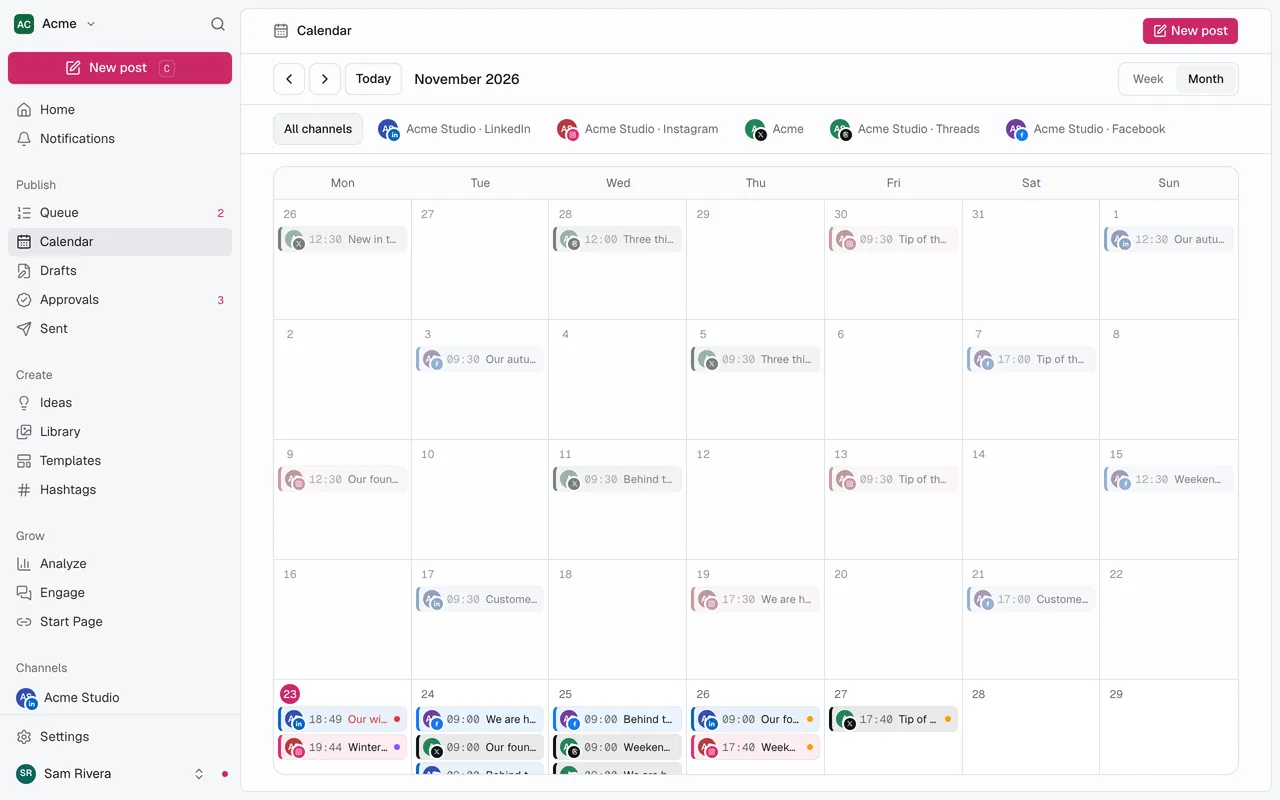
Step 2: Switch to the month
Click Month to see the whole month. Use the arrows to go back or forward.
- 3
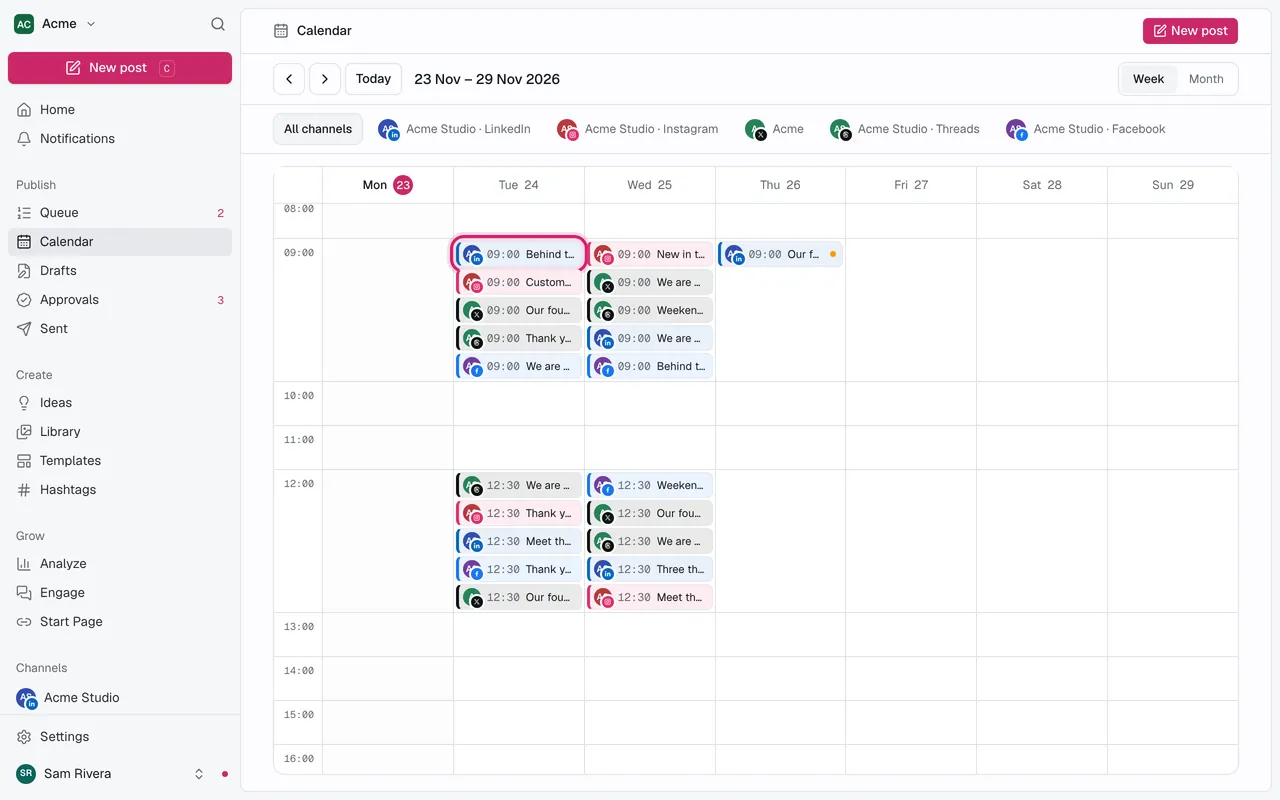
Step 3: Drag a post
Drag a post to another day or hour to move it. Click a post to open it in the composer.
- 4
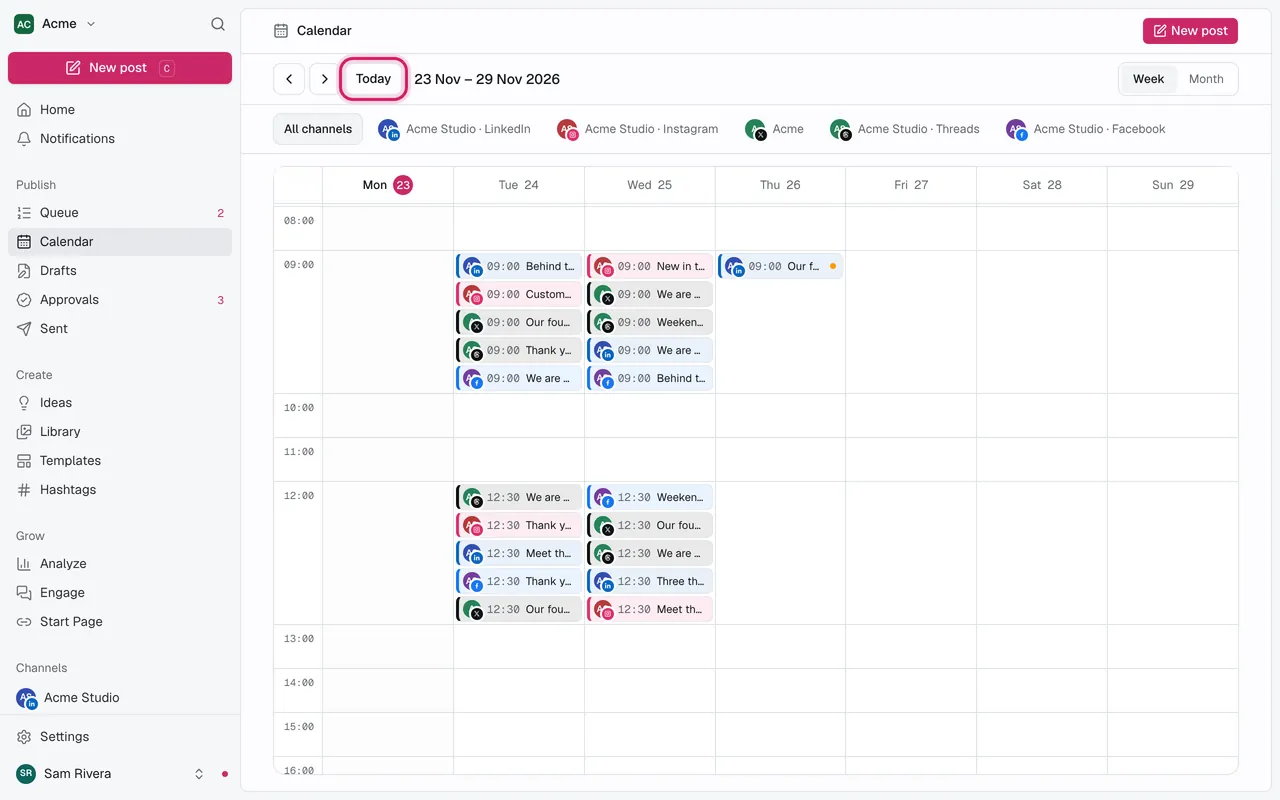
Step 4: Come back to today
Click Today to come back to the current week. Use the channel buttons to see one channel only.
More Publish tutorials
All Publish tutorialsWrite your first post
Pick your channels, write once, check the preview and add the post to the queue.
Beginner3 min5 stepsCustomize a post for each network
Keep one shared text and change it for one channel only when you need to.
Intermediate3 min4 stepsSchedule a post for a date
Pick an exact day and time instead of the next free time in the queue.
Beginner2 min3 steps