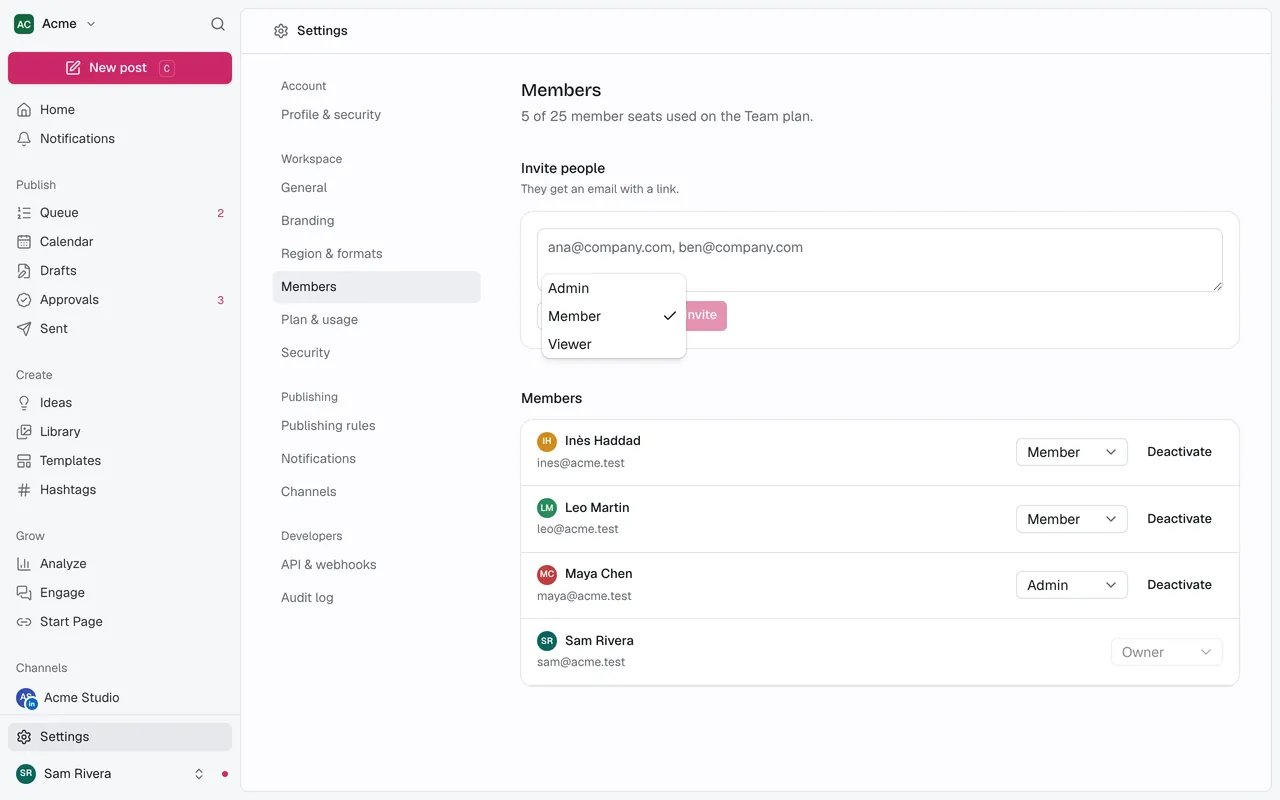
Each person has a role. Owner and Admin manage everything. Member writes and plans posts. Viewer can look but not change.
- 1
Step 1: Open Members
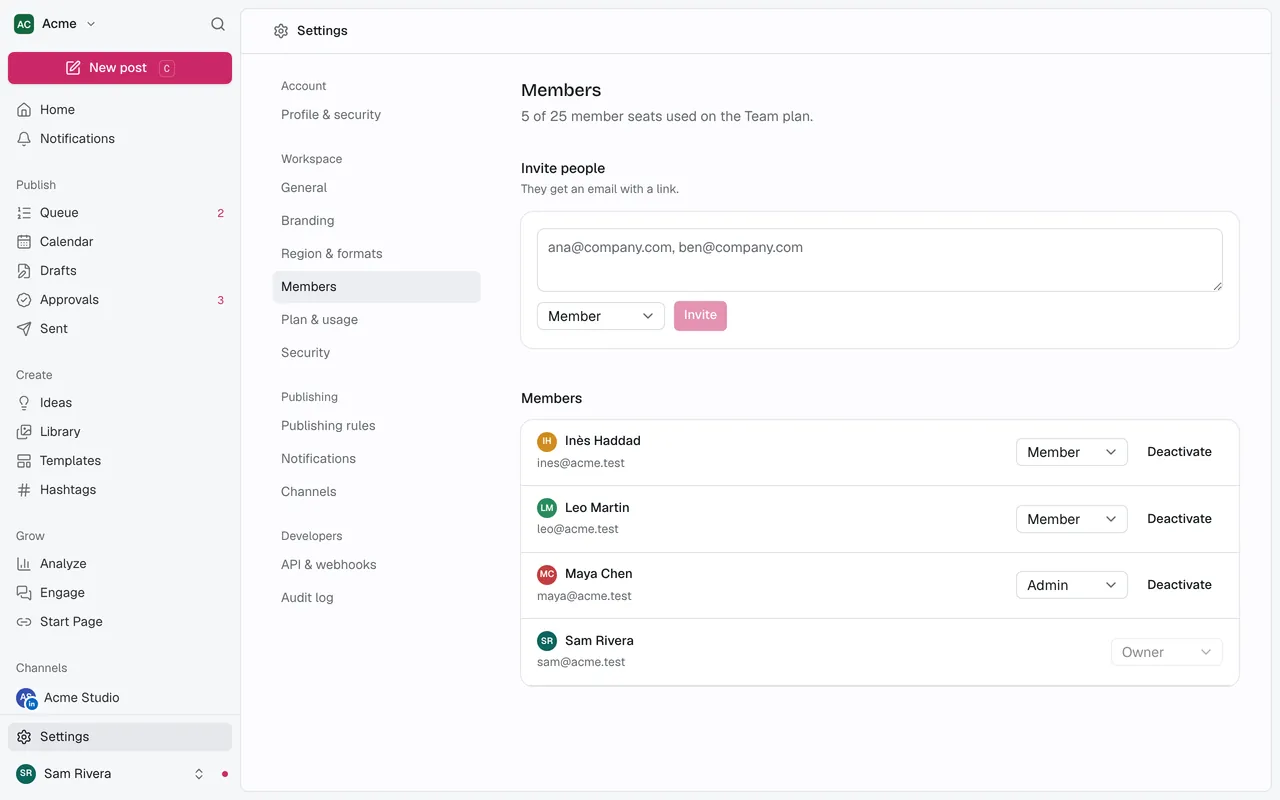
Go to Settings › Members. You see the seats used on your plan and everyone in the workspace.
- 2
Step 2: Invite someone
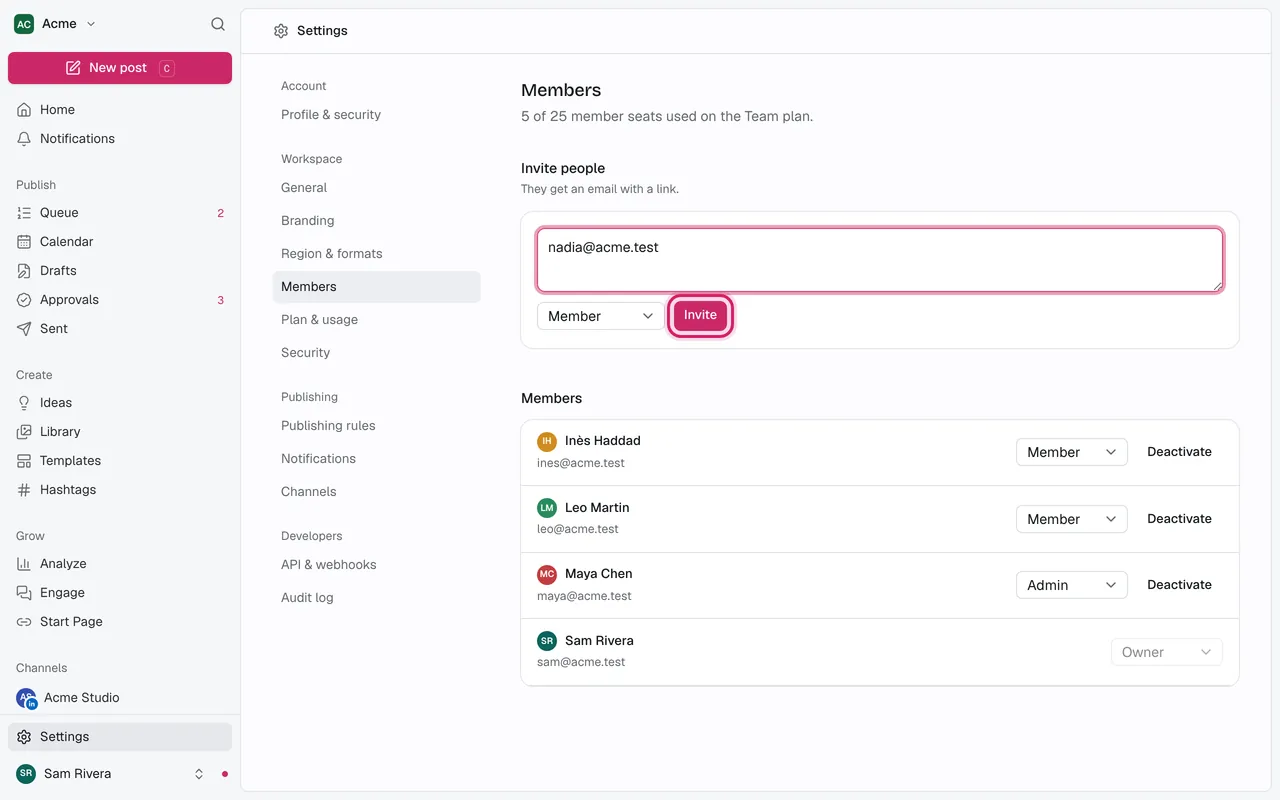
Type their email under Invite people and click Invite. They get an email with a link.
- 3
Step 3: Pick the role
Choose the role before you invite. Members can write and plan posts. If approval is on, their posts wait for an admin.
- 4
Step 4: Change a role later
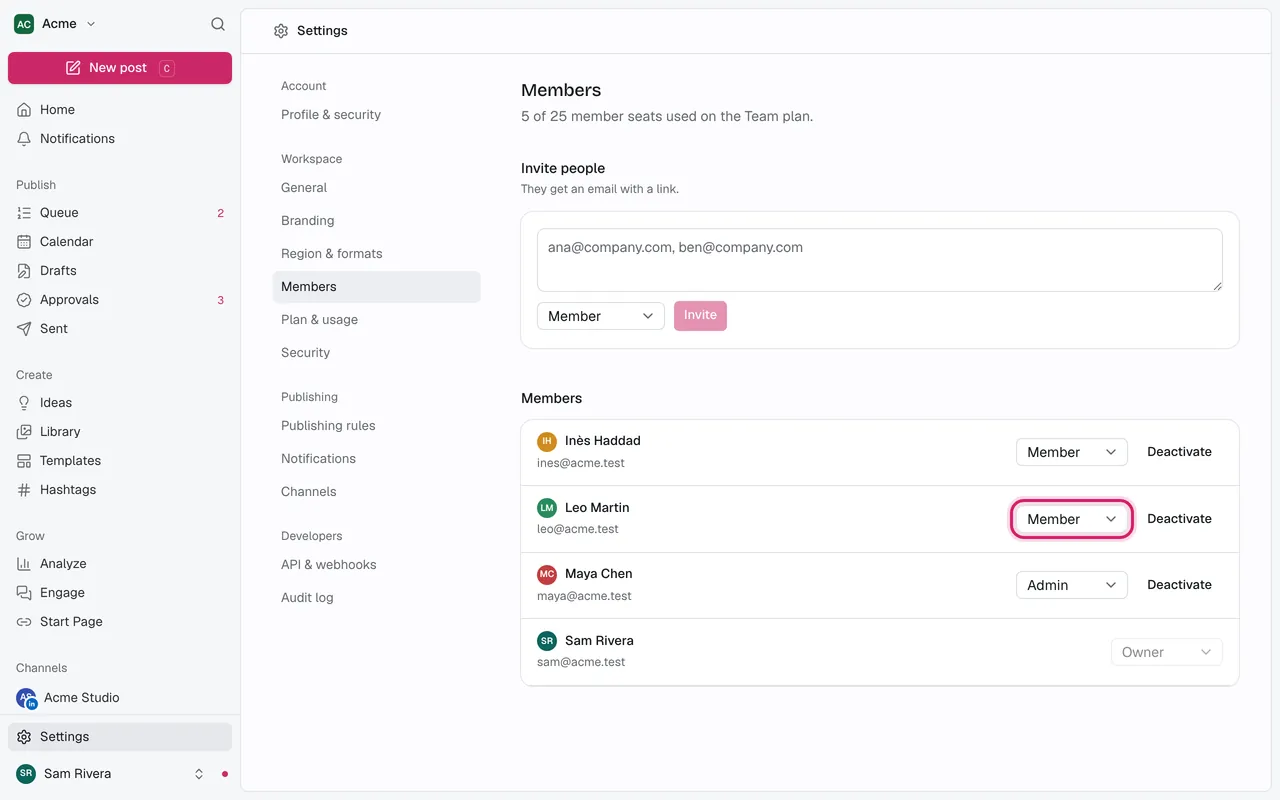
Change the role of a person in the list at any time. Deactivate removes their access and keeps their posts.
More Team tutorials
All Team tutorialsTurn on approvals for your team
Make posts by members wait for an admin before they go out.
Intermediate2 min3 stepsYour plan, limits and payment
See your plan, what it includes and how much of it you use.
Beginner2 min3 stepsSet up and brand your workspace
Name your workspace, add your logo and colour, and set its region.
Beginner2 min3 steps