Workspace settings apply to everyone in it. Only owners and admins change them.
- 1
Step 1: General settings
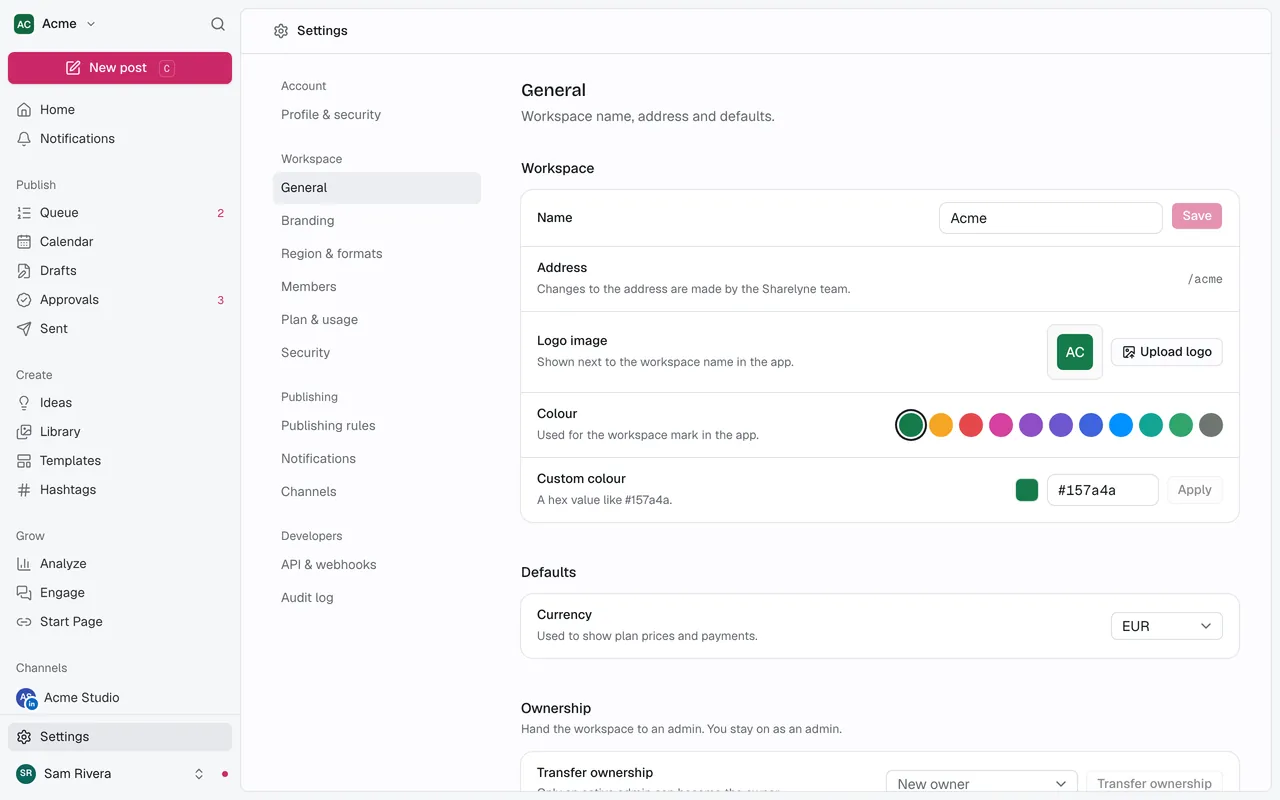
Go to Settings › General. Change the name, the logo, the colour and the currency used for prices. Click Save.
- 2
Step 2: Logo and colour
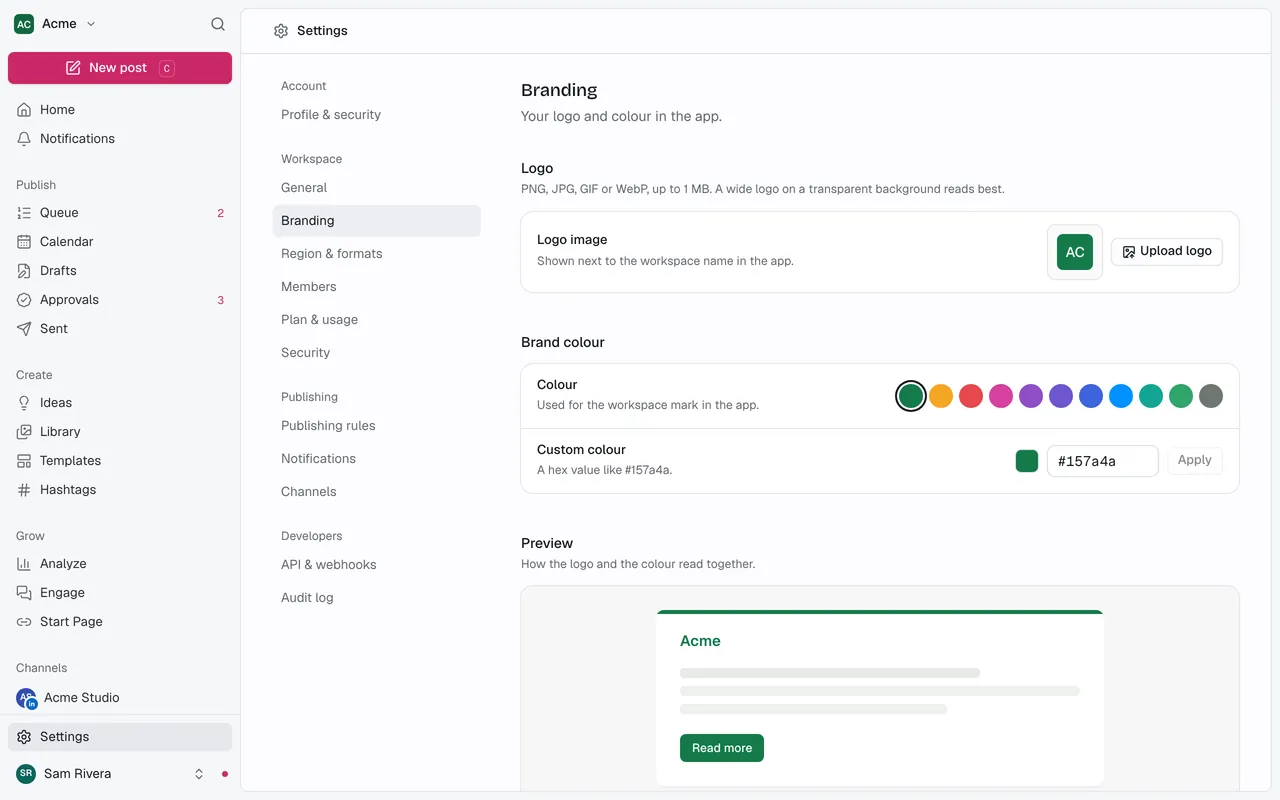
In Branding, upload your logo (PNG, JPG, GIF or WebP, up to 1 MB) and pick your colour. The preview shows how they read together.
- 3
Step 3: Region and formats
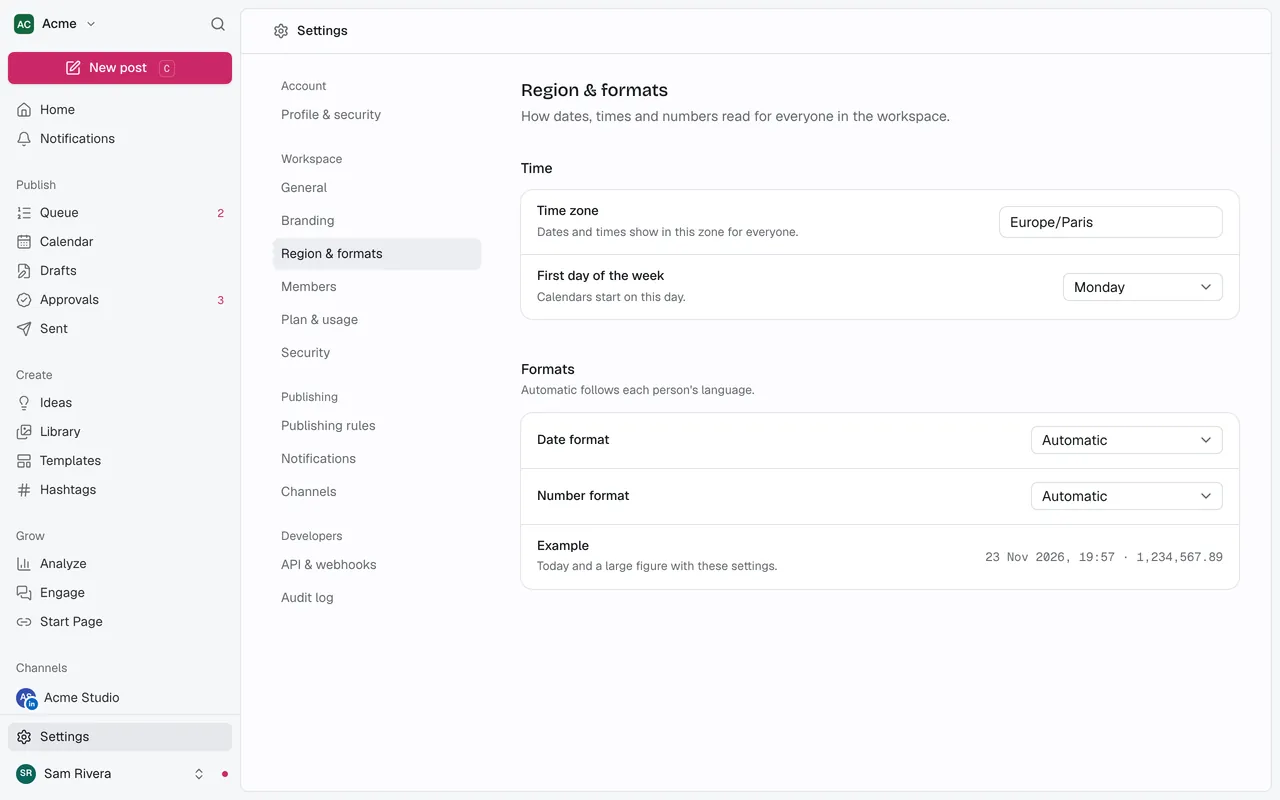
In Region & formats, set the time zone, the first day of the week and the date and number formats.
That’s it
You have finished this tutorial.
More Team tutorials
All Team tutorialsInvite your team and set roles
Add people to your workspace and choose what each one can do.
Beginner2 min4 stepsTurn on approvals for your team
Make posts by members wait for an admin before they go out.
Intermediate2 min3 stepsYour plan, limits and payment
See your plan, what it includes and how much of it you use.
Beginner2 min3 steps