Approvals keep your brand safe. Admins and owners still publish without approval. Approvals are part of the Team and Agency plans.
- 1
Step 1: Turn it on
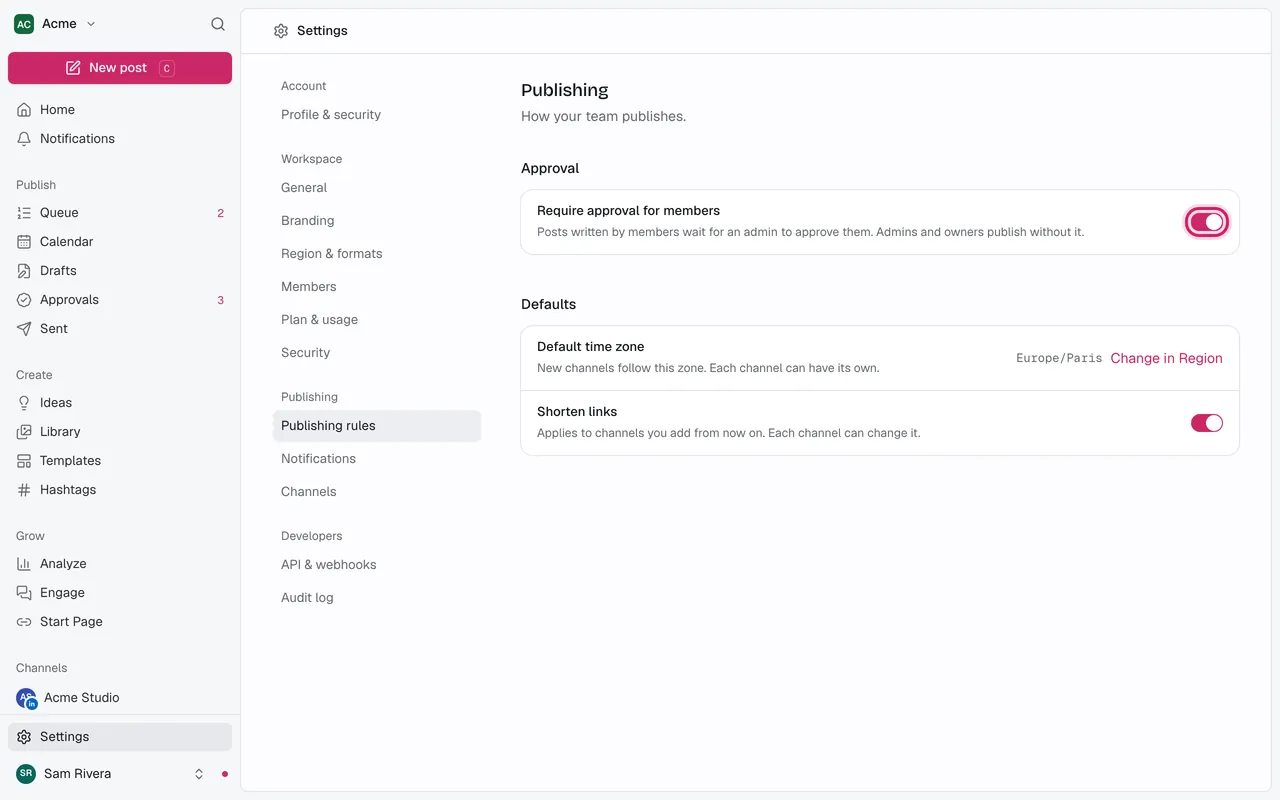
Go to Settings › Publishing rules and turn on Require approval for members.
- 2
Step 2: How members work now
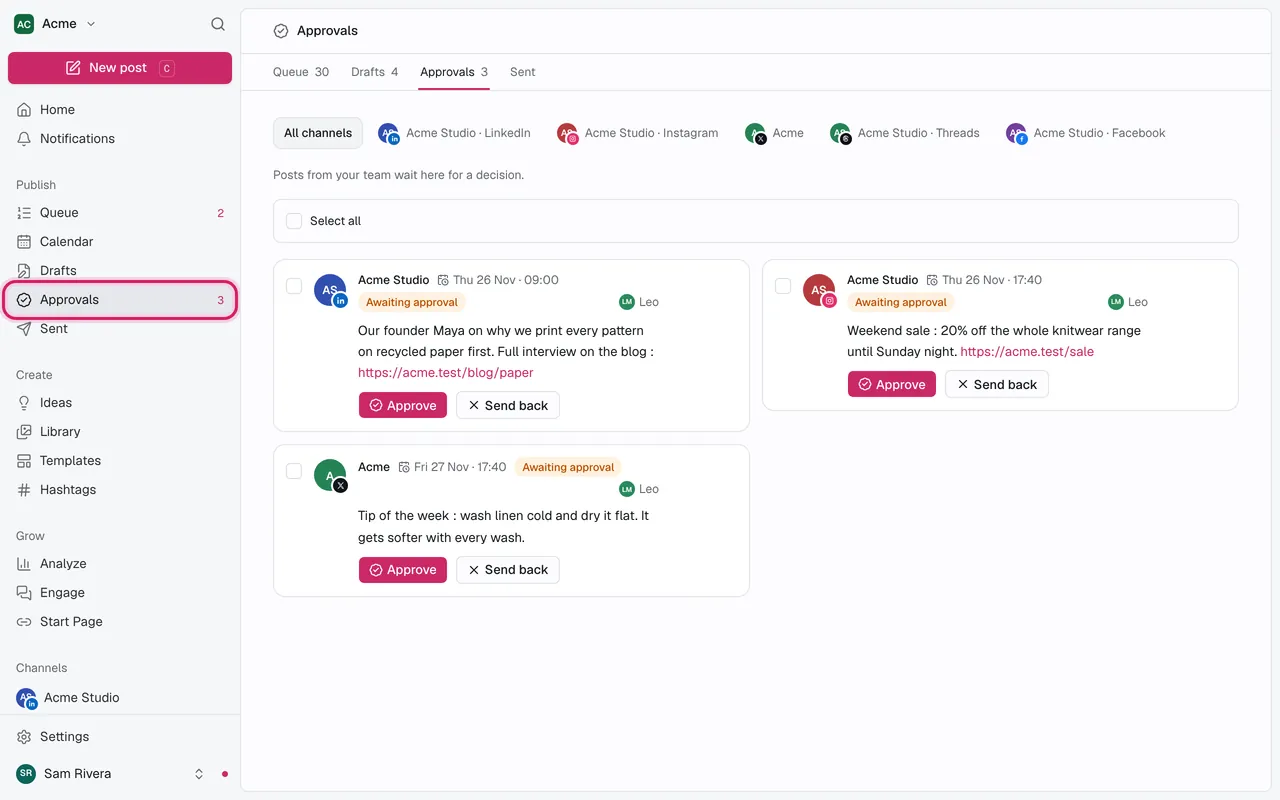
In the composer, members see Send for approval instead of Add to queue. Their posts go to Approvals, where admins approve them or send them back.
- 3
Step 3: Get told at once
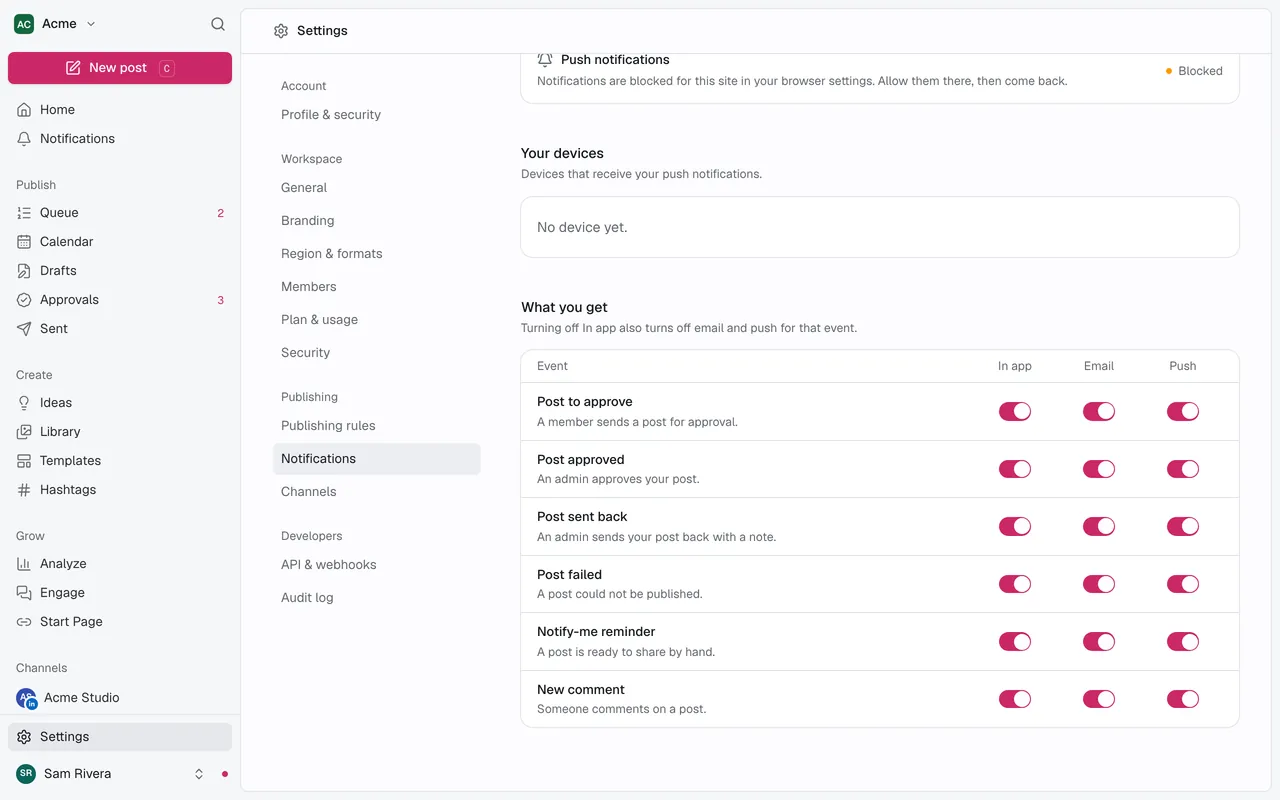
In Settings › Notifications, keep Post to approve on for admins, and Post approved and Post sent back on for members.
More Team tutorials
All Team tutorialsInvite your team and set roles
Add people to your workspace and choose what each one can do.
Beginner2 min4 stepsYour plan, limits and payment
See your plan, what it includes and how much of it you use.
Beginner2 min3 stepsSet up and brand your workspace
Name your workspace, add your logo and colour, and set its region.
Beginner2 min3 steps