Each person picks their own language and theme. They do not change the app for the rest of the team.
- 1
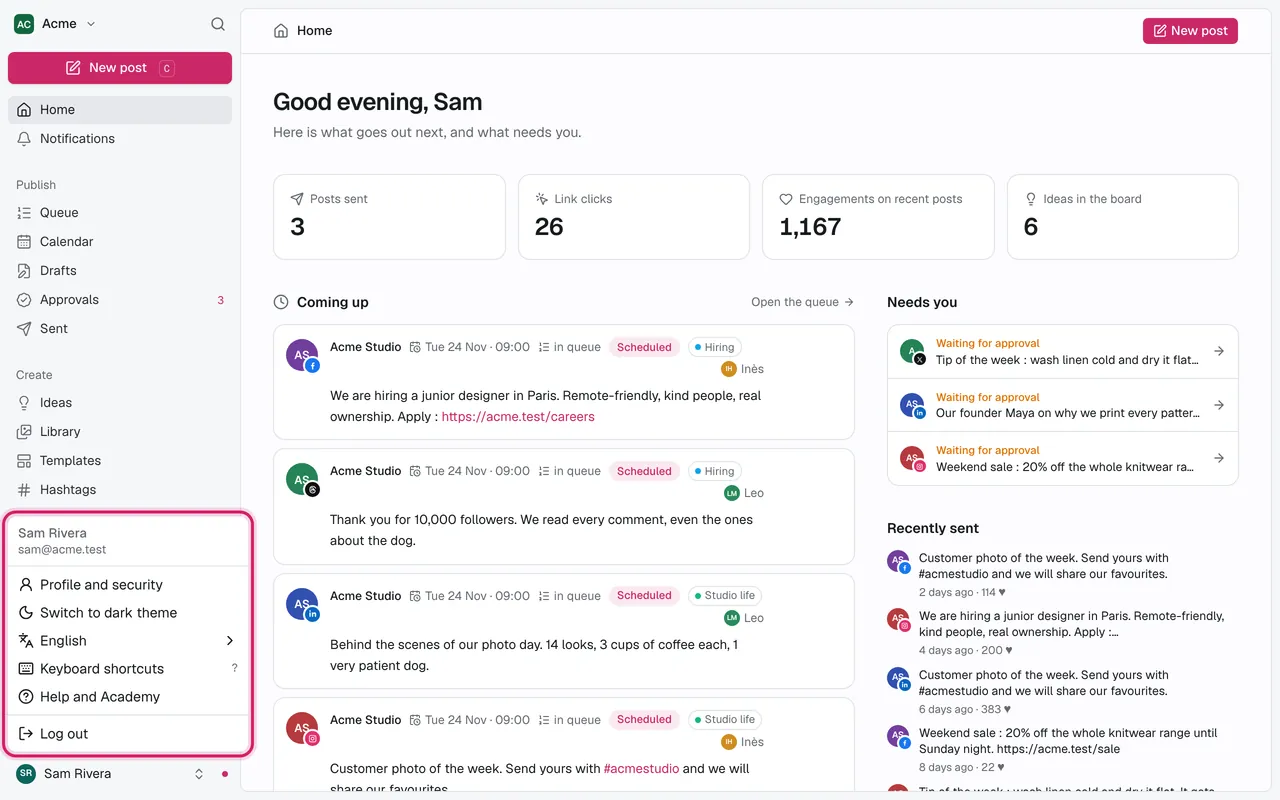
Step 1: Open your menu
Click your name at the bottom of the sidebar. The menu has your theme, your language and the keyboard shortcuts.
- 2
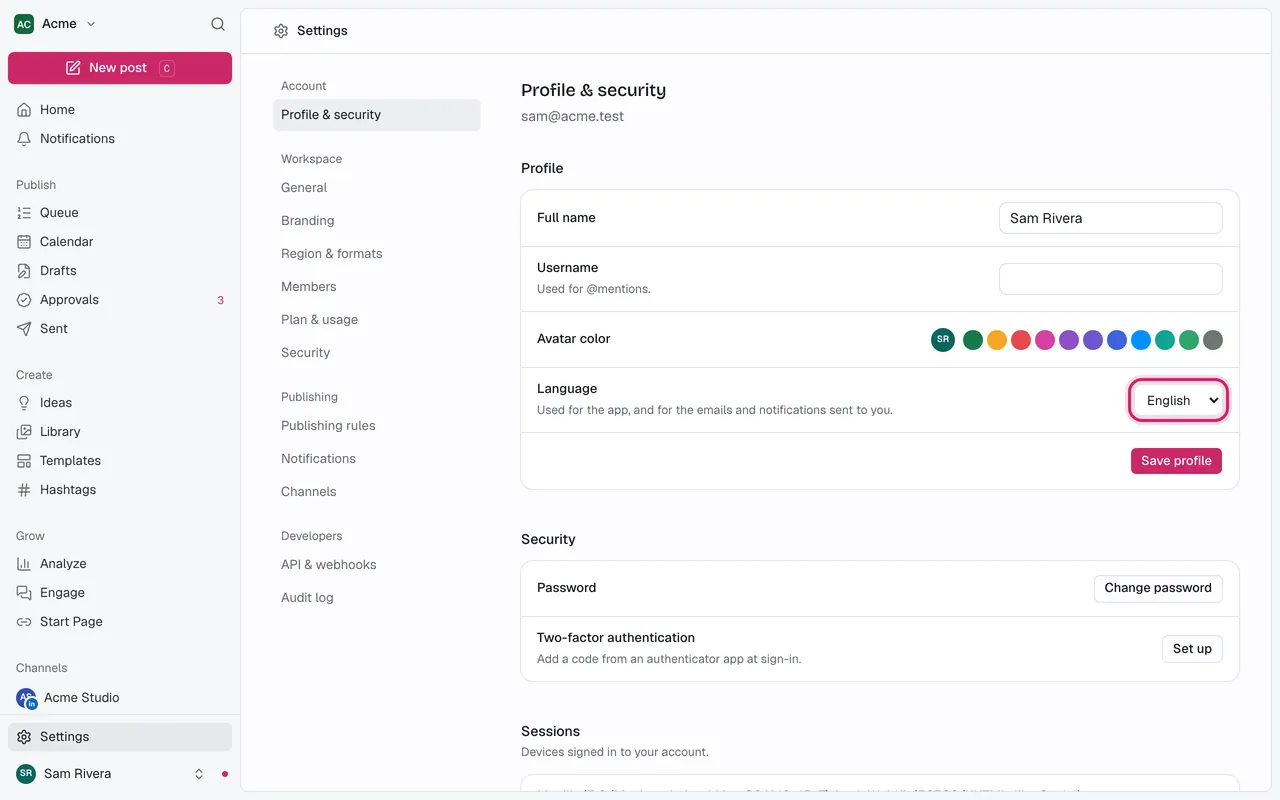
Step 2: Pick your language
Open Profile and security. Under Language, choose English, Français or العربية and click Save profile. Emails and notifications also use this language. Arabic shows the app from right to left.
- 3
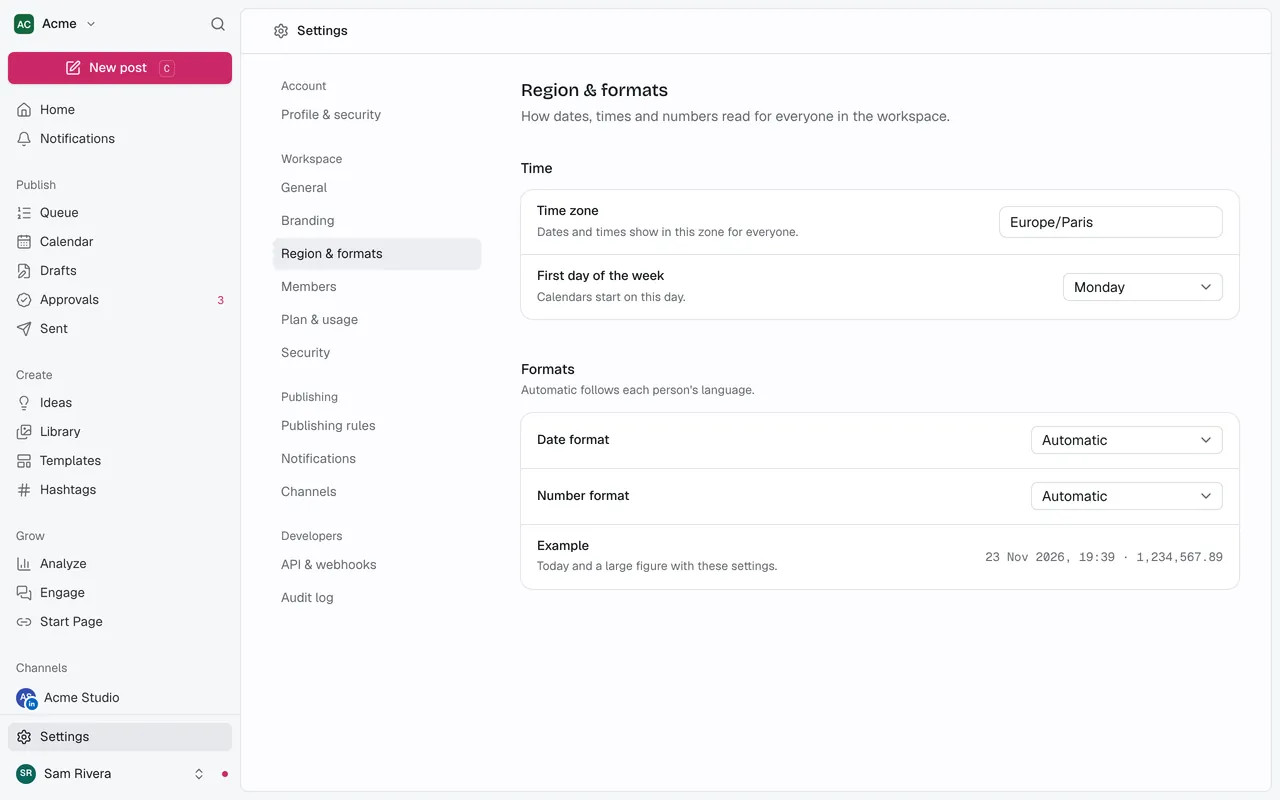
Step 3: Set date and number formats
Admins can set the date and number formats in Settings › Region & formats. Automatic follows each person's language.
- 4
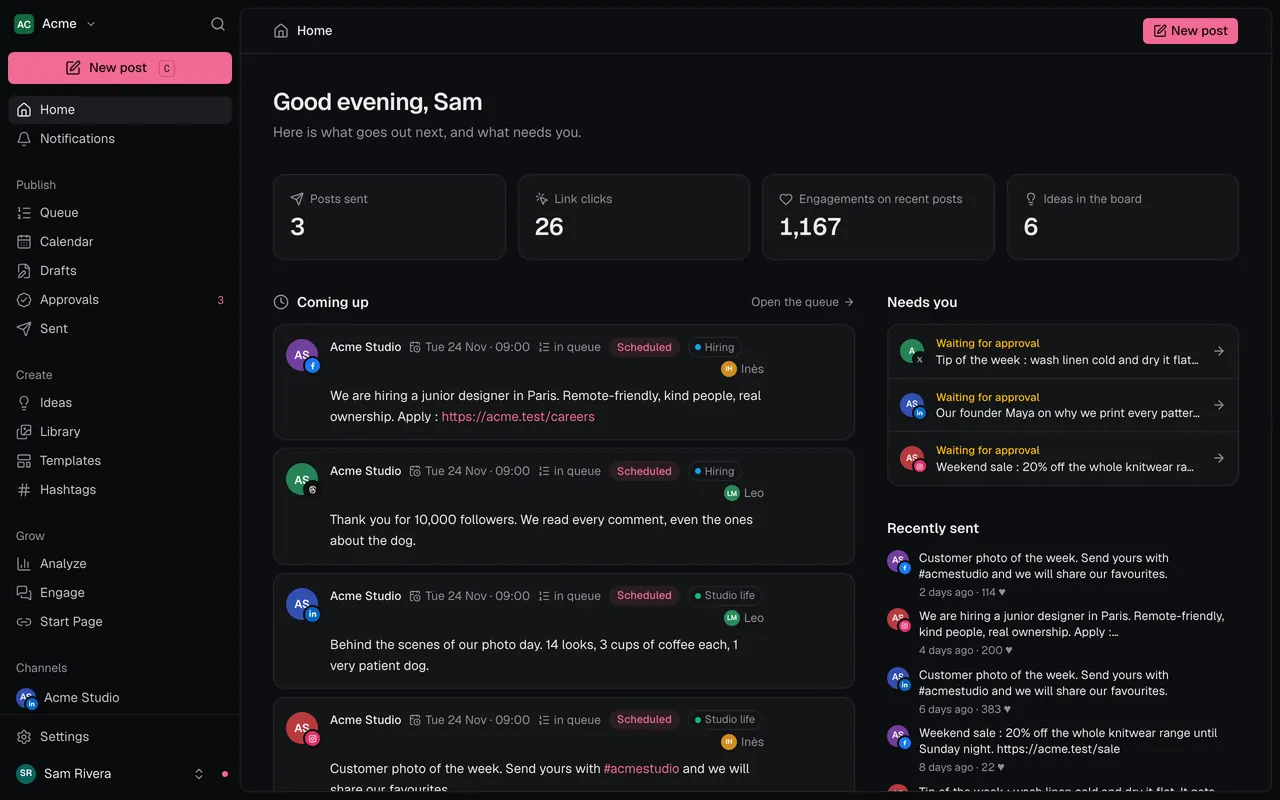
Step 4: Switch to dark mode
In your menu, click Switch to dark theme. Click it again to go back to light.
More Get started tutorials
All Get started tutorialsCreate your account and workspace
Sign up, name your workspace and land on your home page in two minutes.
Beginner2 min4 stepsConnect a channel with direct posting
Link a social account so Sharelyne publishes for you at the right time.
Beginner3 min4 stepsAdd a notify-me channel
Plan posts for any network. Sharelyne reminds you on your phone and you post in one tap.
Beginner2 min4 steps