The Sharelyne REST API does what you do in the app. Webhooks send events to your own address. Both are part of the paid plans.
- 1
Step 1: Open API & webhooks
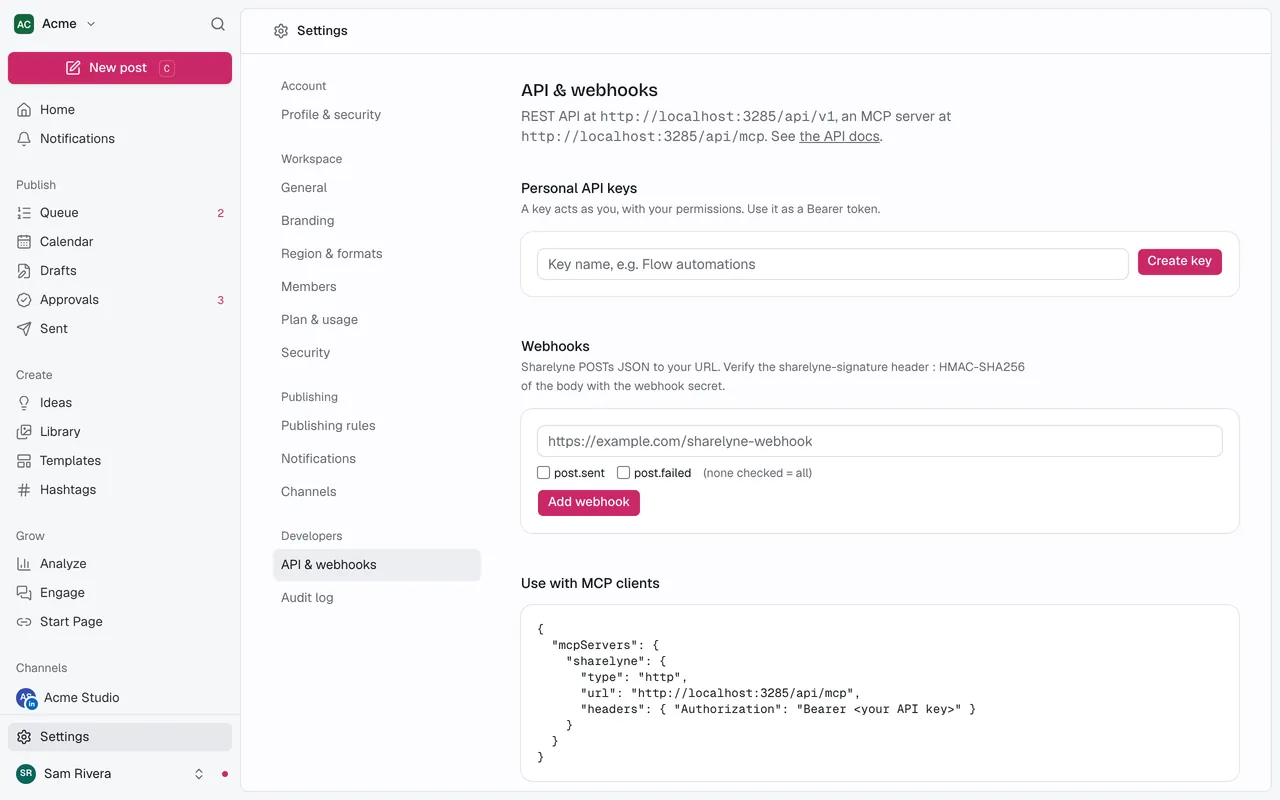
Go to Settings › API & webhooks. The page shows the address of the API and a link to its docs.
- 2
Step 2: Create a key
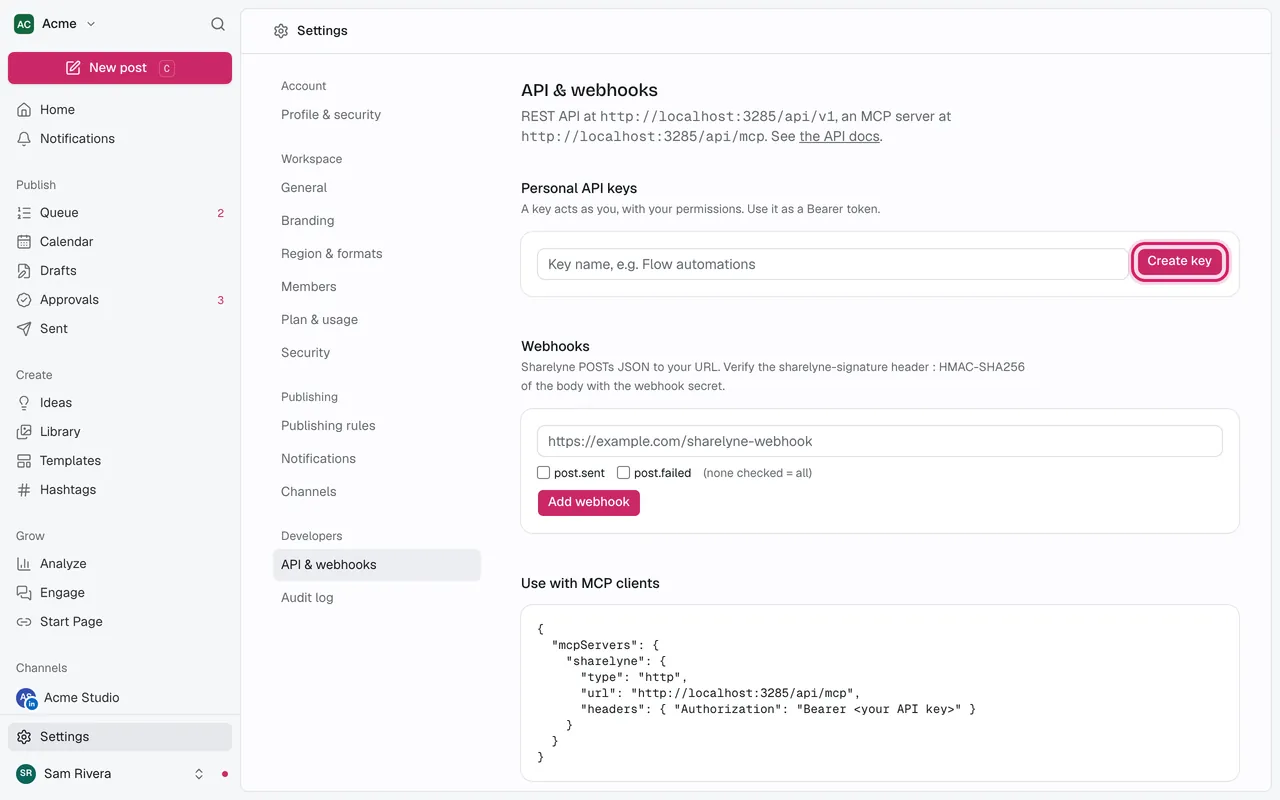
Click Create key and name it. Copy the key and keep it safe : it acts as you, with your permissions. Send it as a Bearer token.
- 3
Step 3: Add a webhook
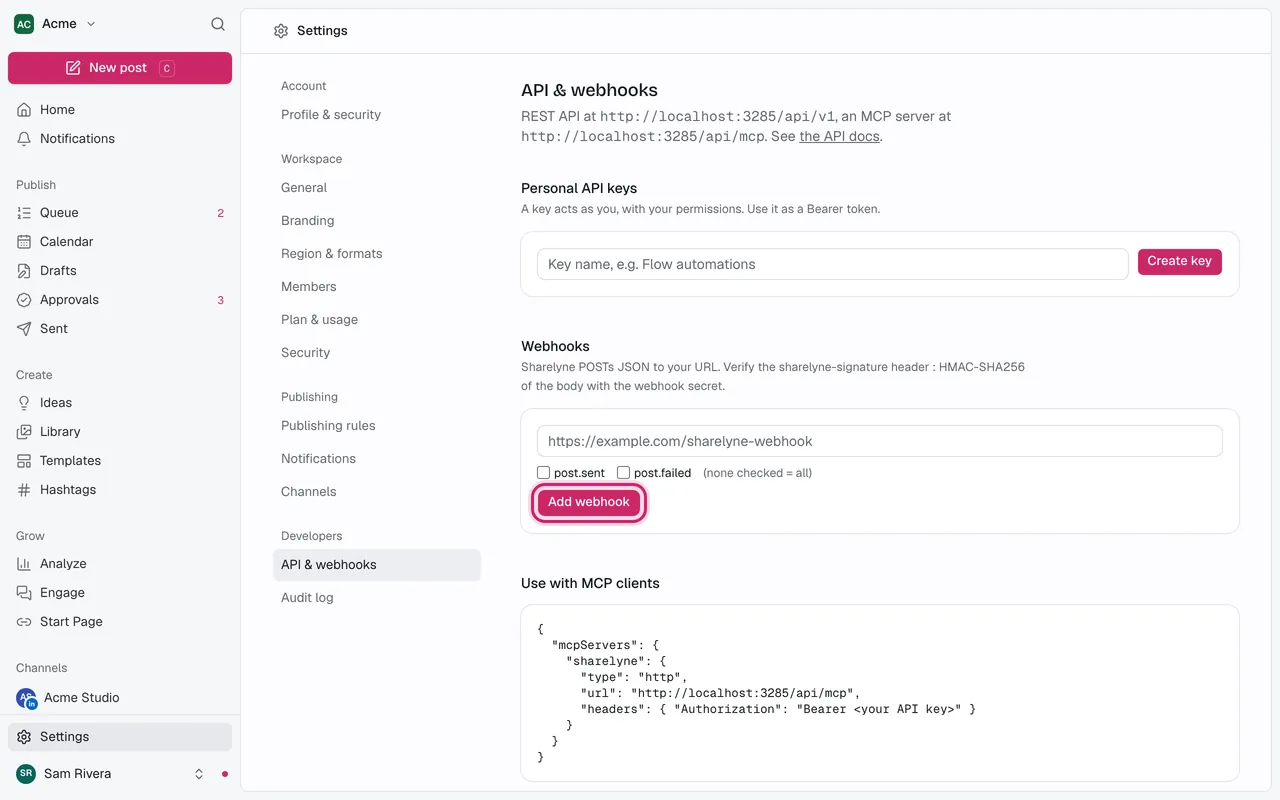
Type your URL, pick the events (post.sent, post.failed, or none for all) and click Add webhook. Check the sharelyne-signature header with your webhook secret.
More Team tutorials
All Team tutorialsInvite your team and set roles
Add people to your workspace and choose what each one can do.
Beginner2 min4 stepsTurn on approvals for your team
Make posts by members wait for an admin before they go out.
Intermediate2 min3 stepsYour plan, limits and payment
See your plan, what it includes and how much of it you use.
Beginner2 min3 steps